
Video #10 · 1:33
How to train a chatbot on your PDFs and documents
Some answers live in PDFs and documents, not on your website. Add them in Document Upload, and the chatbot answers from them as well. In this guide we add a guide from aparexam.com's blog, saved as a PDF, and ask something only that document says.
What you need
- A website already added in Apar Chatbot
- The document: a PDF, Word file (.docx), text or Markdown file, or an image (.jpg, .png)
Step by step
1Open Document Upload
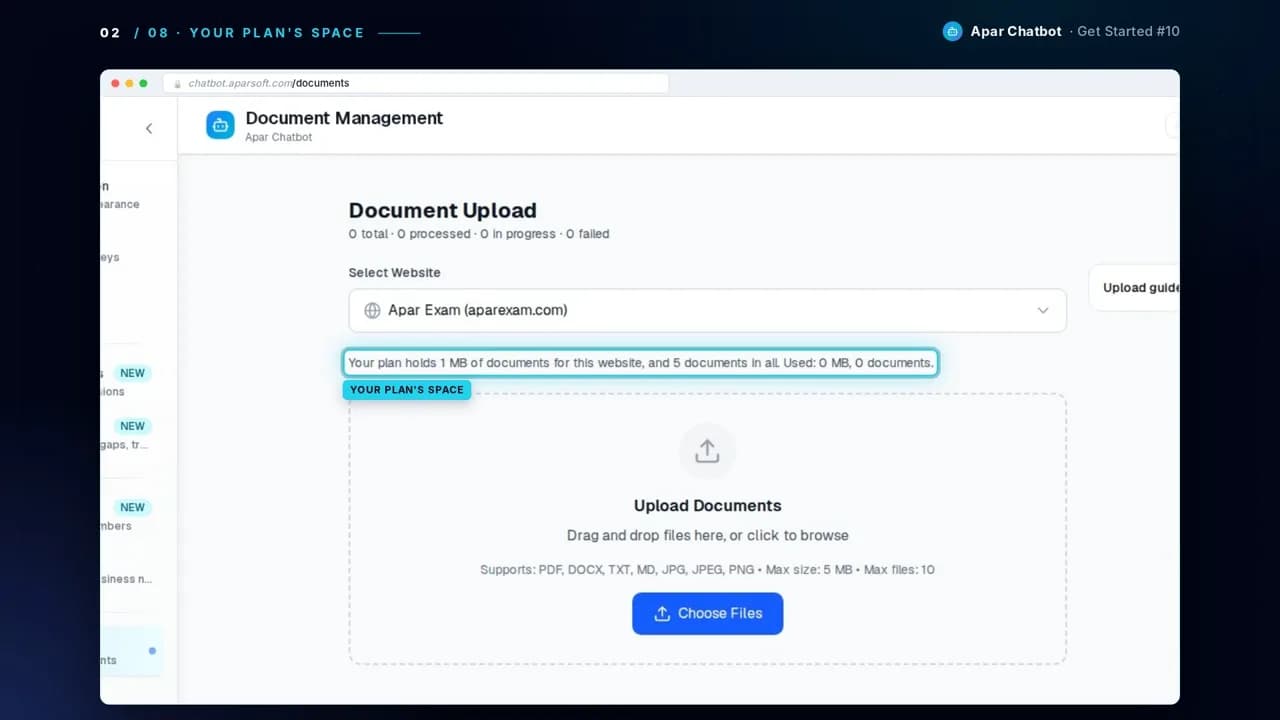
Pick your website. The page says how much your plan holds: on the Free plan, that's 1 MB of documents for each website.
2Add your file
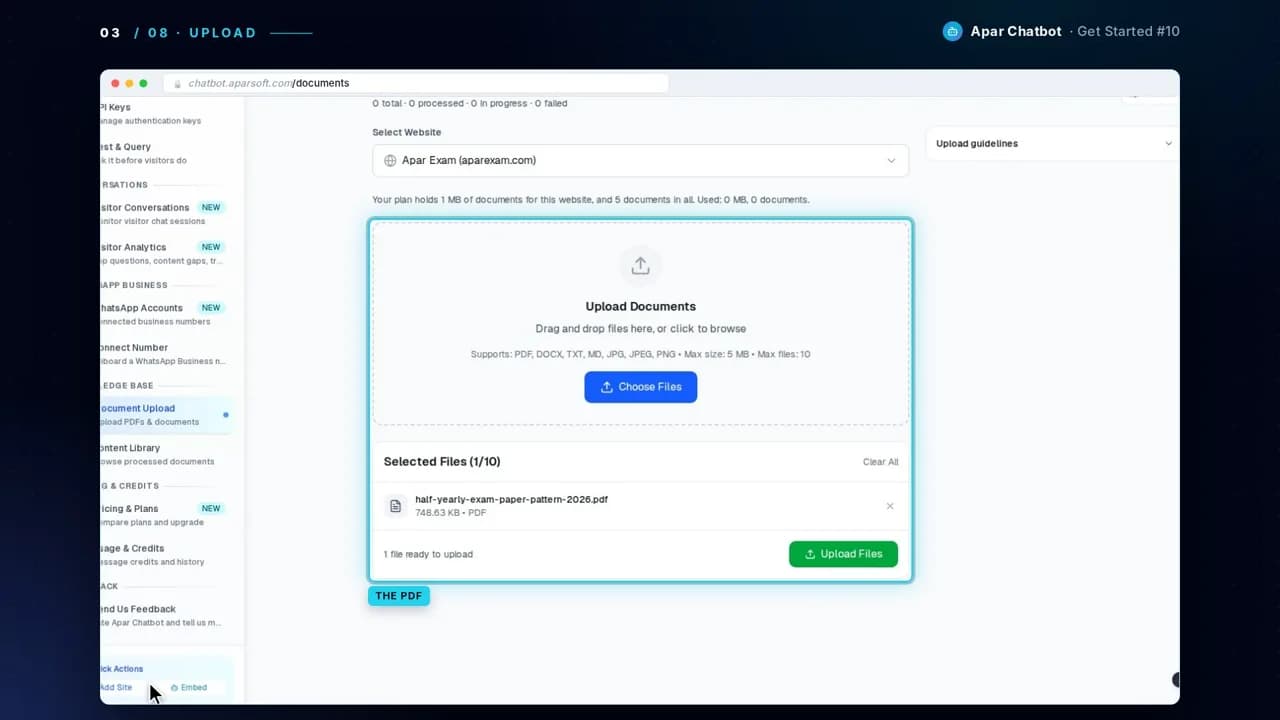
Drag in a file, or choose one. It takes PDF, DOCX, TXT, MD, JPG and PNG files, up to 5 MB each. We added a guide from our own blog, saved as a PDF. Then press Upload Files.
3Press Process
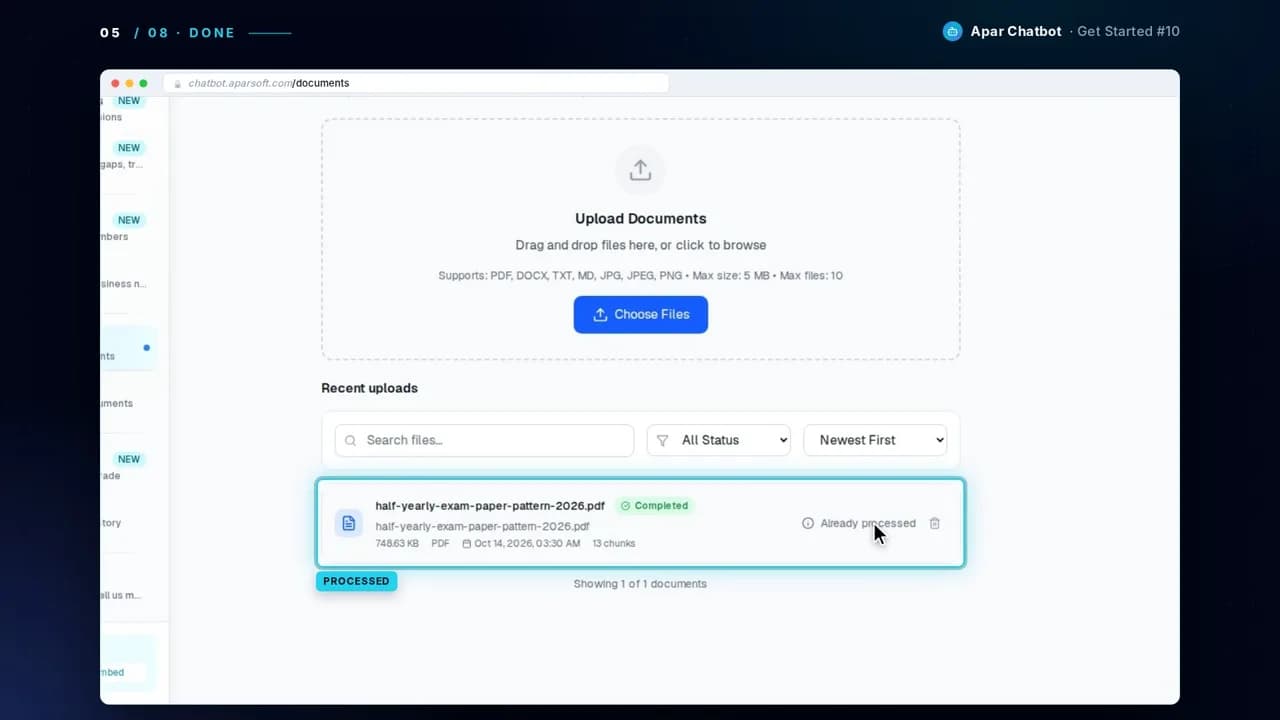
It reads the document, splits it into chunks of knowledge, and stores them for your chatbot. When it's done, it shows how many chunks of knowledge it made.
4Find it in Content Library
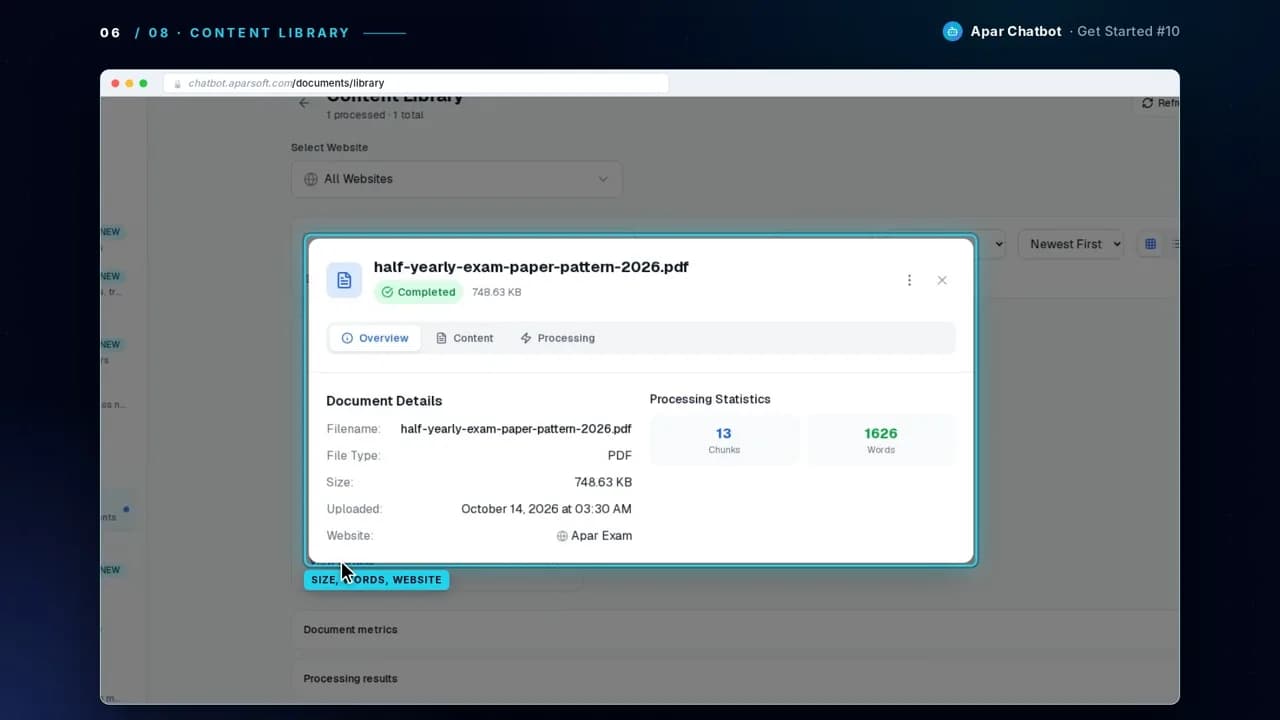
Content Library lists your documents. View Details shows each one's size, its words, and the website it belongs to.
5Ask something only the document says
Open Test & Query and ask a question that only the document answers. The answer comes from it, and Sources names it.
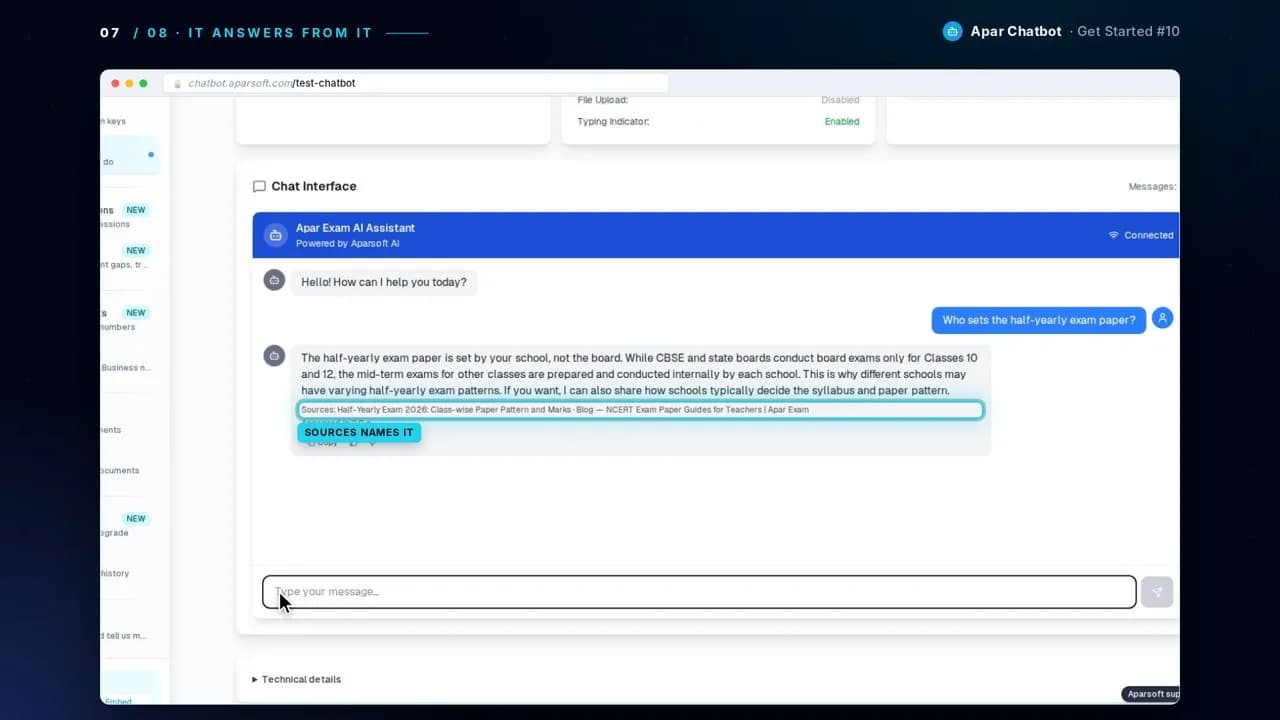
The answer in the video, word for word
Test & Query, after the PDF was processed
Who sets the half-yearly exam paper?
Sources: Half-Yearly Exam 2026: Class-wise Paper Pattern and Marks · Blog — NCERT Exam Paper Guides for Teachers | Apar Exam
Questions
Which files can I upload?
PDF, Word (.docx), text (.txt), Markdown (.md) and image (.jpg, .png) files, up to 5 MB each.
How much can I upload?
Document Upload shows how much your plan holds for each website. On the Free plan, that's 1 MB of documents for each website.
Do documents replace my website's pages?
No. Documents go into the same knowledge as your pages, so the chatbot answers from both. Each answer names the page or document it came from.
How do I know it worked?
When processing is done, the document shows how many chunks of knowledge it made. Then ask Test & Query something only the document says, and check that Sources names it.
Next guide
How to find the questions your chatbot can't answer