
Video #08 · 1:24
How to add a chatbot to React, Next.js, Vue or Angular
If your website is a React, Next.js, Vue or Angular app, Embed Codes has a ready file for each. You save it as its own file and add one tag to your app. There is nothing to install: the chat loads from Aparsoft's servers.
What you need
- A website already added and read in Apar Chatbot
- Your app's source code (React, Next.js, Vue 3 or Angular)
Step by step
1Pick your framework's tab
Open Embed Codes and pick your website. Next to HTML/JavaScript there is a tab for React, Next.js, Vue and Angular. Each tab is a ready file with your website's key in it, and a short guide under it.
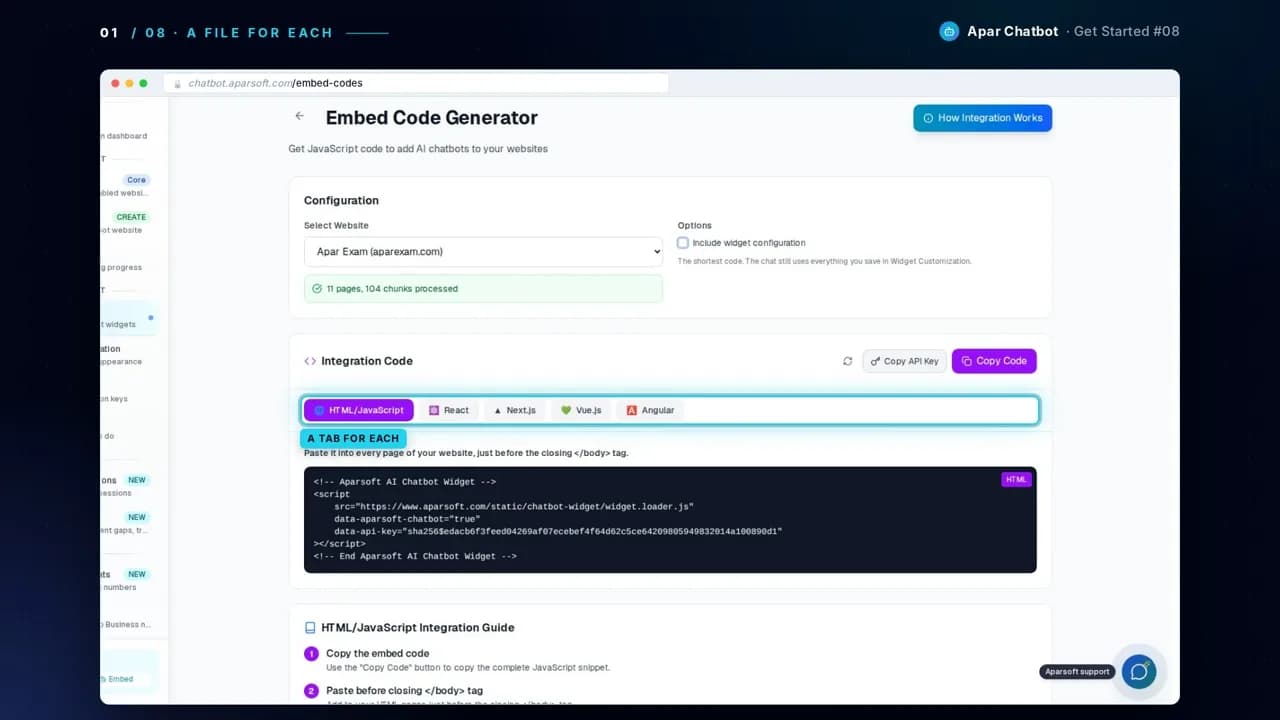
2React
Save the code as its own file, src/AparsoftChatbot.jsx. Then import it in App.jsx and render <AparsoftChatbot /> once. It draws nothing itself: the chat button appears on every page of the app.
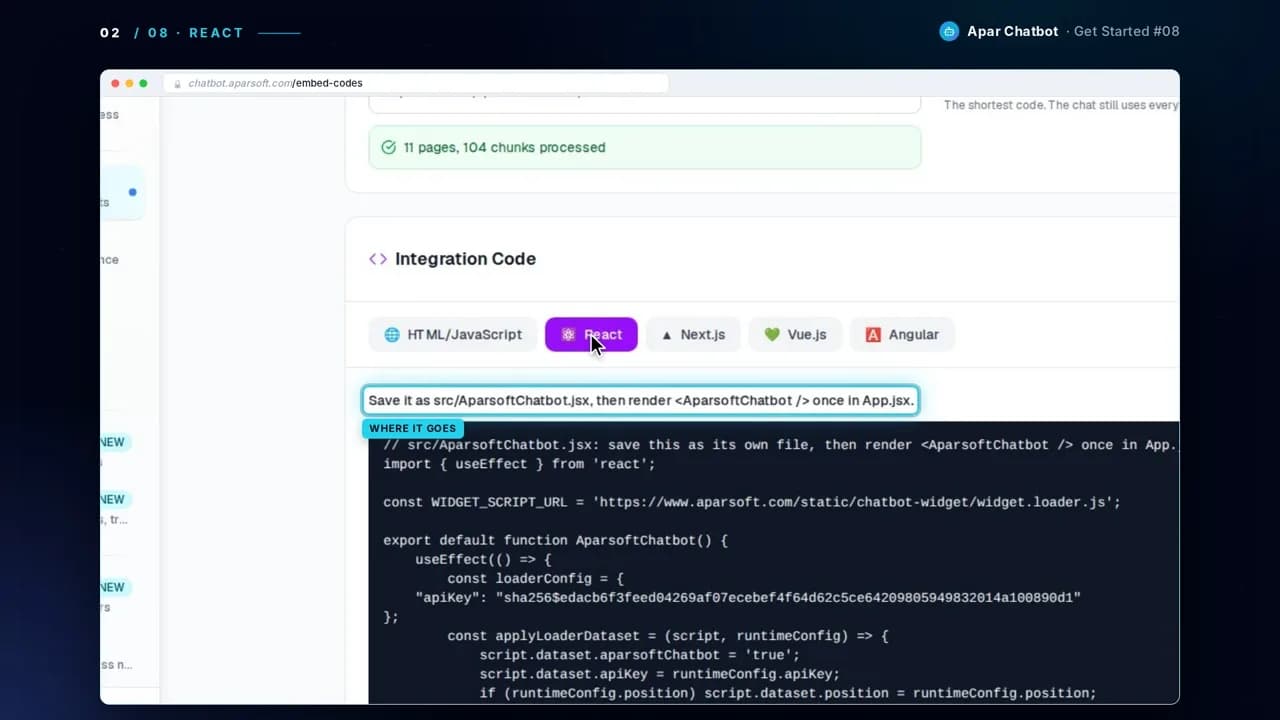
3Next.js
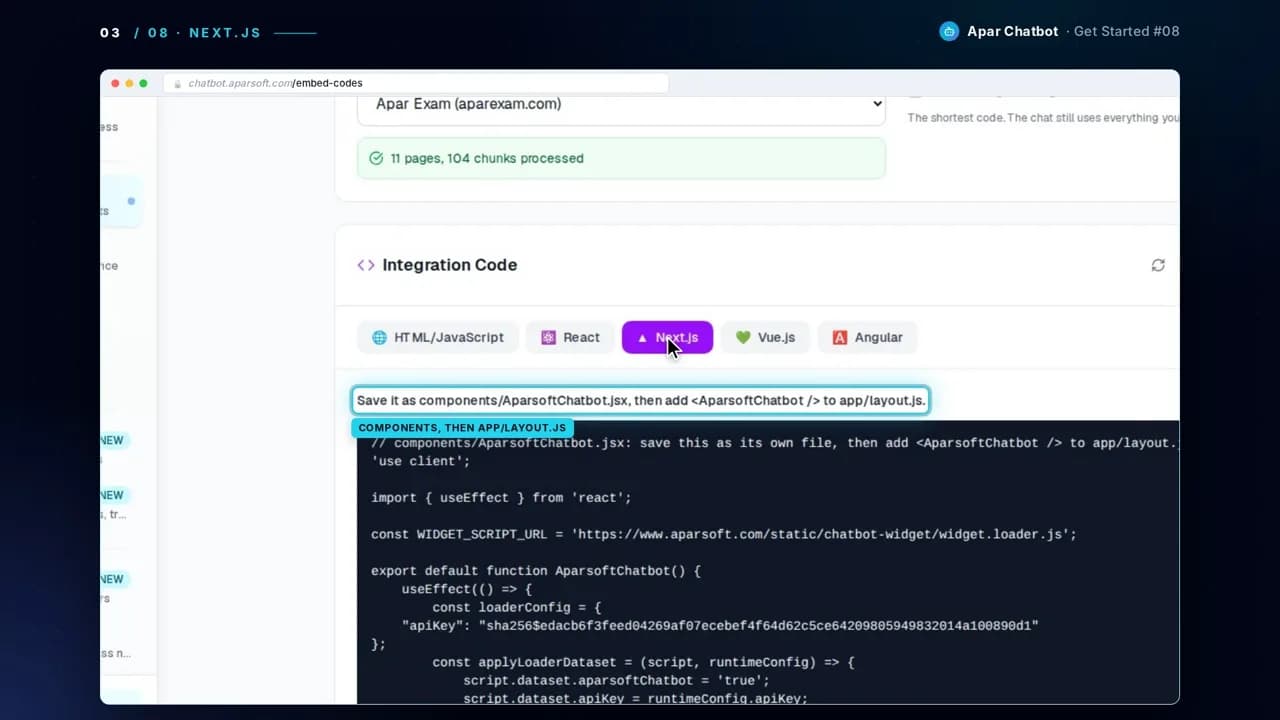
Save the code as components/AparsoftChatbot.jsx. It starts with 'use client', so it runs in the browser. Import it in app/layout.js and put <AparsoftChatbot /> inside <body>, after {children}. The chat shows on every page, and your layout stays a server component.
// app/layout.js
import AparsoftChatbot from '@/components/AparsoftChatbot';

export default function RootLayout({ children }) {
  return (
    <html lang="en">
      <body>
        {children}
        <AparsoftChatbot />
      </body>
    </html>
  );
}
4Vue
Save the code as src/components/AparsoftChatbot.vue. Import it in App.vue and put <AparsoftChatbot /> once in its template. The file is written for Vue 3.
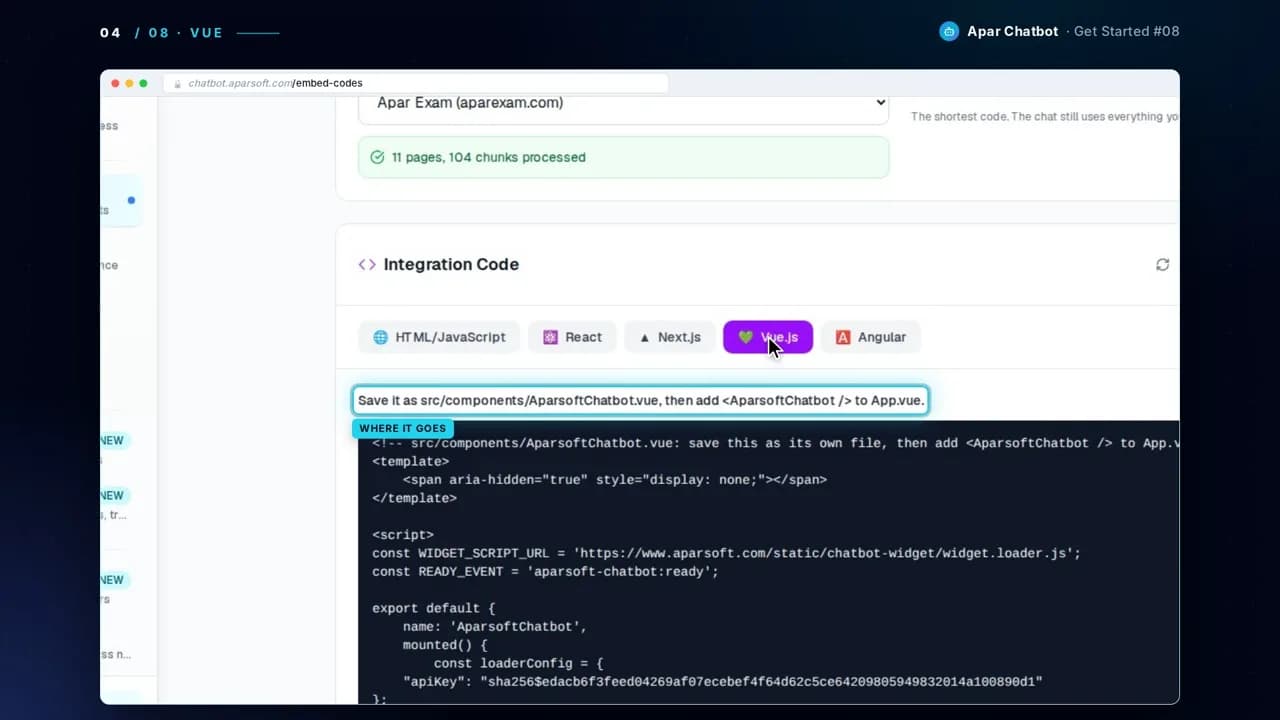
5Angular
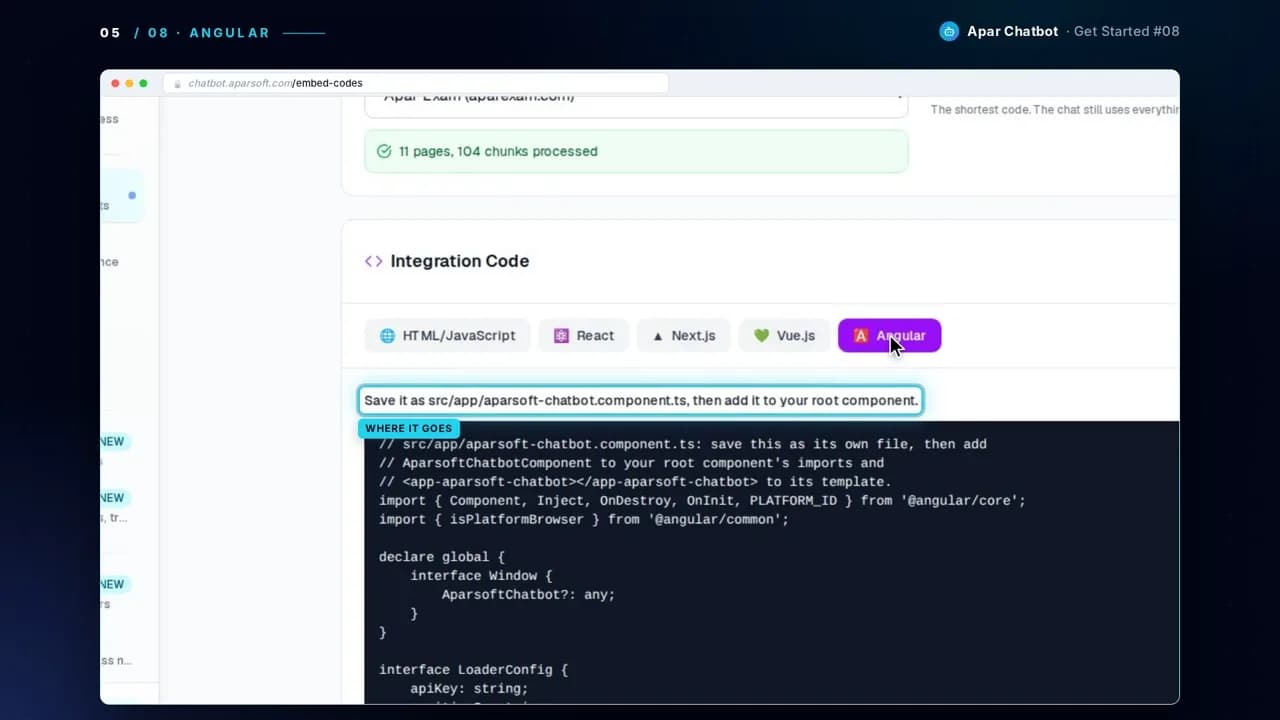
Save the code as src/app/aparsoft-chatbot.component.ts. Add AparsoftChatbotComponent to your root component's imports, and <app-aparsoft-chatbot></app-aparsoft-chatbot> to its template. In an NgModule app, add it to the module's imports instead.
6Nothing to install
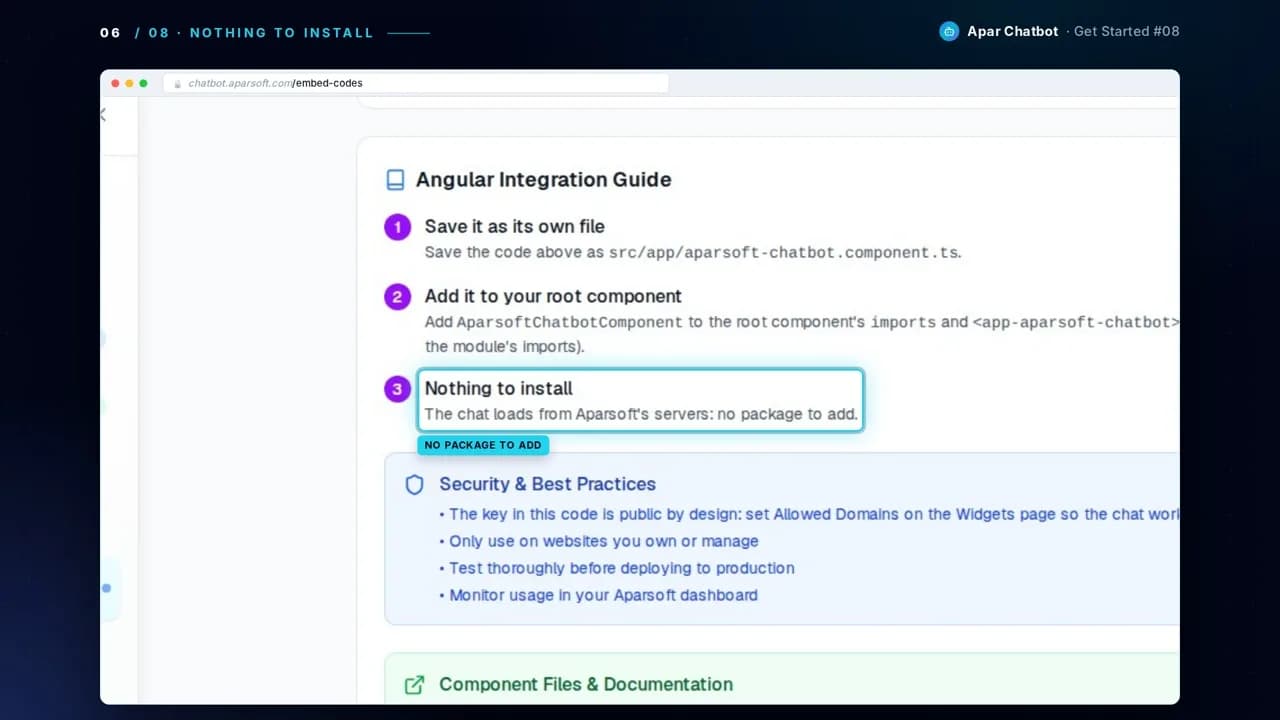
Each guide ends the same way: there is no package to add. The chat loads from Aparsoft's servers.
7Open your app
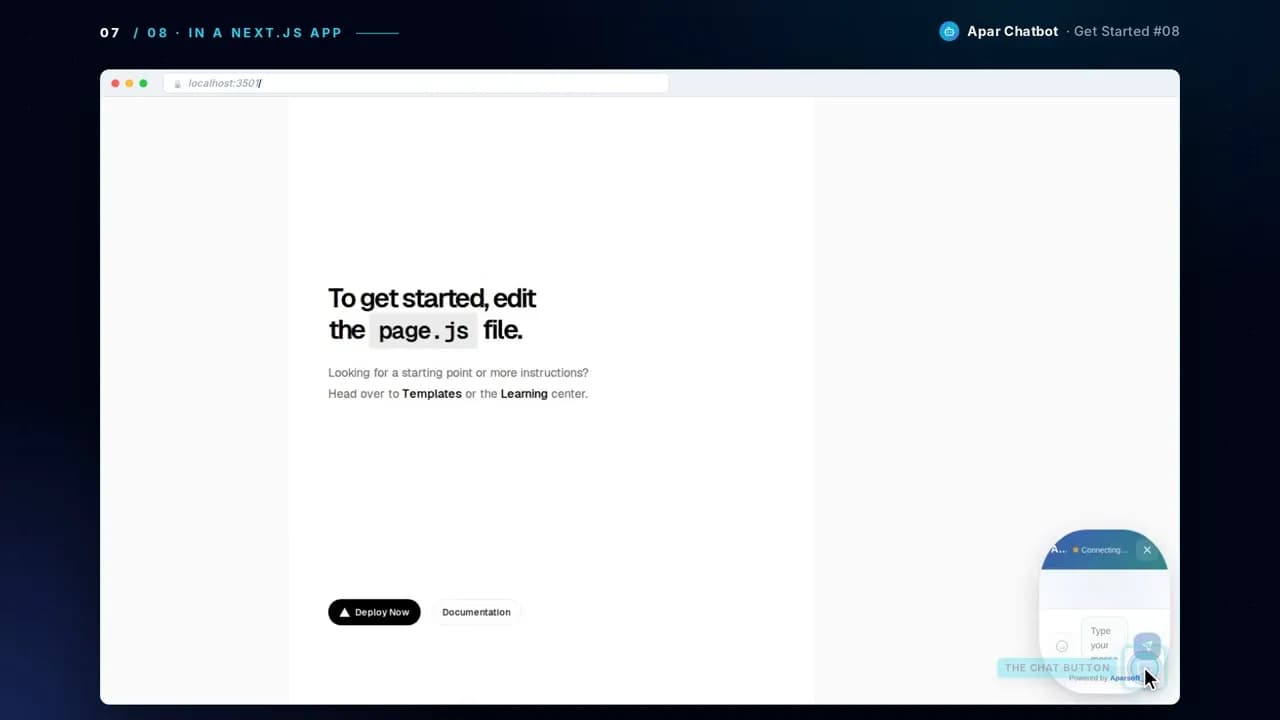
Here it is in a new Next.js app, saved and added just as the page says. The chat button is there, and it greets you.
Questions
Do I need to install an npm package?
No. The file you save loads the chat from Aparsoft's servers, so there is nothing to add to package.json.
Will it slow down my Next.js layout or make it a client component?
No. Only the small chatbot file is a client component. Your app/layout.js stays a server component.
Did you try these files in real apps?
Yes. Before filming, each file was saved and added as its guide says in a new app: Vite with React, Vite with Vue, Next.js with the App Router, and Angular. In each one the chat opened and greeted.
What about a plain HTML website, or WordPress?
Use the HTML/JavaScript tab instead: one script tag before the closing </body> tag. The previous guide shows it step by step.
Next guide
How to train a chatbot on your PDFs and documents