
Video #13 · 1:33
How to find the questions your chatbot can't answer
Some questions aren't answered on your website. The chatbot won't guess, and Visitor Analytics lists those questions, so you can add the answers. In this guide two visitors ask a question aparexam.com's pages don't answer. We add the answer, and ask again.
What you need
- A chatbot that visitors are already using
- The answer, on your website or in a document
Step by step
1Open Visitor Analytics
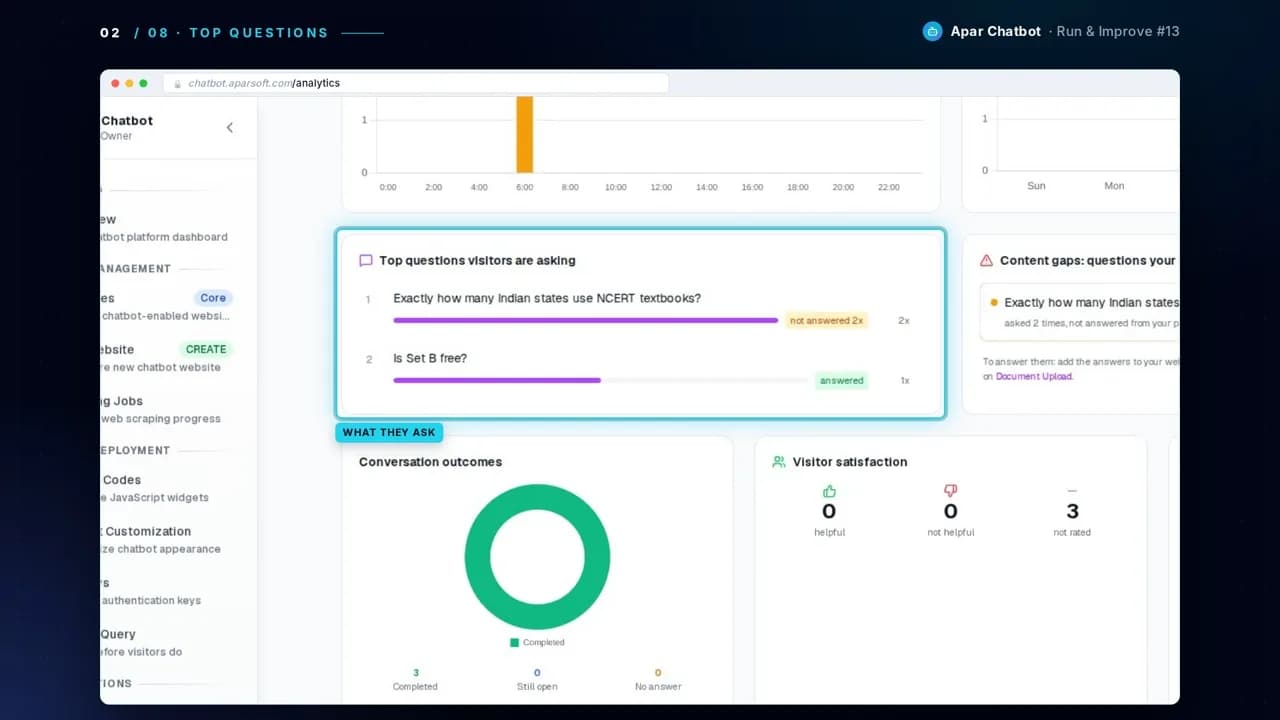
Top questions shows what visitors ask most, and whether each one was answered.
2Read the content gaps
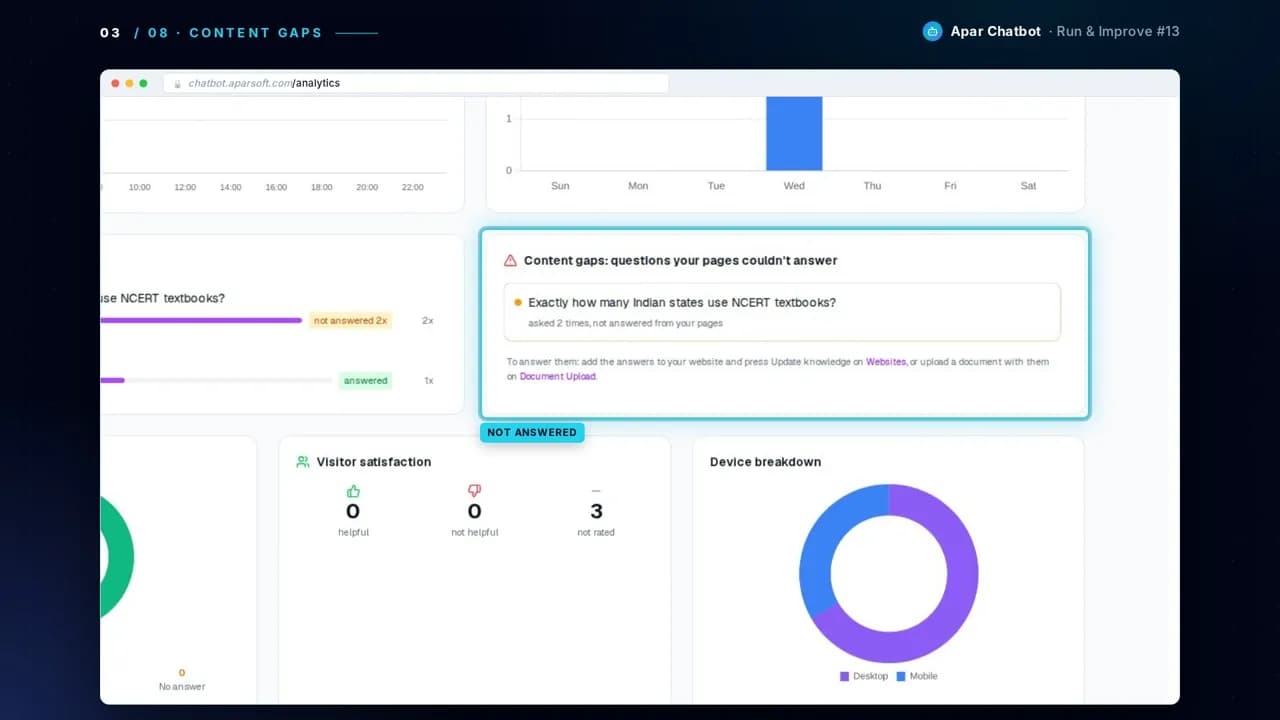
Content gaps lists the questions your pages couldn't answer, and how often they were asked. Here, two visitors asked exactly how many Indian states use NCERT textbooks, which aparexam.com's pages don't say.
3Choose how to answer it
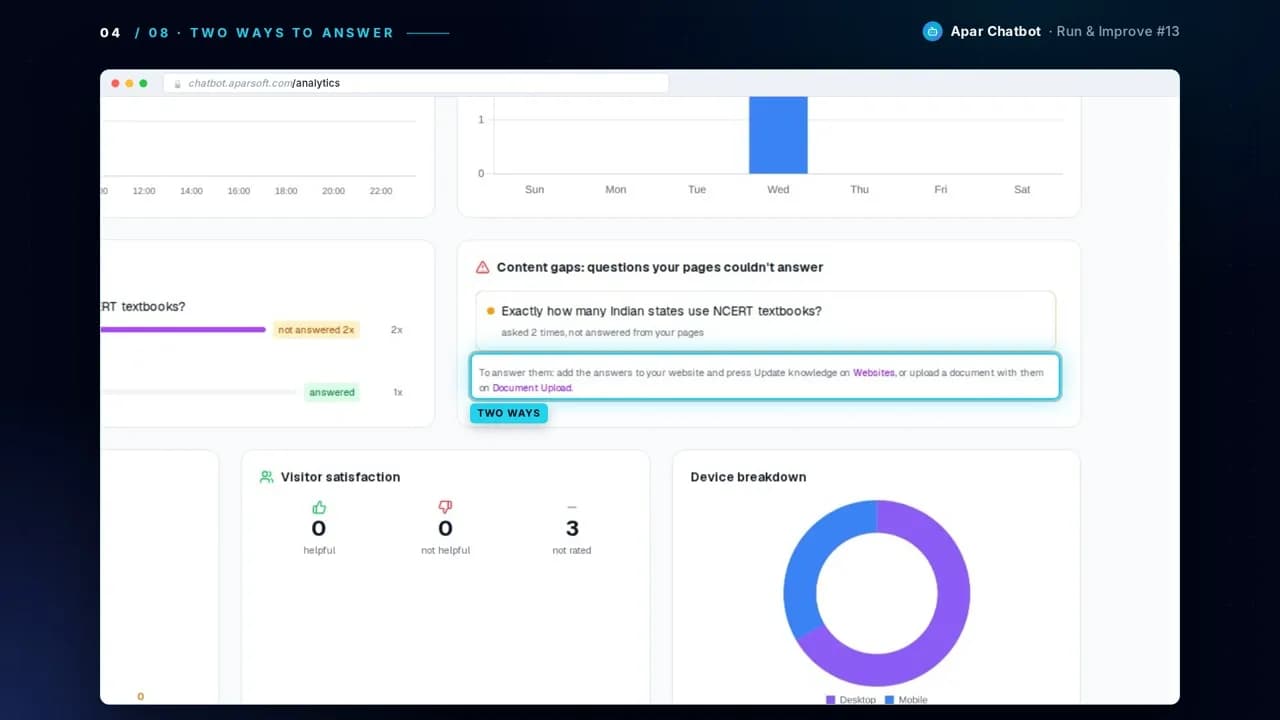
There are two ways. Add the answer to your website and update the knowledge, or upload a document with it.
4Add the answer
This answer is in a guide on our own blog. We save it as a PDF, upload it, and press Upload Files. Then press Process, and wait until it says the document is processed.
In detail: How to train a chatbot on your PDFs and documents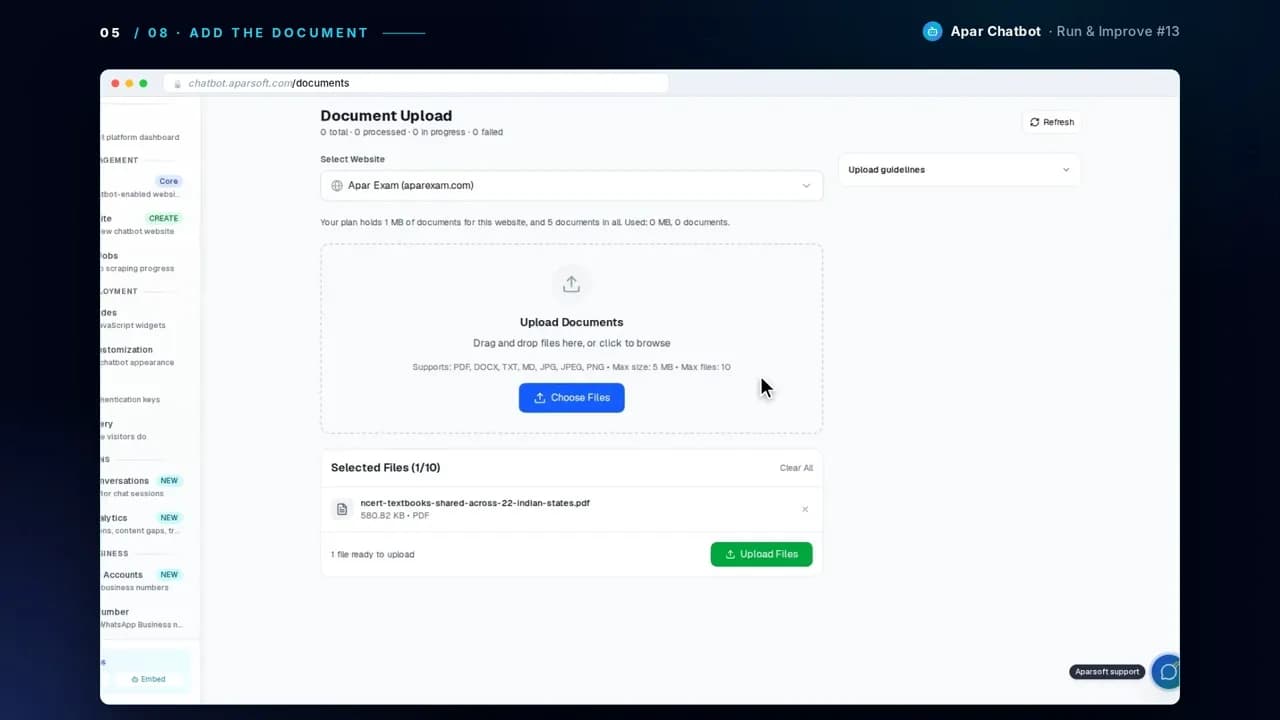
5Ask the question again
Ask it again in Test & Query. Now it answers, and Sources names the guide.
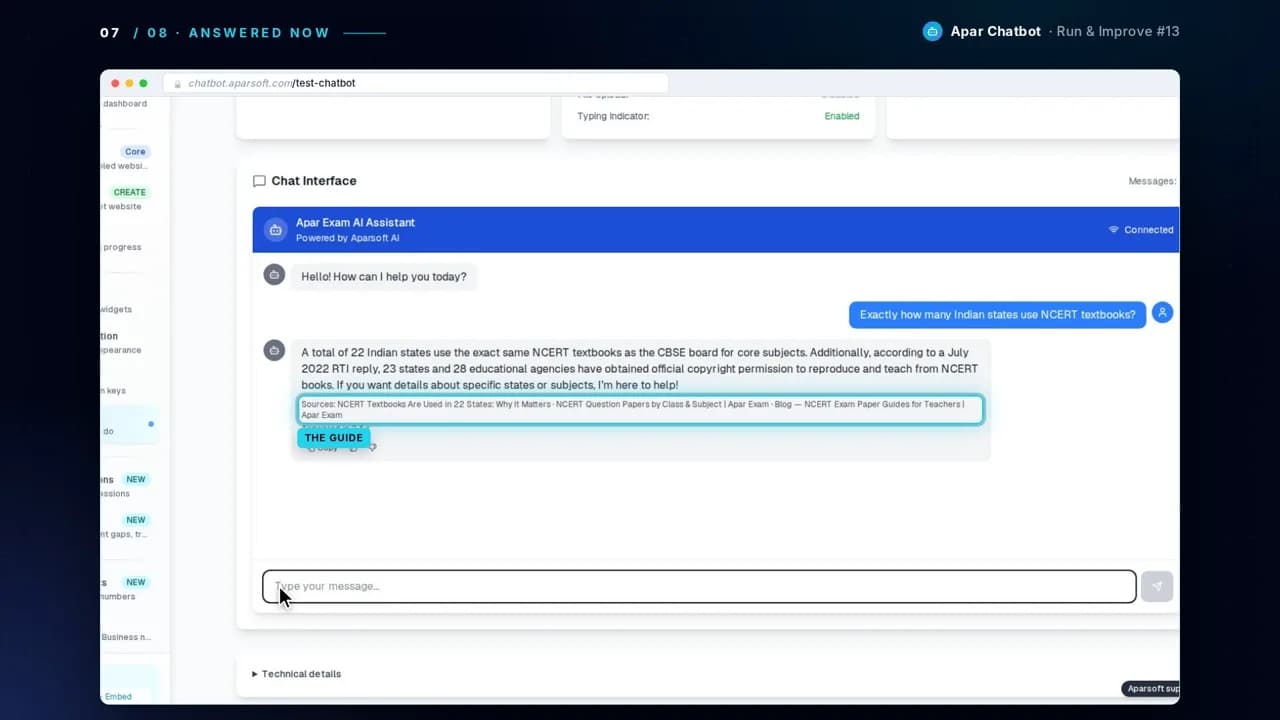
The answer in the video, word for word
Test & Query, after the guide was added
Exactly how many Indian states use NCERT textbooks?
Sources: NCERT Textbooks Are Used in 22 States: Why It Matters · NCERT Question Papers by Class & Subject | Apar Exam · Blog — NCERT Exam Paper Guides for Teachers | Apar Exam
Questions
What is a content gap?
A question a visitor asked that your website's pages couldn't answer. Visitor Analytics lists each one, with how often it was asked.
What does the chatbot say when it can't answer?
It won't guess. It doesn't make up an answer your pages don't support, and the question goes on the content gaps list.
Should I fix it on my website or with a document?
Either works. If the answer belongs on your website, add it there and update the knowledge. If it already sits in a PDF or document, upload that.