
StoreIQ
Your bills show what sold.StoreIQ shows the rest.
They don’t show how many people walked in, where they went, or how long they waited. Your cameras already see all of it, but nobody has time to watch them all day. StoreIQ, part of Apar Drishti, turns those cameras into answers. It runs on your own server, with no new sensors to fit.
Watch it work
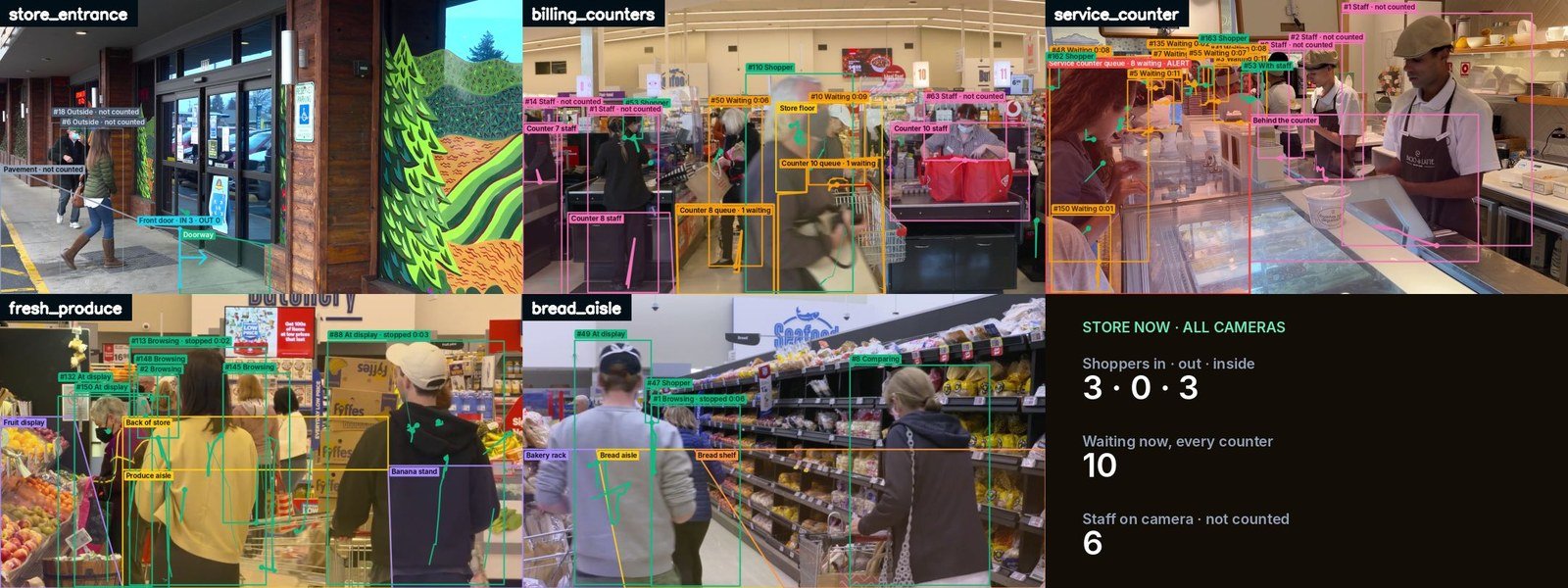
StoreIQ on its real screens: the door line, the zones, where shoppers stop, the queues, and staff kept out of the count.
The challenge
Your bills show what sold. Not who walked in.
Footfall unknown
How many people walked in, and how many walked out with nothing?
Where they went
Which displays pull shoppers in, and which aisles they skip.
How long they waited
A line at the counter grows before anyone sees it.
Nobody watches all day
Your cameras see all of it, but nobody has time to watch them.
The idea
The cameras you have, turned into answers.
How it works
From the door to the billing counter
Real screens from the working prototype, on stock store clips.
Counted, mapped, timed, kept apart
Every camera in the store feeds the same answers.
- A line across the door counts in and out
- Zones on each camera map where shoppers go and stop
- Queue zones count who is waiting at each counter
- 1A line across the door counts in and out
- 2Zones on each camera: aisles, offer table, counters
- 3Where shoppers walk, and where they stop
- 4Who is waiting at each counter, right now
- 5Staff told apart, and kept out of the count
- 6Every camera on one dashboard
No face recognition: every shopper is a number and a path.
Every shopper in, and out
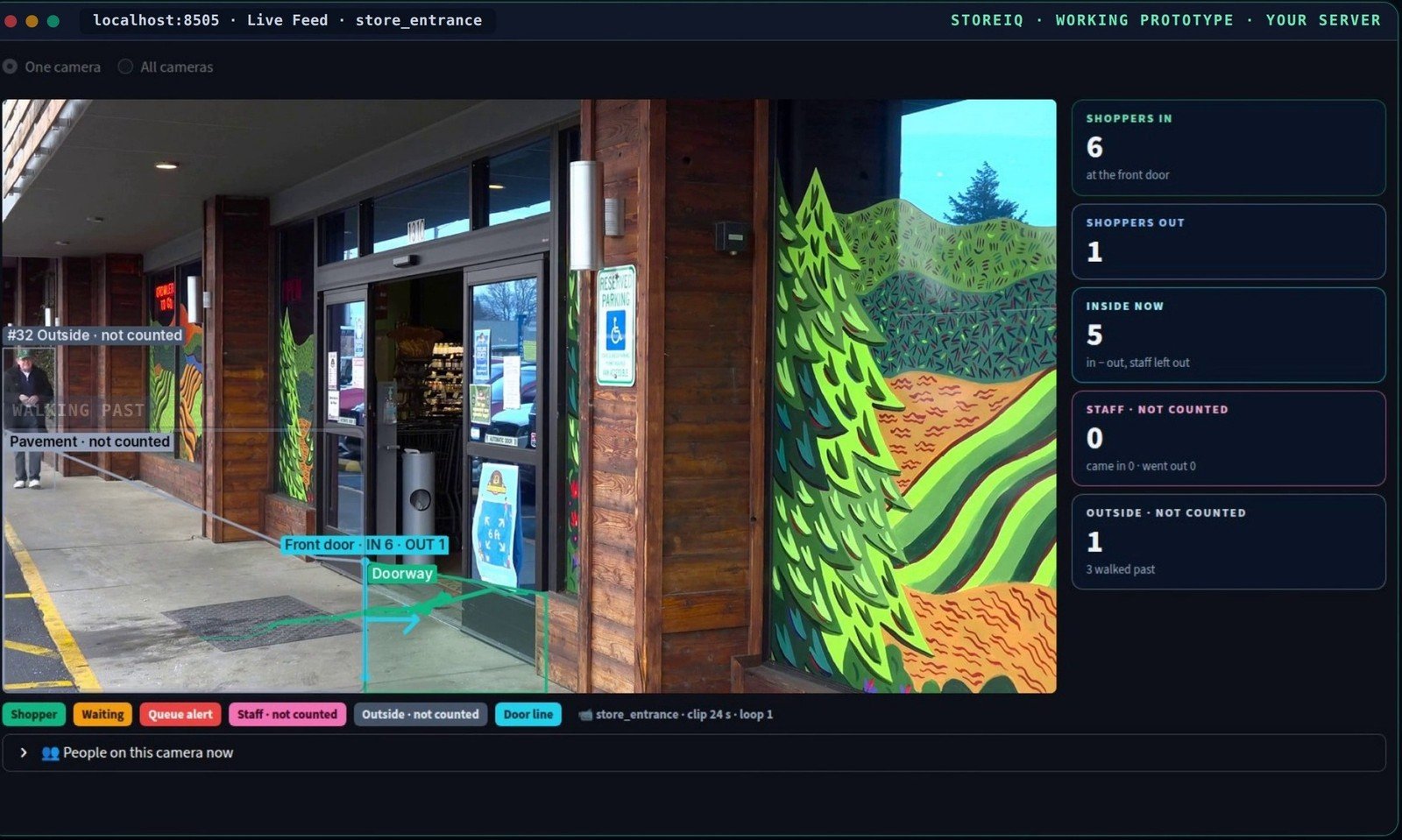
A line across the door counts every shopper who walks in, and every one who walks out.
- Someone walking past is not counted
- Shoppers in, out, and inside now
- Footfall over time, on the dashboard
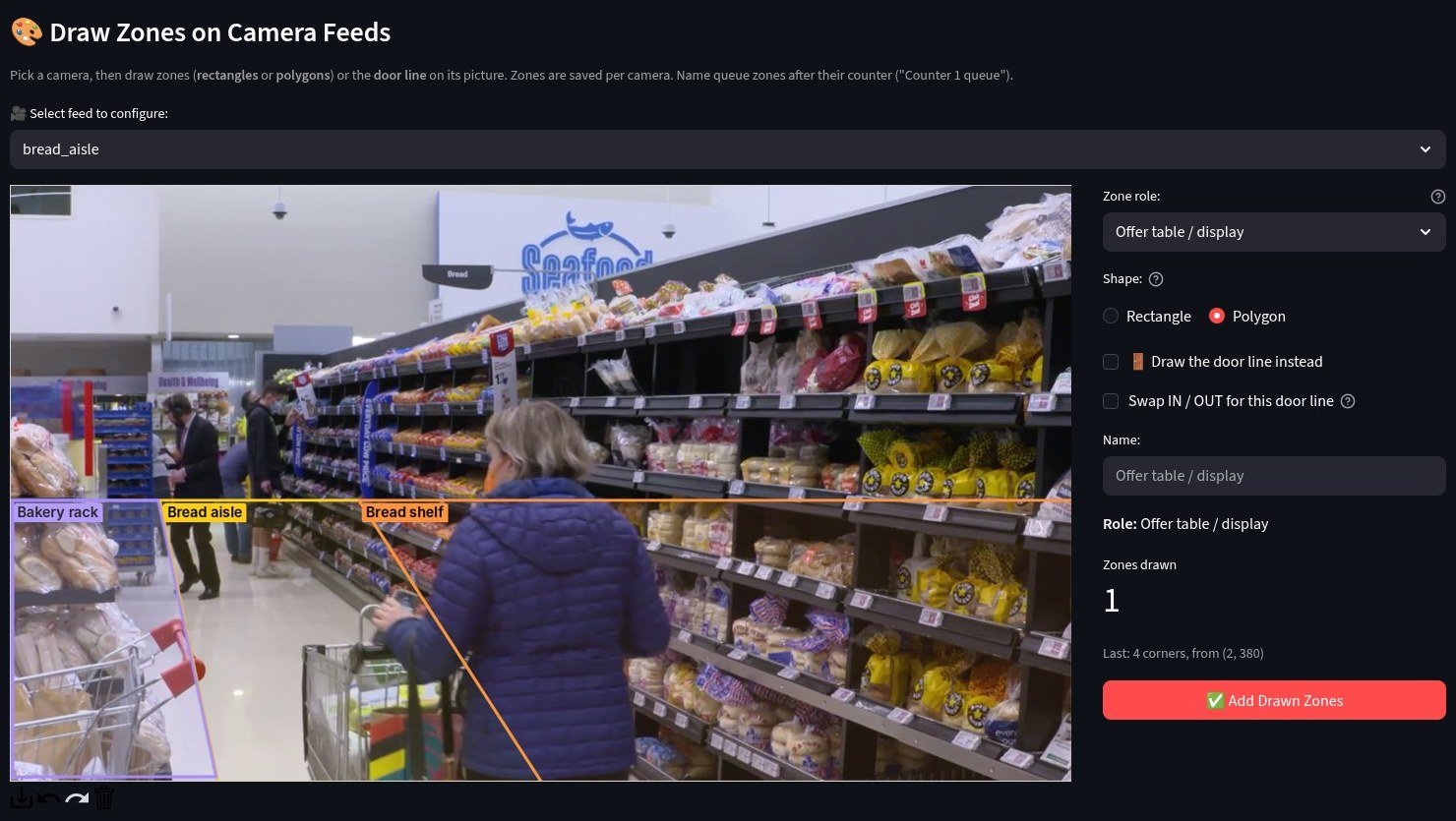
Mark the parts of your store
On each camera: the entrance, the aisles, the offer table, the deli, and the billing counters.
- A rectangle or a polygon, drawn on the camera picture
- A role for each zone: an aisle, a display, a queue
- Or a door line, where it counts in and out
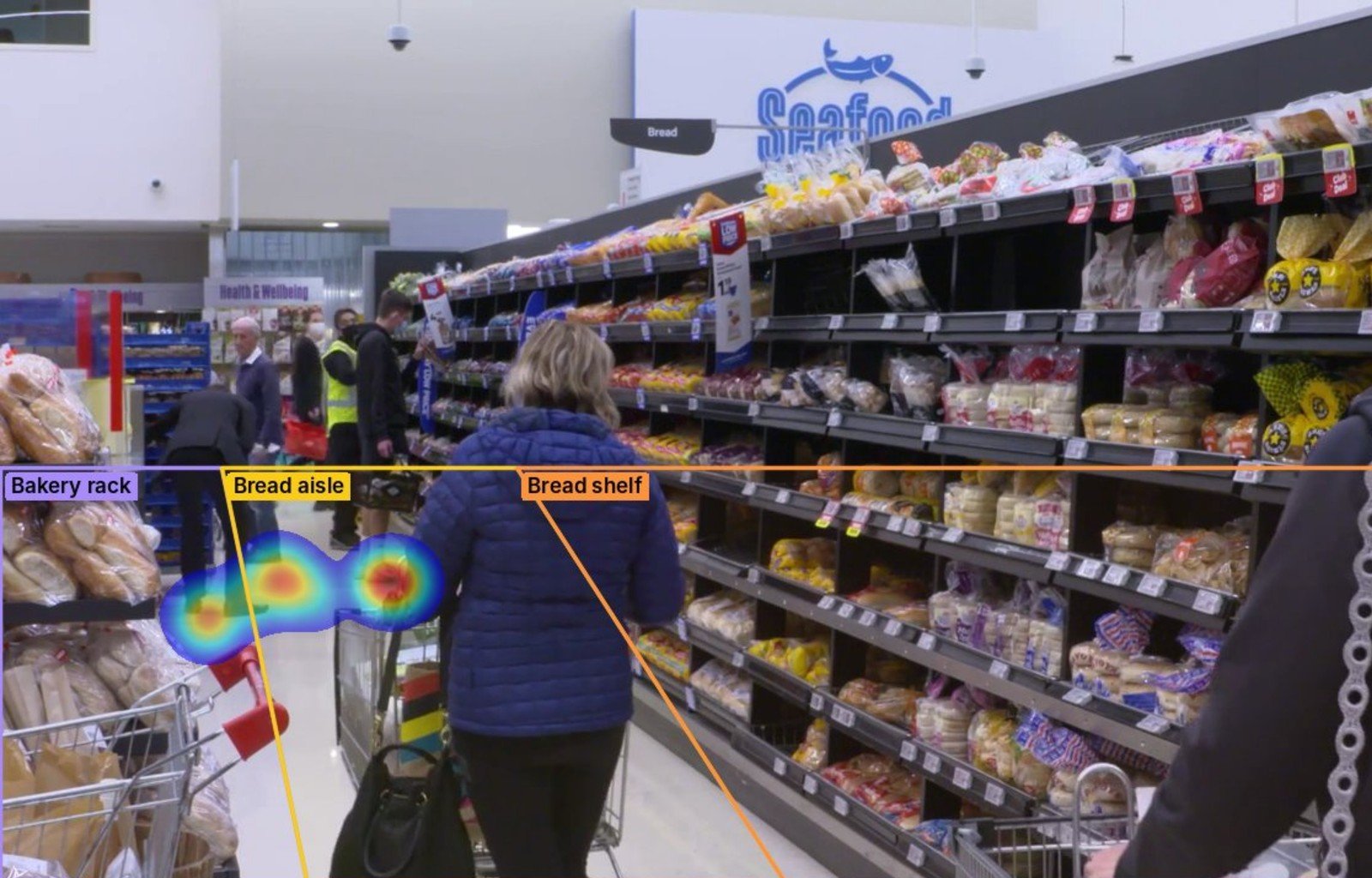
Where shoppers walk, and where they stop
So you see which displays pull them in, and which aisles they skip.
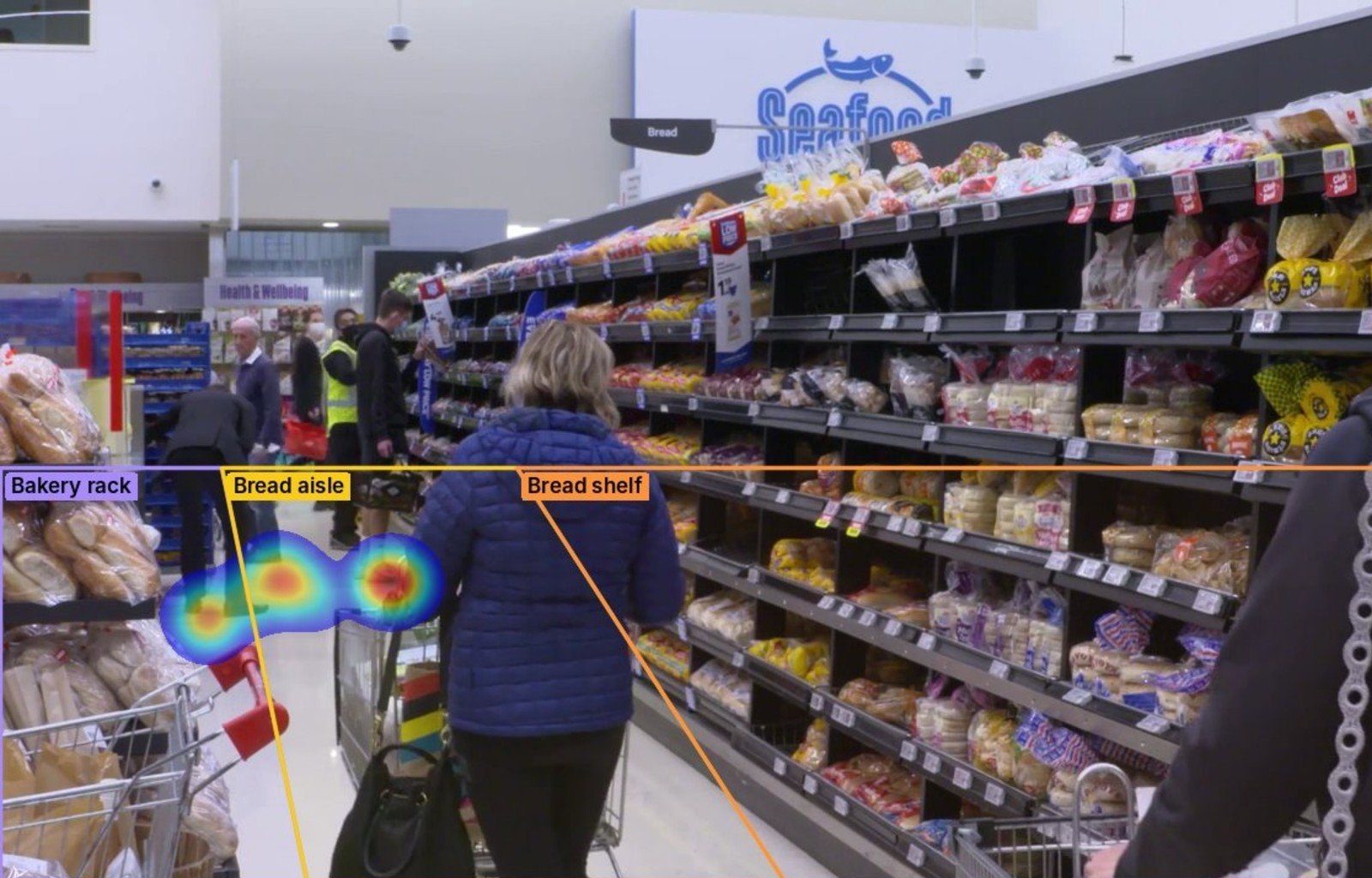
- A heatmap over the camera picture
- Shoppers who stopped, zone by zone
- Every shopper a number and a path, never a face
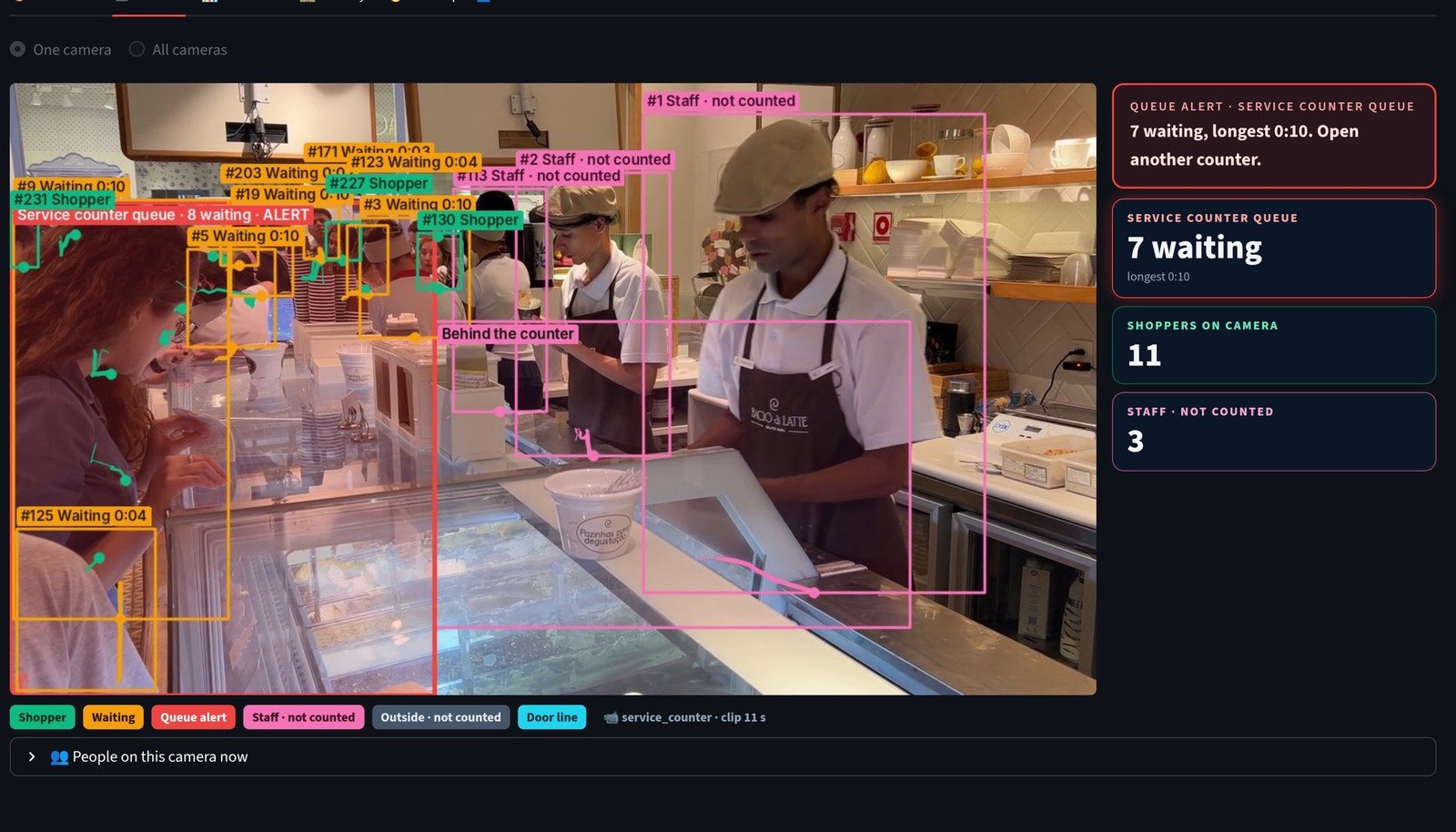
Who is waiting, right now
At the counters, it counts who is waiting. When 4 are waiting in one line, it flags it.
- A queue zone for each billing counter
- The alert shows on the dashboard before the line grows
- So you can open another counter in time
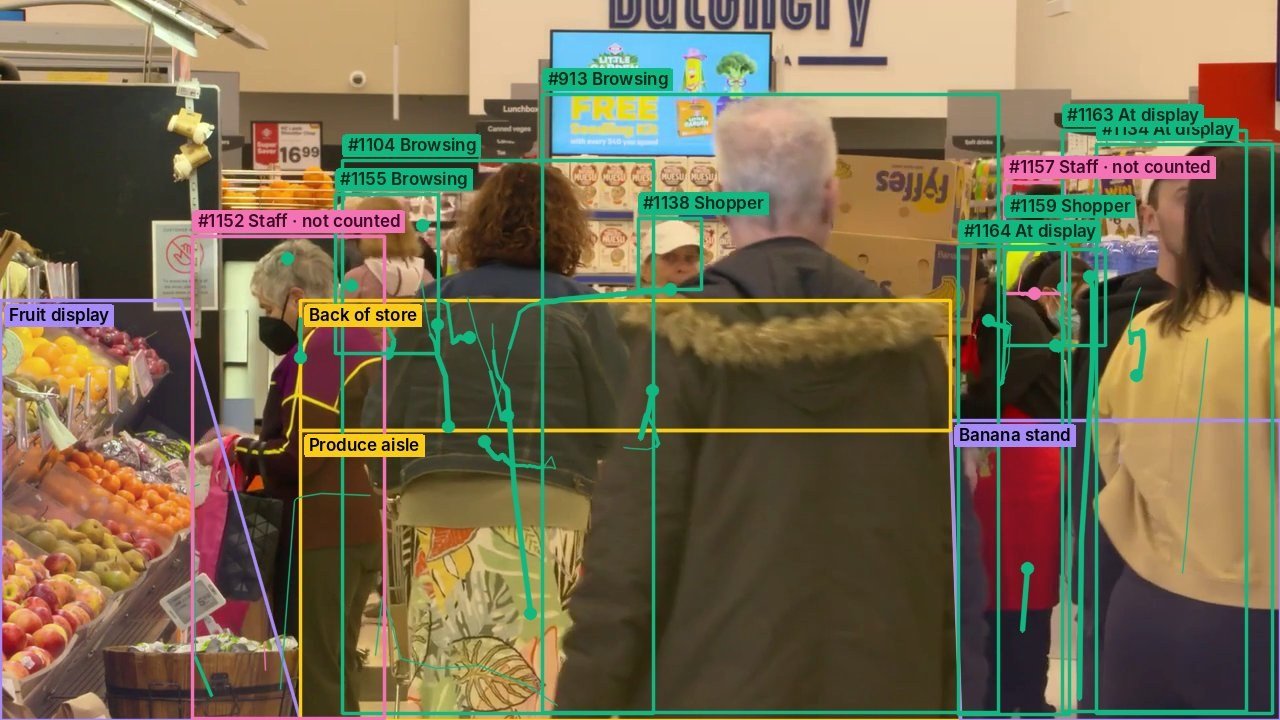
Staff, kept out of every count
It tells staff from shoppers, by where they work, and by the uniform you show it once.
- Staff show in pink, marked “not counted”
- A staff area, or a uniform learnt from one picture
- Left out of footfall, queues, stops and the heatmap
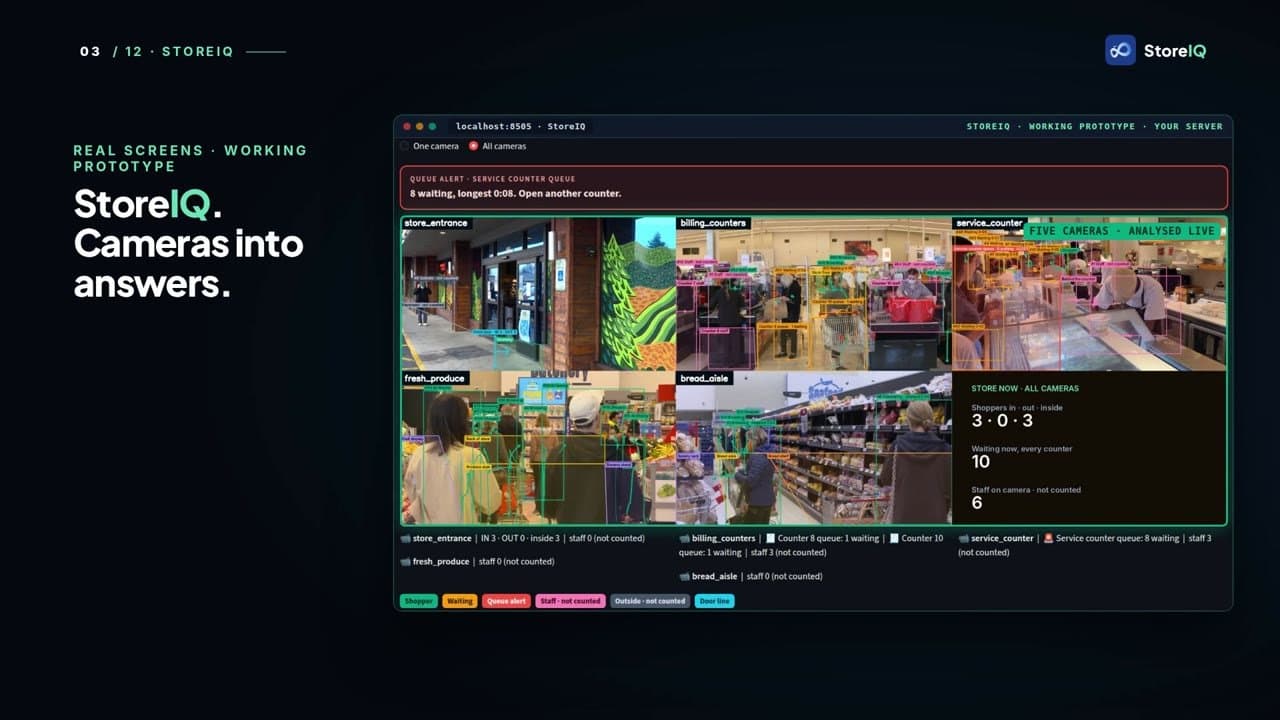
Every camera, one dashboard
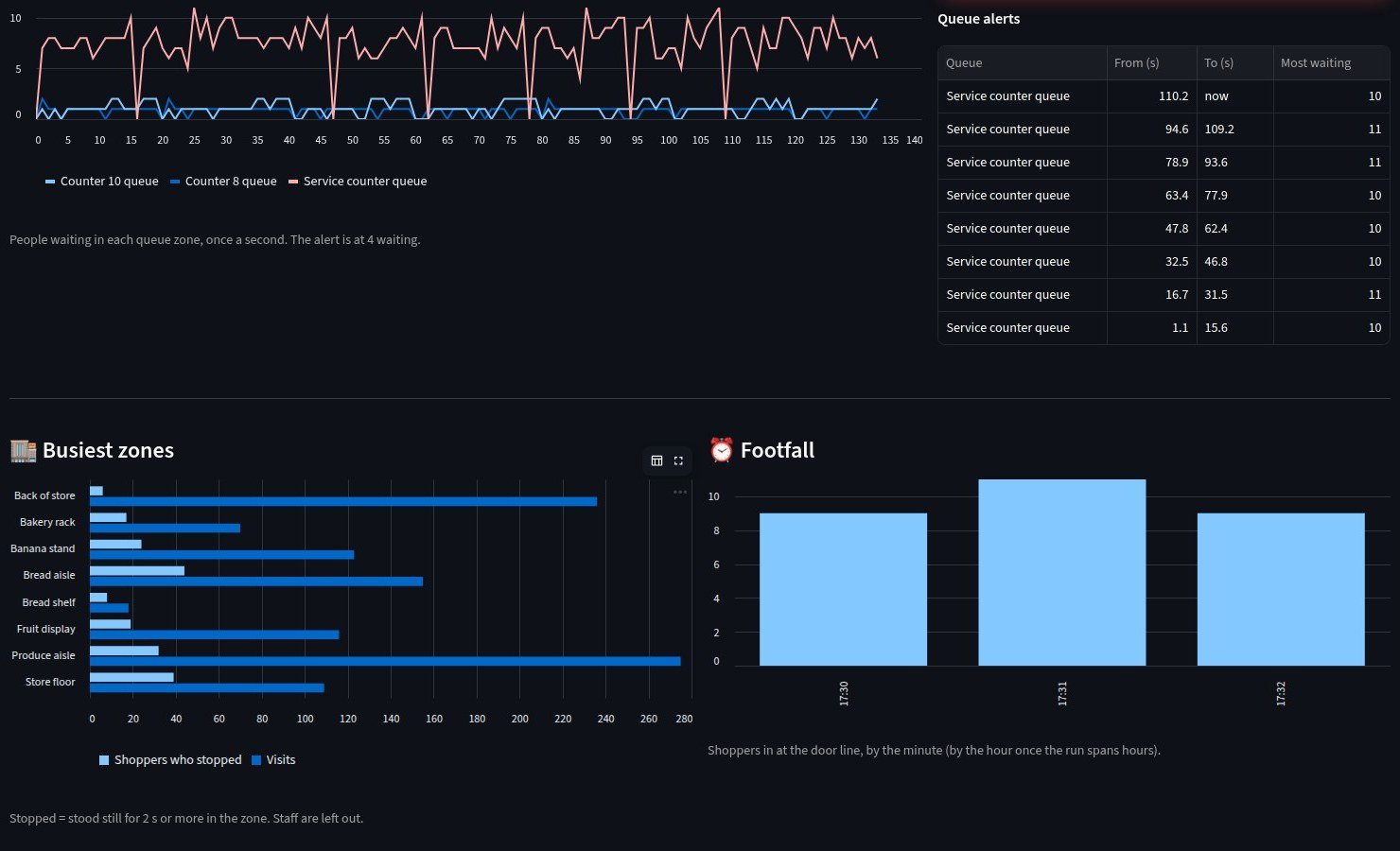
Footfall over time, the busiest zones, and the queues, right now.
- The busiest zones, by shoppers who stopped and by visits
- Footfall at the door, by the minute
- Every queue alert, from when to when
How we engineered it
Six ideas behind numbers you can trust
What keeps StoreIQ’s counts about your shoppers, and only them.
A line, not a guess
A line across the door counts each crossing in or out. Someone walking past outside is not counted.
Zones per camera
Mark the entrance, the aisles, the offer table, the deli and the counters once, on each camera’s picture.
Staff left out
Staff are told apart by where they work, and by a uniform you show it once, and kept out of every shopper count.
No face recognition
Every shopper is just a number and a path. Faces can be blurred on screen too.
Your own server
It runs on your own server, from the cameras you already have. The video never leaves your store.
Conversion, next
Connect your billing, and footfall becomes conversion. That is the next step, built with you.
What the build proves
A working prototype, built to your store
- How many people walked in, by the minute
- Which displays pull shoppers in, and which aisles they skip
- A flag at the counter before the line grows
- Shopper counts without staff in them, and without faces
More screens
Every screen, from the working prototype
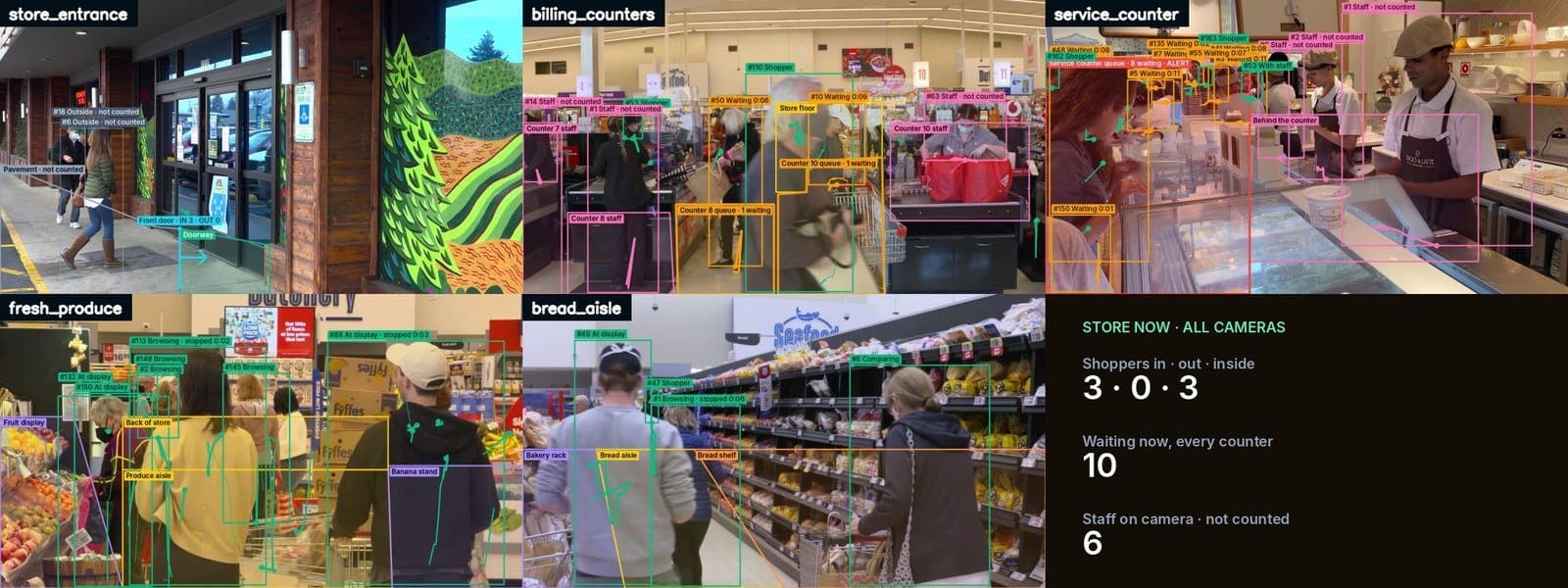
Every camera in one grid, with the store’s numbers right now.