
FireIQ
A fire starts small.FireIQ sees it while it is.
A little smoke, in a corner of a room, where nobody is looking. Your camera can see it, but nobody can watch every screen, every minute of every shift. FireIQ, part of Apar Drishti, watches that camera for you. It runs on one computer at your site, and nothing leaves it.
The challenge
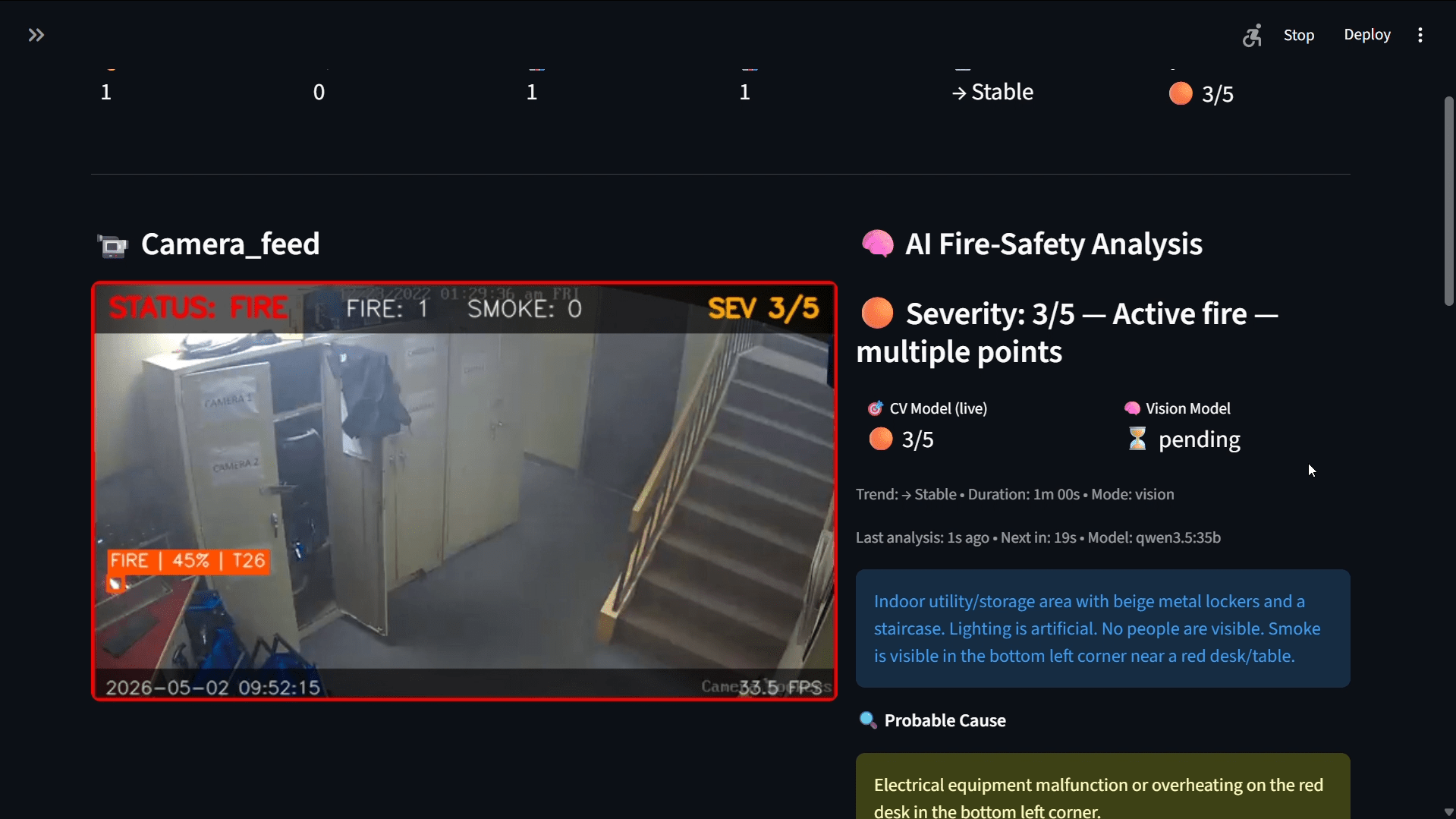
Your cameras can see the smoke. Nobody is watching.
A fire starts small
A little smoke, in a corner where nobody is looking.
Too many screens
Nobody can watch every screen, every minute of every shift.
An alarm says little
Where is it, how bad is it, and what should the team do first?
Afterwards, no record
Without the picture and the time, the review runs on memory.
The idea
The camera you already have, watching for you.
How it works
From the first smoke to the day's log
Real screens from the working prototype, running on a demo clip.
Seen, rated, sent, explained, kept
Every alarm follows the same steps, so your team knows while the fire is still small.
- When the smoke stays for half a second, the alarm goes off
- When a flame shows, it turns to fire
- The alarm goes out first; the vision model's note follows
- 1The camera sees a little smoke
- 2Smoke alarm: it stayed for half a second
- 3A flame shows: it turns to fire, rated 1 to 5
- 4The alarm goes out: screen, fire panel, buzzer
- 5The vision model reads the picture and advises
- 6Your team acts, while the fire is still small
Every step is logged with its picture and time.
Smoke and flame, many times a second
It looks for smoke and flame, and marks what it finds, with how sure it is.
- Each find is boxed on the picture, with its score
- Once raised, the alarm holds through a missed frame or two, so it does not flicker
- An optional second model double-checks smoke-only alarms, so steam or glare is less likely to set one off
How serious, from one to five
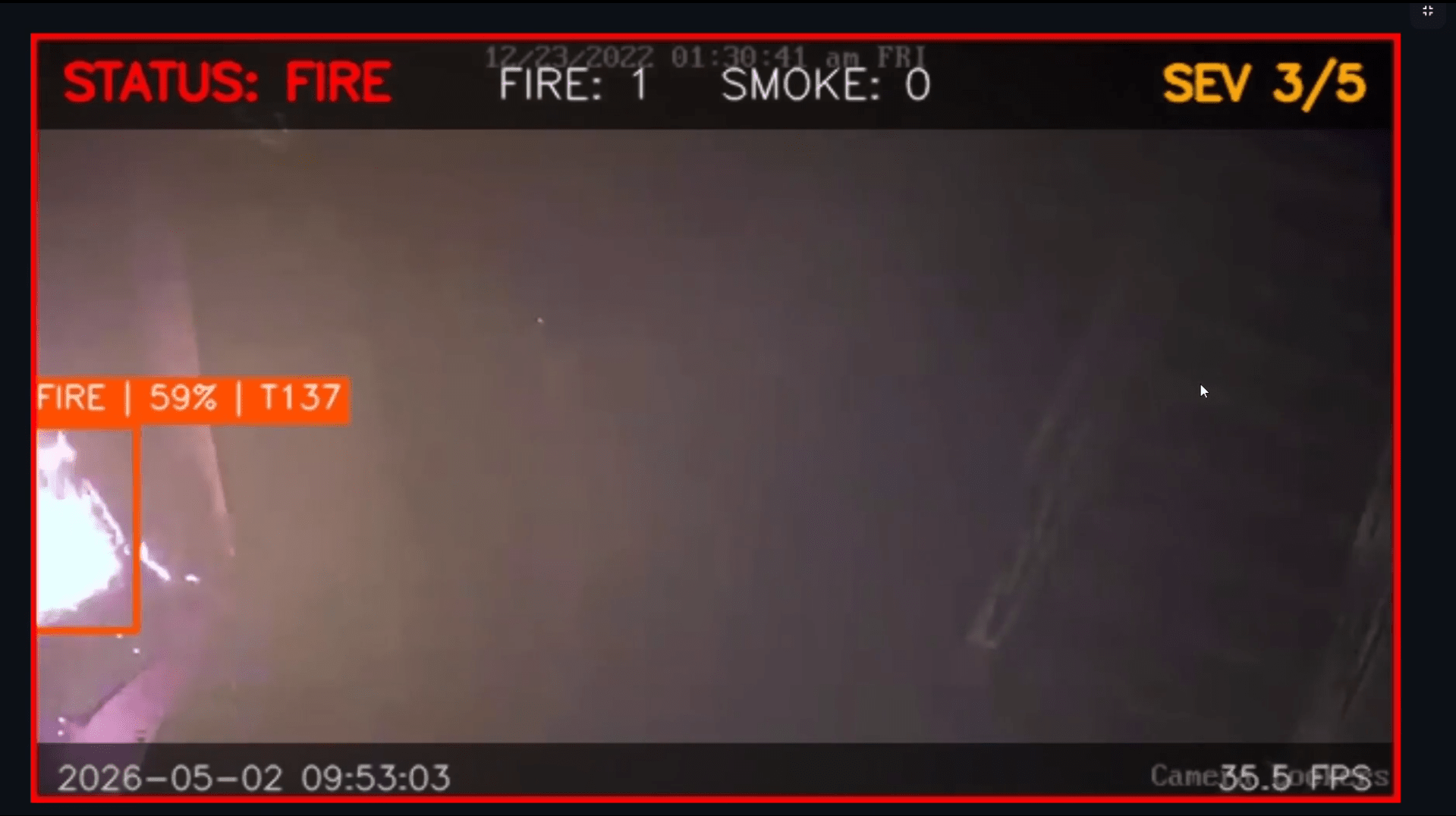
It judges how serious it is by how much of the picture is burning.
- The banner on the picture shows the status, the counts and the severity
- Smoke and fire, and whether it is growing or steady
- The vision model's own score sits beside the detector's
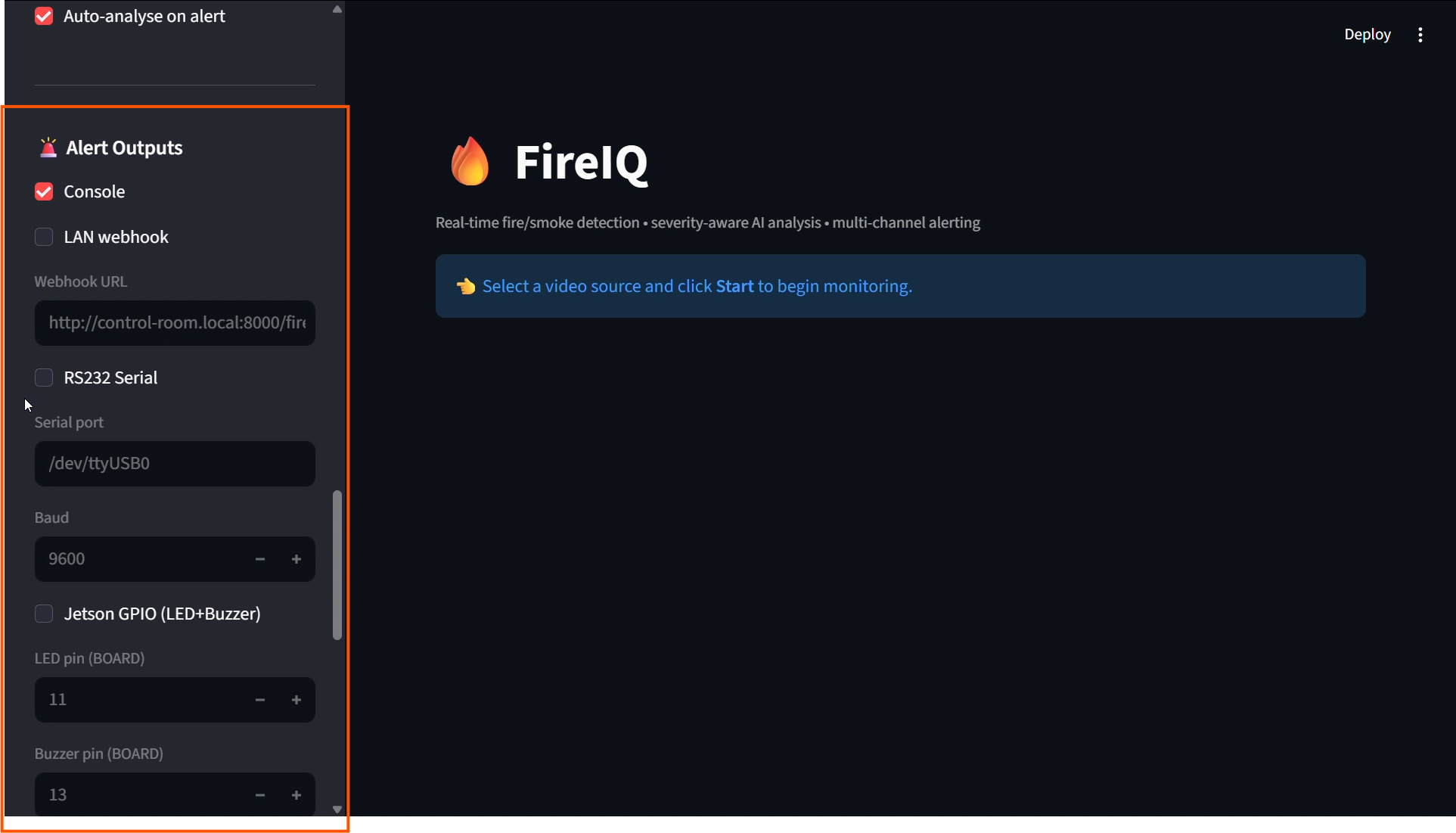
The alarm goes out at once
To a control room screen, to a fire panel, or to a light and a buzzer on the floor.
- A control room screen, over your own network
- A fire panel, over a serial line (RS-232)
- A light and a buzzer on the floor
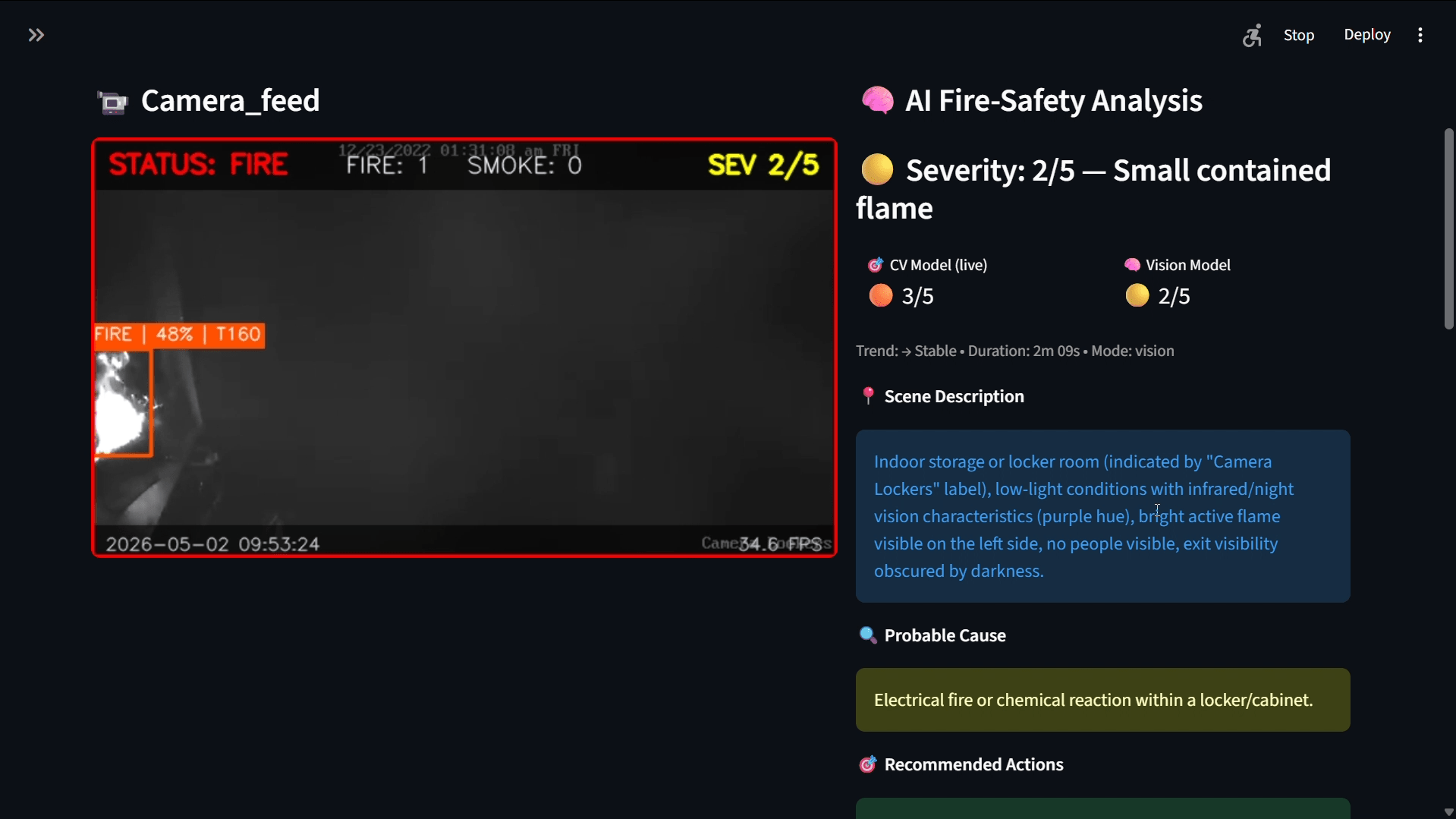
A vision model reads the picture
On the same computer: what it sees, the likely cause, and what to do.
- The alarm never waits for it: it only advises
- It can raise the severity, never lower it
- It never switches an alarm off
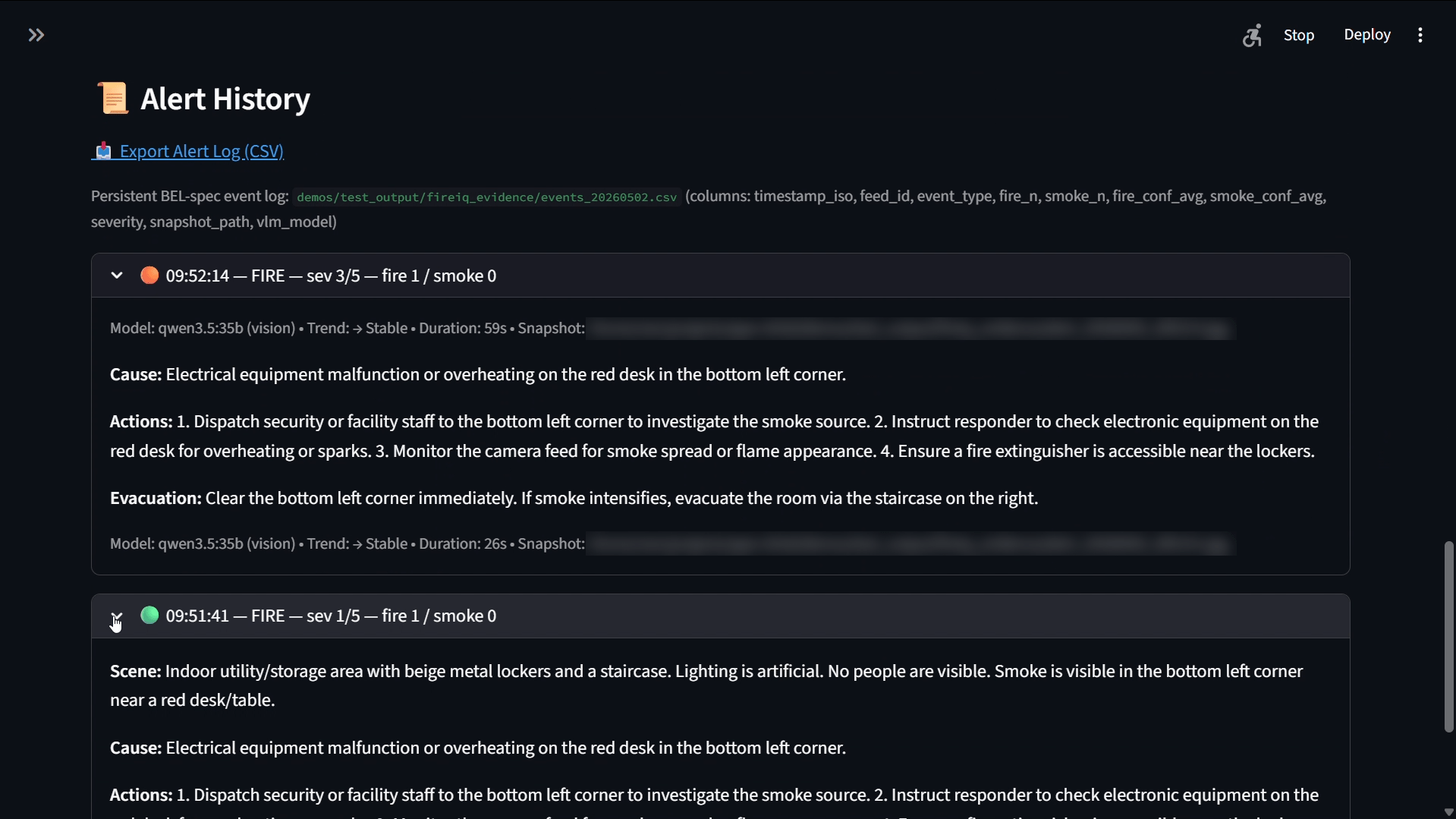
Every alarm keeps its proof
The picture, the time, and a line in the day's log, from the first smoke on.
- Download the day's log as a CSV
- The vision model's note is kept with each alarm: the scene, the cause, the actions
- Review what happened after the moment has passed
How we engineered it
Six ideas behind an alarm you can trust
What keeps FireIQ quick, steady and honest about what it knows.
One computer at your site
Detection, the alarm and the vision model run on one computer at your site. The footage never leaves it.
An alarm that does not flicker
Once raised, the alarm holds through a missed frame or two, so the control room sees one alarm, not a light switching on and off.
A second look at smoke
An optional second model double-checks smoke-only alarms, so steam, dust or glare is less likely to set one off.
The AI advises, never decides
The vision model can raise the severity, never lower it, and never switches an alarm off. The alarm never waits for it.
Built to plug into your site
Your cameras over RTSP, or video files. The alarm out to a screen on your network, a fire panel, or a light and a buzzer.
Proof from the first smoke
Every alarm keeps its picture, its time and a line in the day's log, with the vision model's note beside it.
What the build proves
A working prototype, built to your site
- Your team knows while the fire is still small, and has time to act
- One alarm, sent at once to the screen, panel or buzzer you choose
- The vision model's read of the scene: what it sees, the likely cause, what to do
- A record of every alarm, for the review afterwards
More screens
Every screen, from the working prototype

A flame boxed on the camera feed, with its score, the counts and the severity.