
ShiftIQ
Where does the time go on your floor?ShiftIQ adds it up.
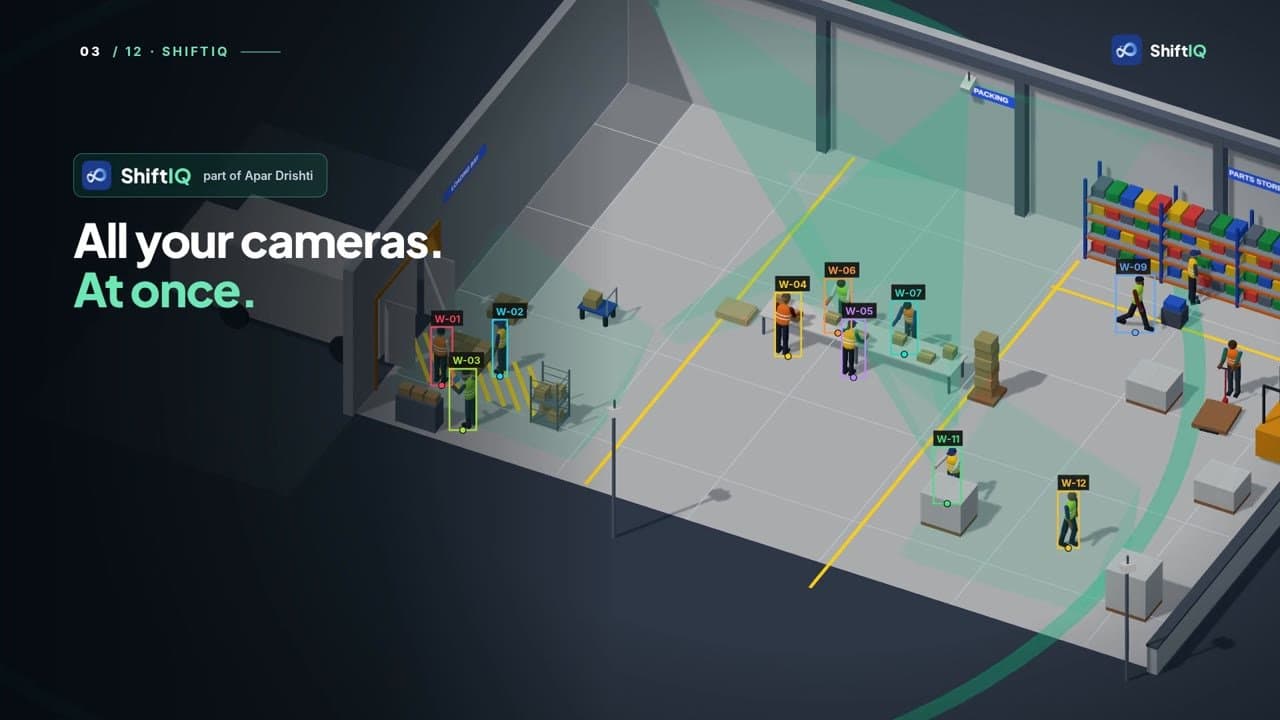
At the dock, on the line, or walking in between? Your cameras already see all of it, but each one sees only its own corner. ShiftIQ, part of Apar Drishti, works across all your cameras at once, and turns what they see into a timesheet by zone. It runs on one server at your site.
Watch it work
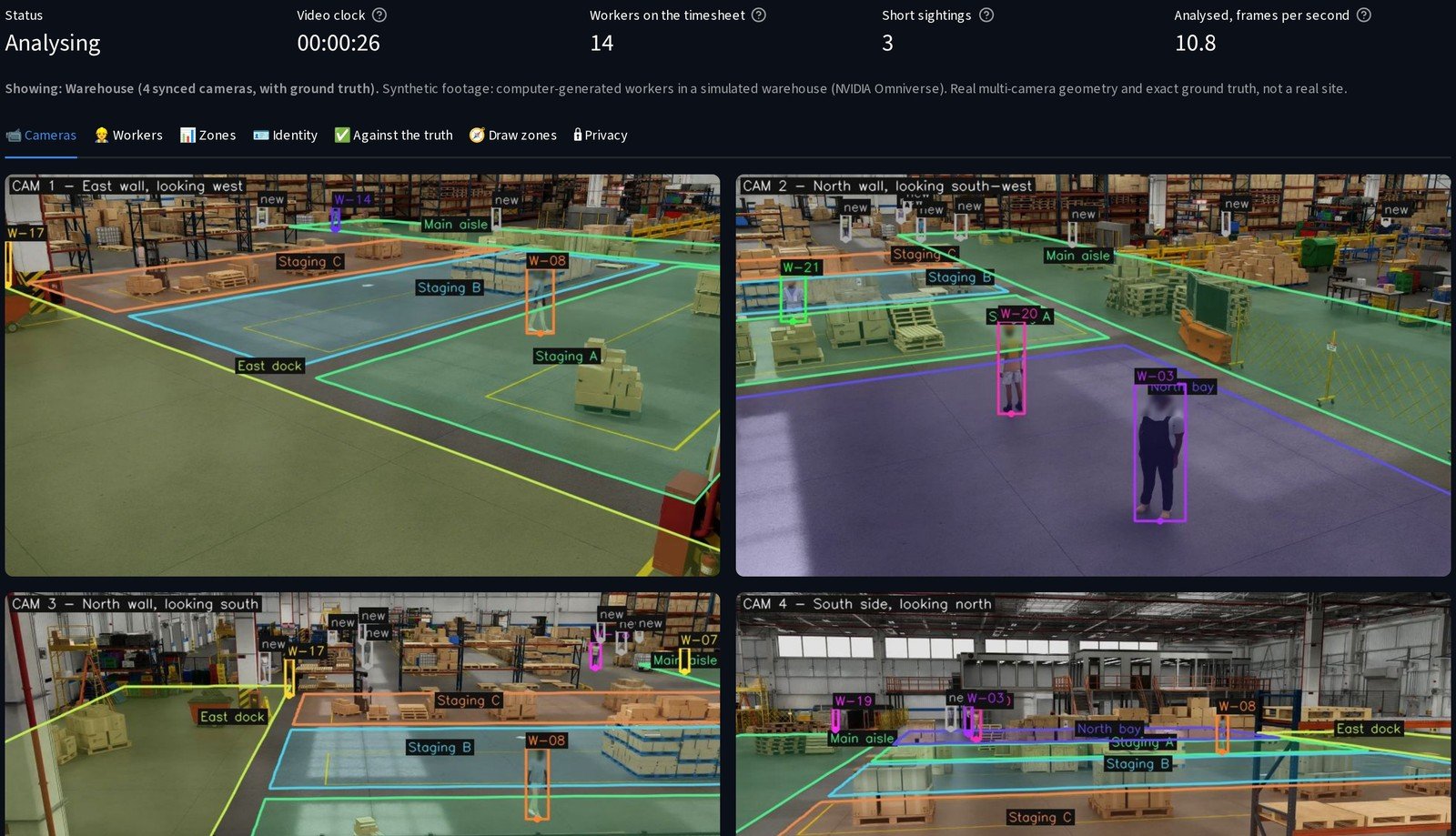
ShiftIQ in a simulated warehouse: every worker a number, the zones drawn once, and the timesheet by zone.
The challenge
Your cameras see the whole floor. Nobody adds it up.
Time goes missing
At the dock, on the line, or walking in between: where did the shift’s hours go?
Each camera, one corner
Every camera sees only its own corner of the floor, never the whole shift.
Hours of footage
Nobody has the hours to watch it back and add it up.
People, not suspects
Counting time must not turn into watching faces or judging anyone.
The idea
Every worker a number. Every zone a total.
How it works
From the camera to the timesheet
Real screens from the working prototype, on a simulated warehouse: computer-generated workers, not a real site.
Seen, numbered, placed, added up
Every worker goes through the same steps, across all your cameras at once.
- Each worker gets a number, not a name
- Their place on the floor comes from where their feet are
- The time adds up per worker and per zone
- 1All your cameras on the floor, at once
- 2Each worker found, and given a number
- 3Where they stand on the floor, from their feet
- 4Which zone that is: the dock, the aisle, staging
- 5Time added up, per worker and per zone
- 6A timeline, a timesheet, and a CSV
Heads are blurred before any picture is shown or saved.
Every camera, one timesheet
It finds each worker, gives them a number, and works out where they stand on the floor.
- Each worker is boxed and numbered on every camera
- Where two cameras overlap, the number goes with them from one camera to the next
- Heads are blurred, and no face is recognised
Your zones, drawn once
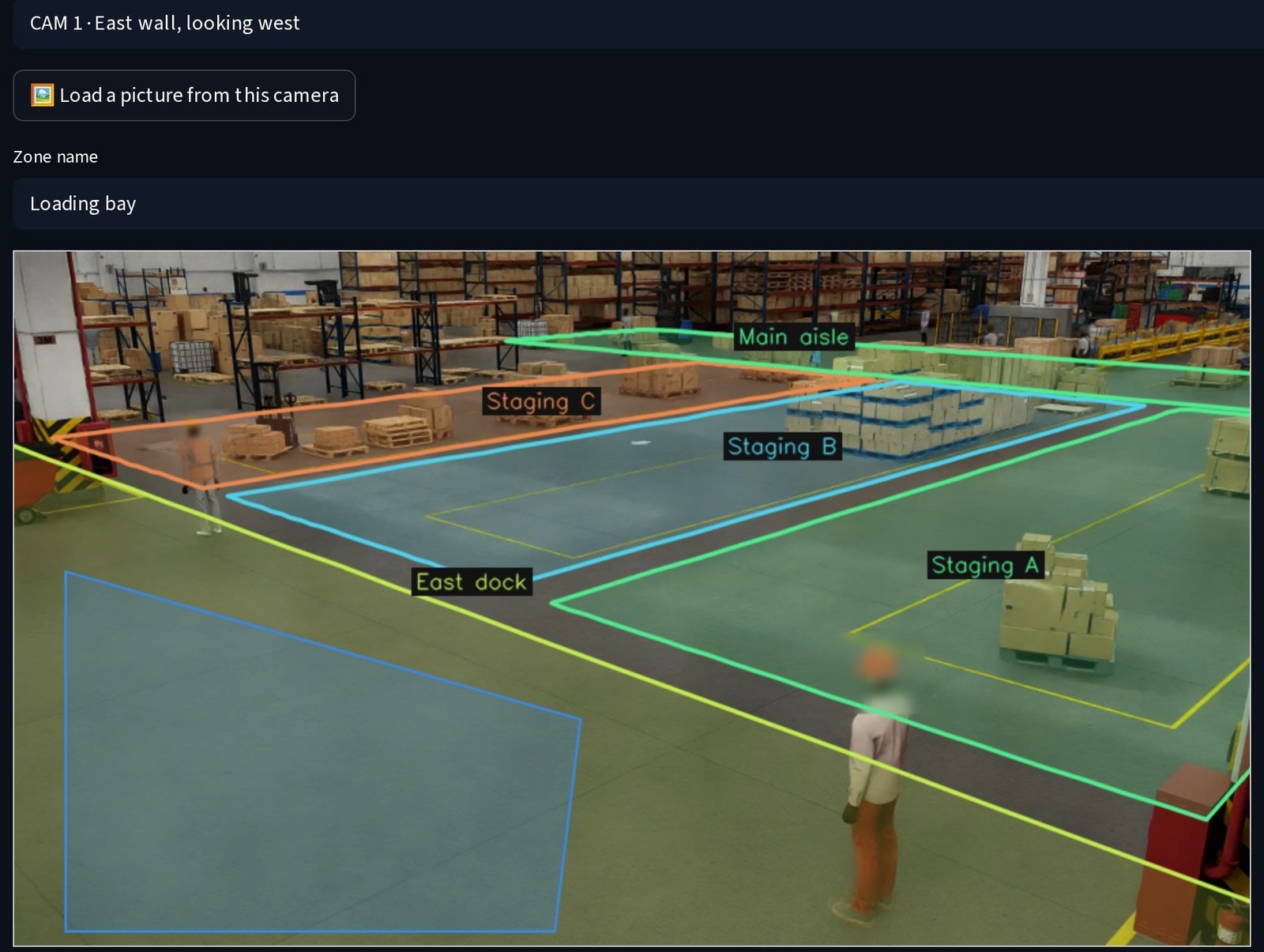
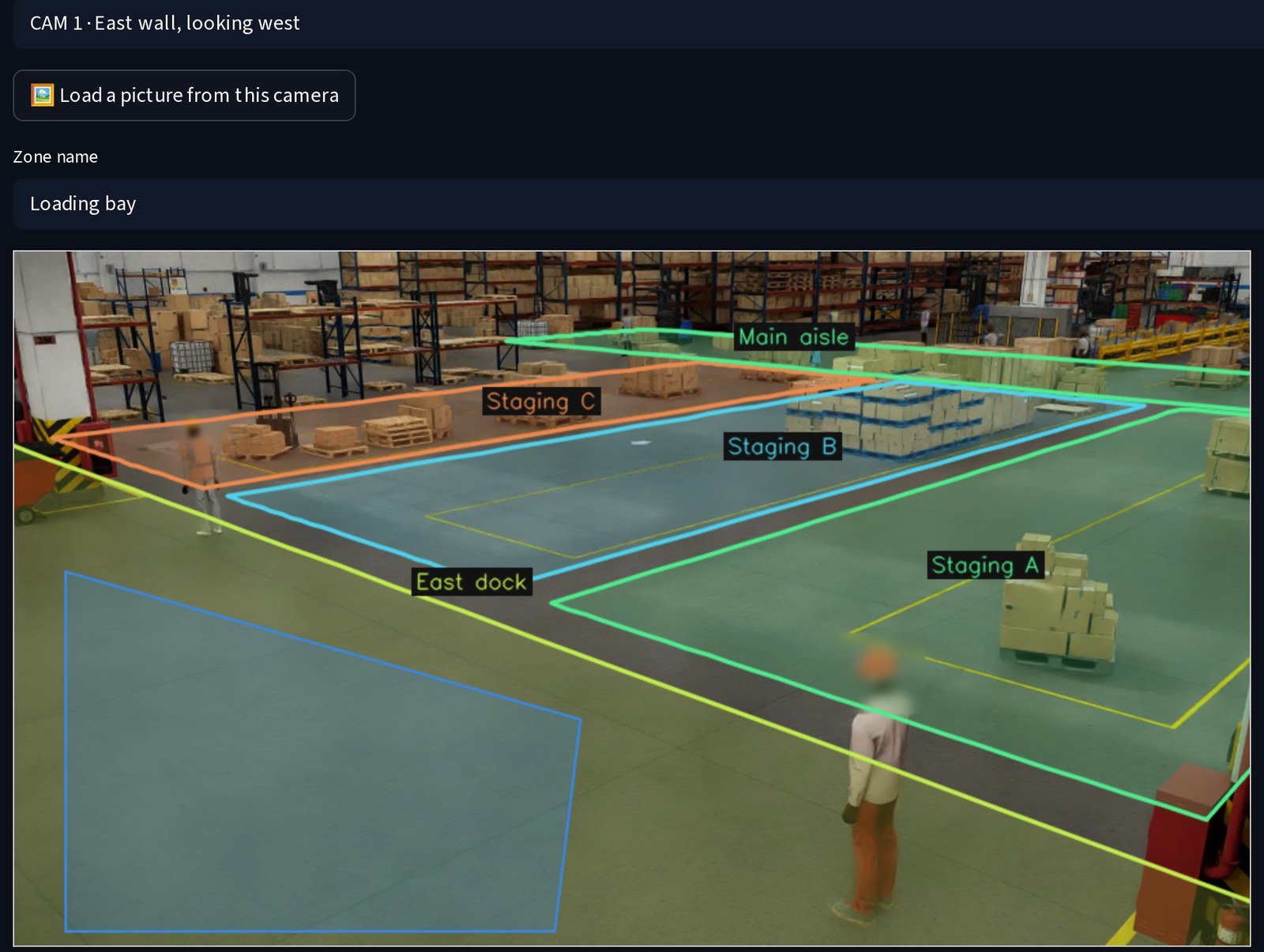
Mark your zones once, on a camera picture: the dock, the aisle, the staging area.
- Click the corners on a picture from the camera
- Name each zone: the loading bay, the main aisle, staging
- Zones sit on the floor plan, so every camera shares them
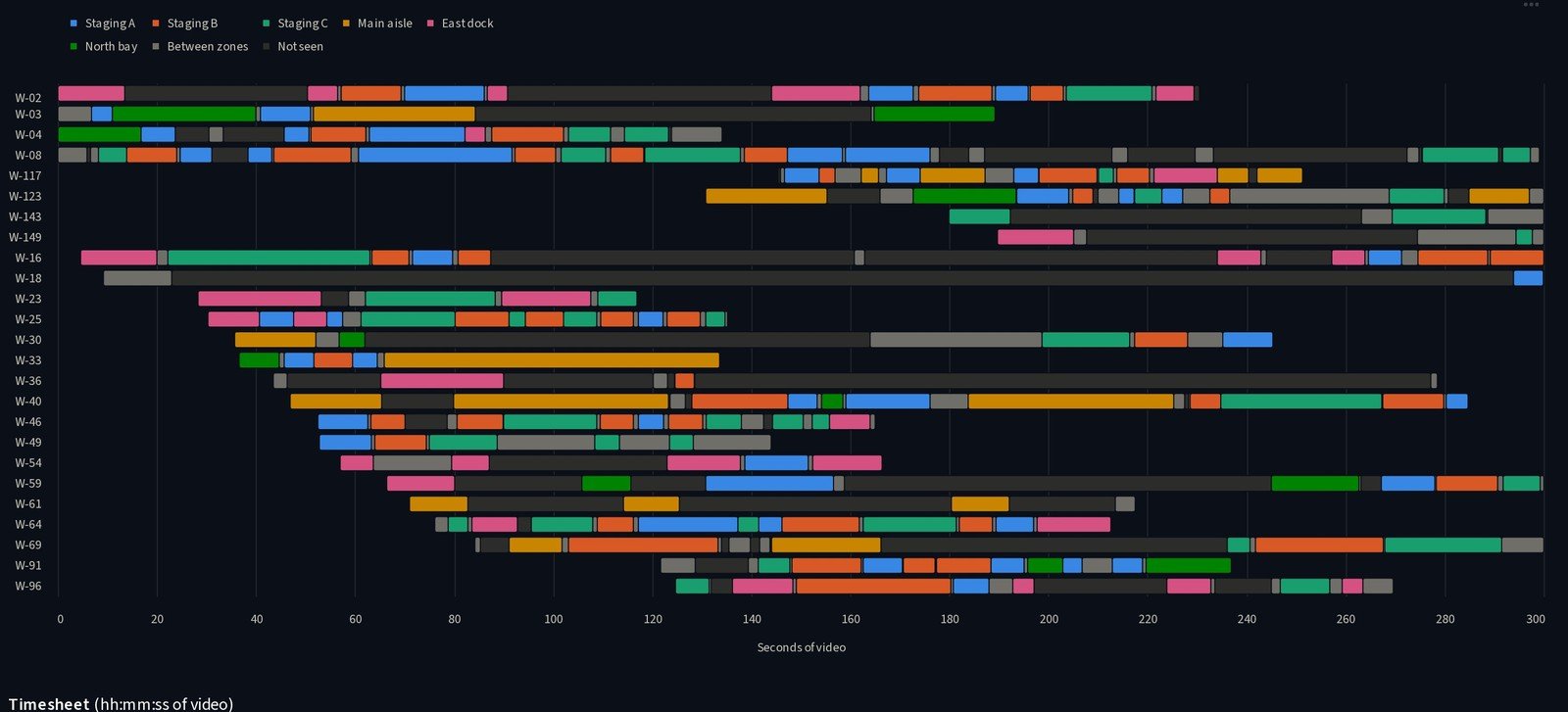
A timeline and a timesheet
Each number gets a timeline and a timesheet: which zone, and for how long.
- The timeline colours each worker’s time by zone
- The timesheet lists the time in each zone
- Download it as a CSV
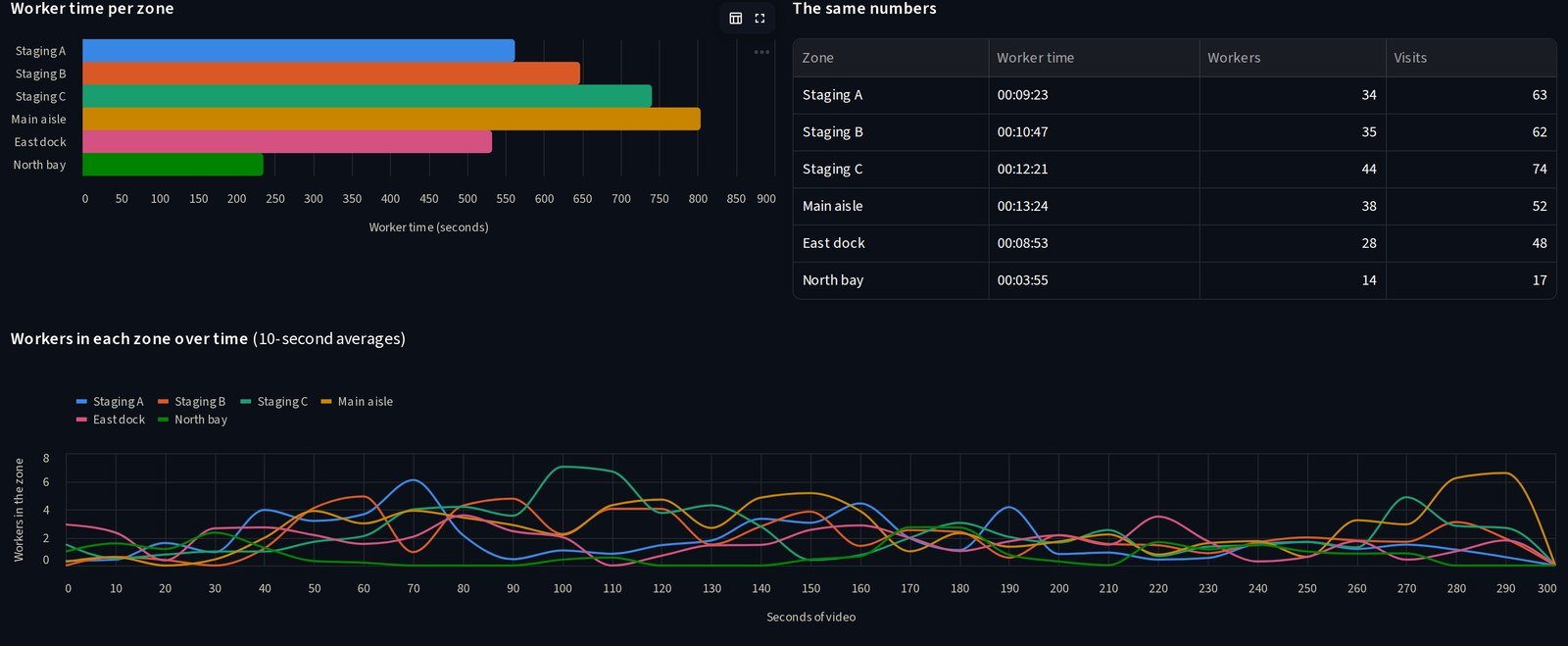
Where the time went, zone by zone
Or look by zone: where the time went, and how busy each area was.
- Worker time per zone, as a chart and as the numbers behind it
- How many workers were in each zone, over the run
- The timesheet and the visits, as CSV
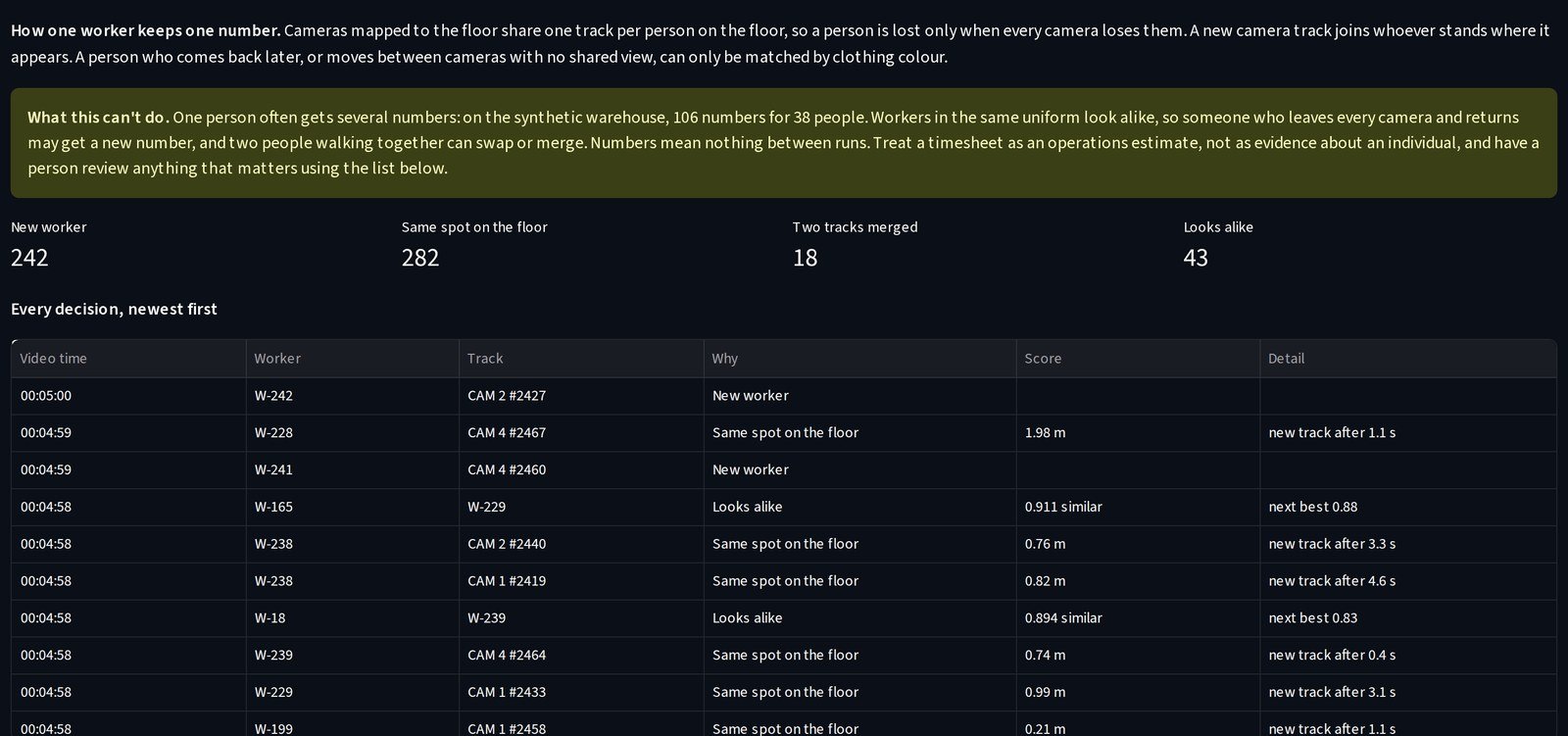
An estimate, open to review
It is an estimate for planning, not a judgement of anyone.
- Every identity decision is listed, with its reason
- The app says plainly what it can’t do: one person can get several numbers
- A person reviews anything that matters
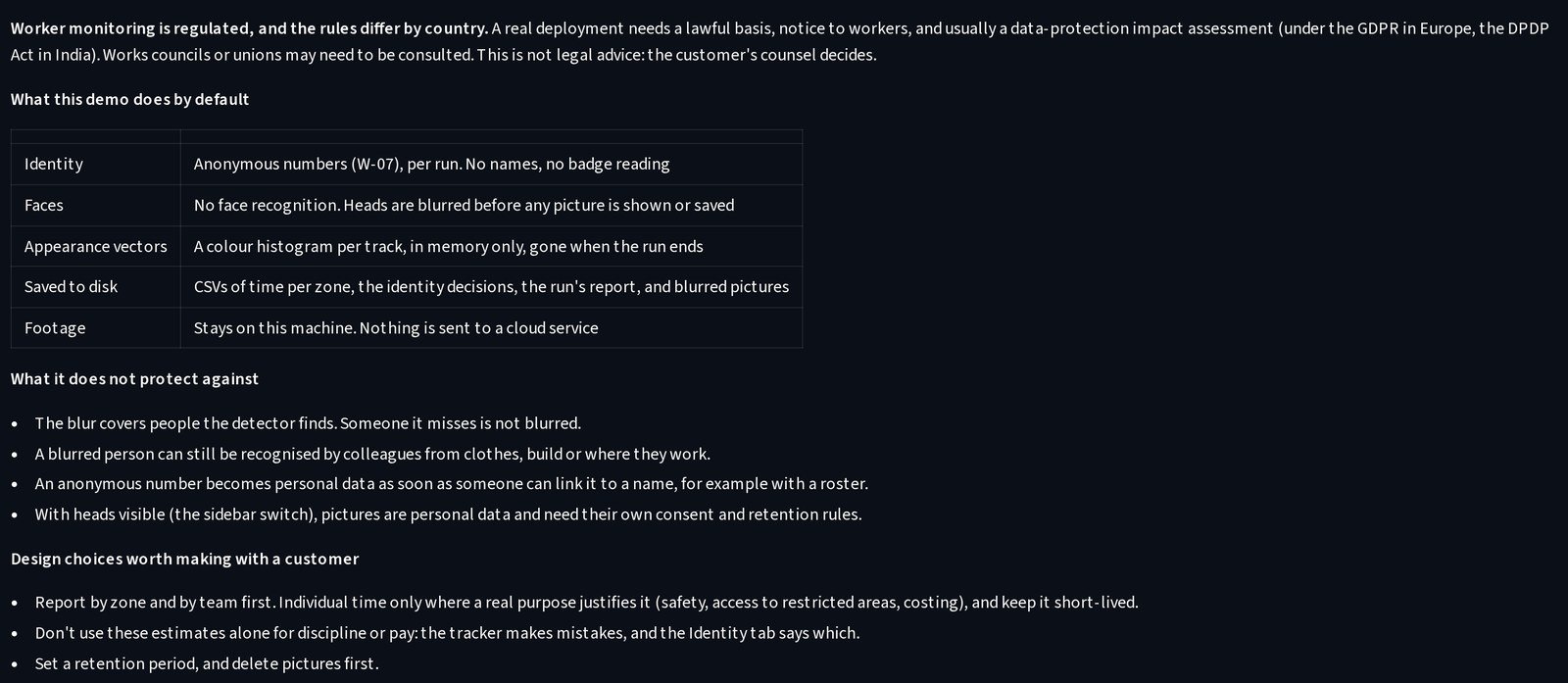
Your server. Your footage.
It runs on one server at your site. The footage never leaves it.
- Workers are numbers, not names, and no badge is read
- Heads are blurred before any picture is shown or saved
- The Privacy tab lists what it protects, and what it does not
How we engineered it
Six ideas behind a timesheet you can trust
What keeps ShiftIQ useful for planning, and fair to the people on the floor.
All your cameras, together
One pass over every camera of the site. Where two views overlap, a worker keeps the same number from one to the next.
Feet, not pixels
A worker’s place comes from where their feet meet the floor, so the zone is the one they stand in.
Zones on the floor plan
Draw a zone once, on one camera picture. Every camera that sees that floor shares it.
Heads blurred first
Heads are blurred before any picture is shown or saved. No names, no badges, no face recognition.
Every decision listed
New worker, same spot on the floor, looks alike: each identity decision is kept with its reason, for a person to review.
One server at your site
Detection, tracking and the timesheet run on one server at your site. Nothing is sent to a cloud service.
What the build proves
A working prototype, built to your site
- See where the shift’s time went: at the dock, on the line, or walking in between
- Plan each zone from the time its work really takes
- A timesheet per worker number, without a name or a face
- Every identity decision open to review
More screens
Every screen, from the working prototype
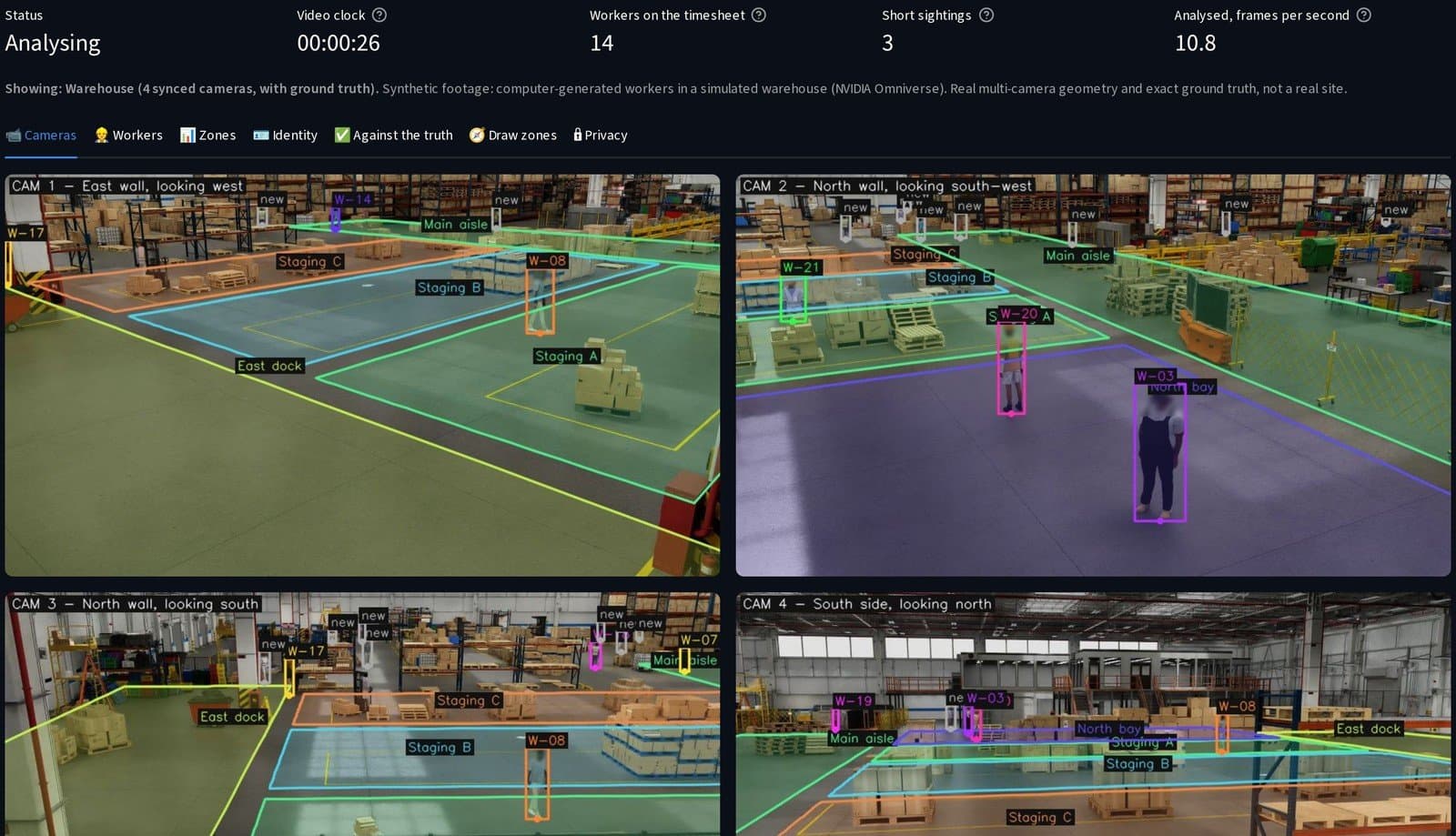
All cameras at once: every worker boxed and numbered, heads blurred.