Apar Drishti
Cameras everywhere.Answers, not only alerts.
How Aparsoft built three answers on Apar Drishti, its vision platform: ShiftIQ adds up where a shift's time went across all your cameras, CrowdIQ knows the moment a crowd goes over its limit, and StoreIQ counts the shoppers who walk in, where they stop and who is waiting. Each runs on your own server, and the footage never leaves your site.
Watch it work
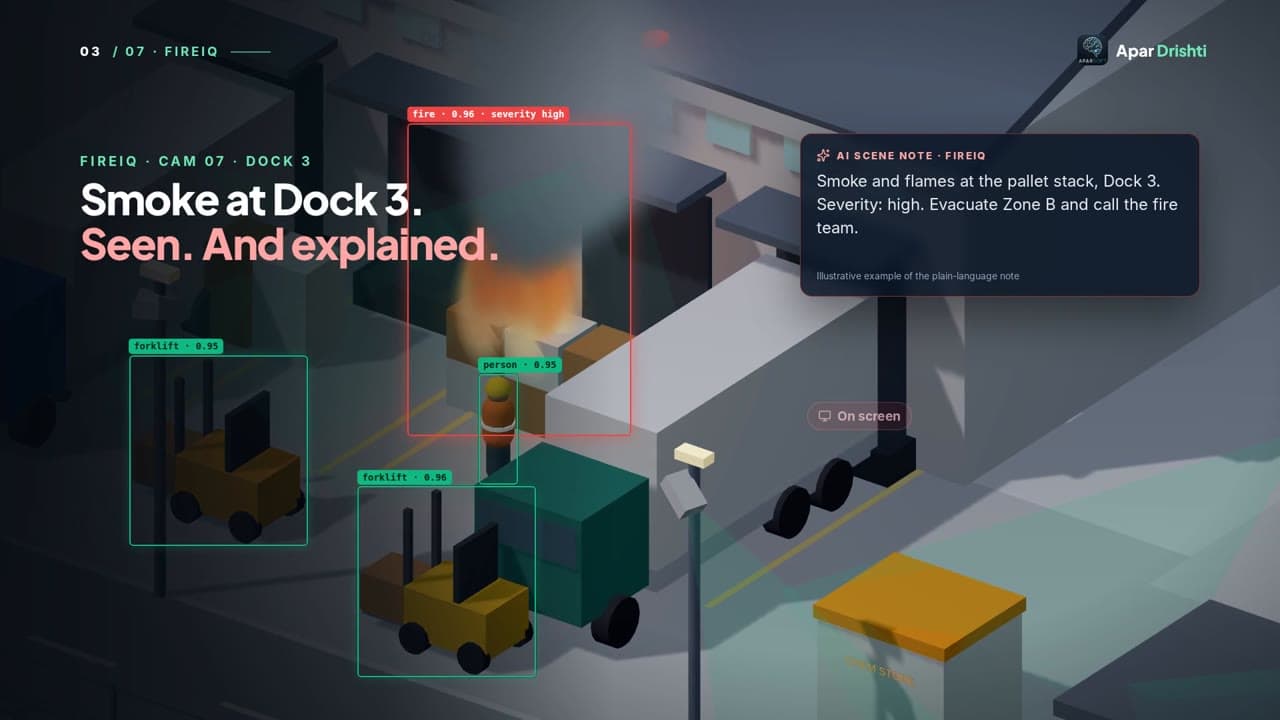
The Apar Drishti film: fire, zones, crowds and PPE at one site. ShiftIQ, CrowdIQ and StoreIQ each have their own film on the Apar Drishti page and on Demos.
The challenge
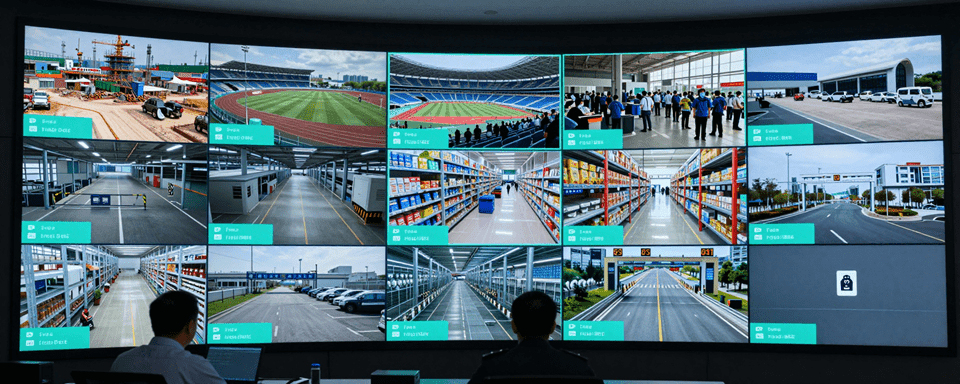
Cameras everywhere. Nobody has the hours to watch them.
Each camera sees one corner
Your cameras see all of it, but nobody adds it up.
Where did the shift's time go?
At the dock, on the line, or walking in between.
A crowd can build in minutes
How many people are here, right now?
Bills show only what sold
Not how many walked in, where they went, or how long they waited.
The idea
The cameras you already have, turned into answers.
How it works
Three answers from the cameras you already have
Real screens from the running apps. ShiftIQ's warehouse is simulated; CrowdIQ runs on public footage and StoreIQ on stock clips.
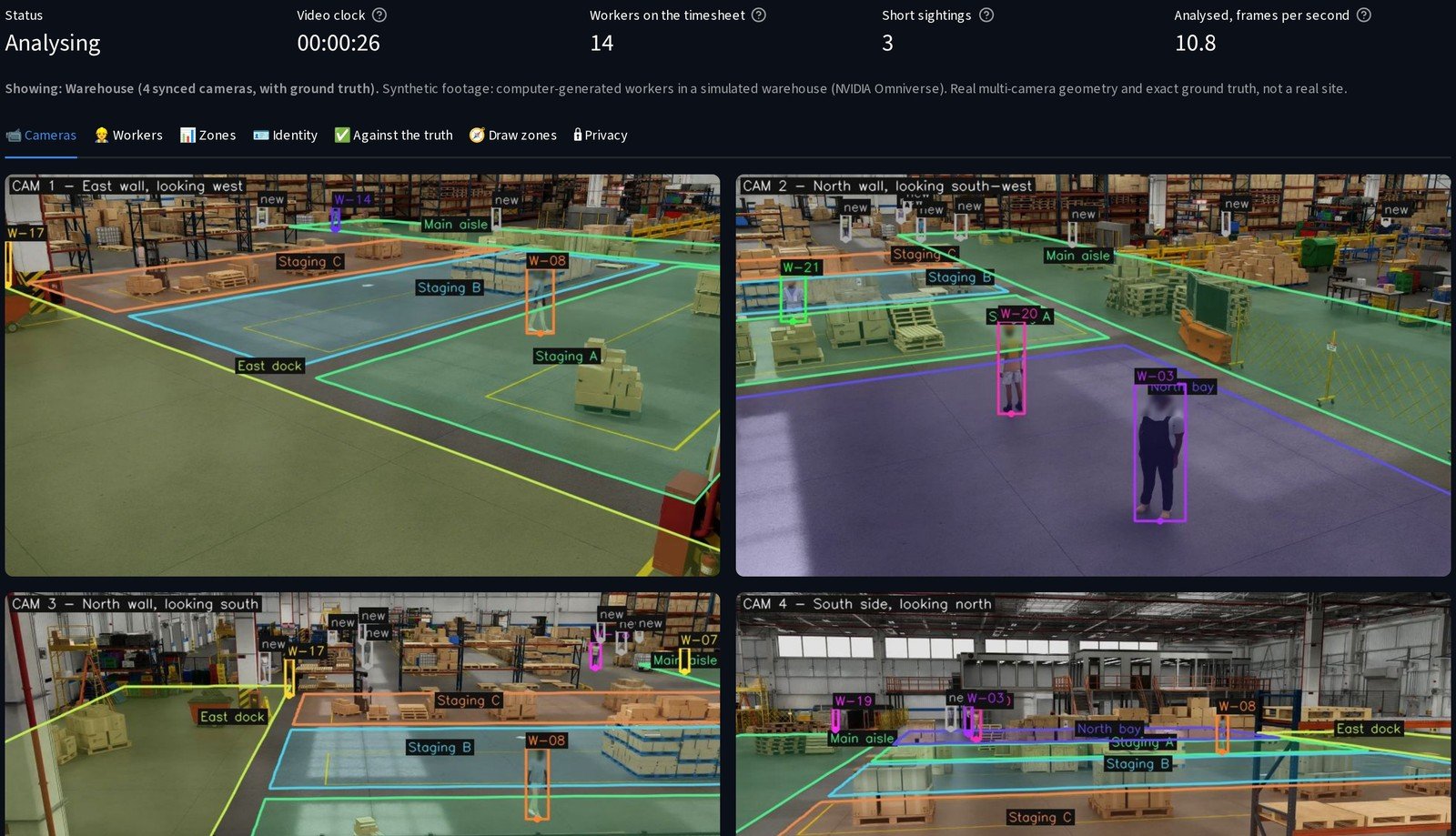
All your cameras on the floor, at once
It finds each worker, gives them a number, and works out where they stand on the floor.
- Where two cameras overlap, the number goes with them from one camera to the next
- Mark your zones once, on a camera picture: the dock, the aisle, the staging area
- Heads are blurred, and no face is recognised
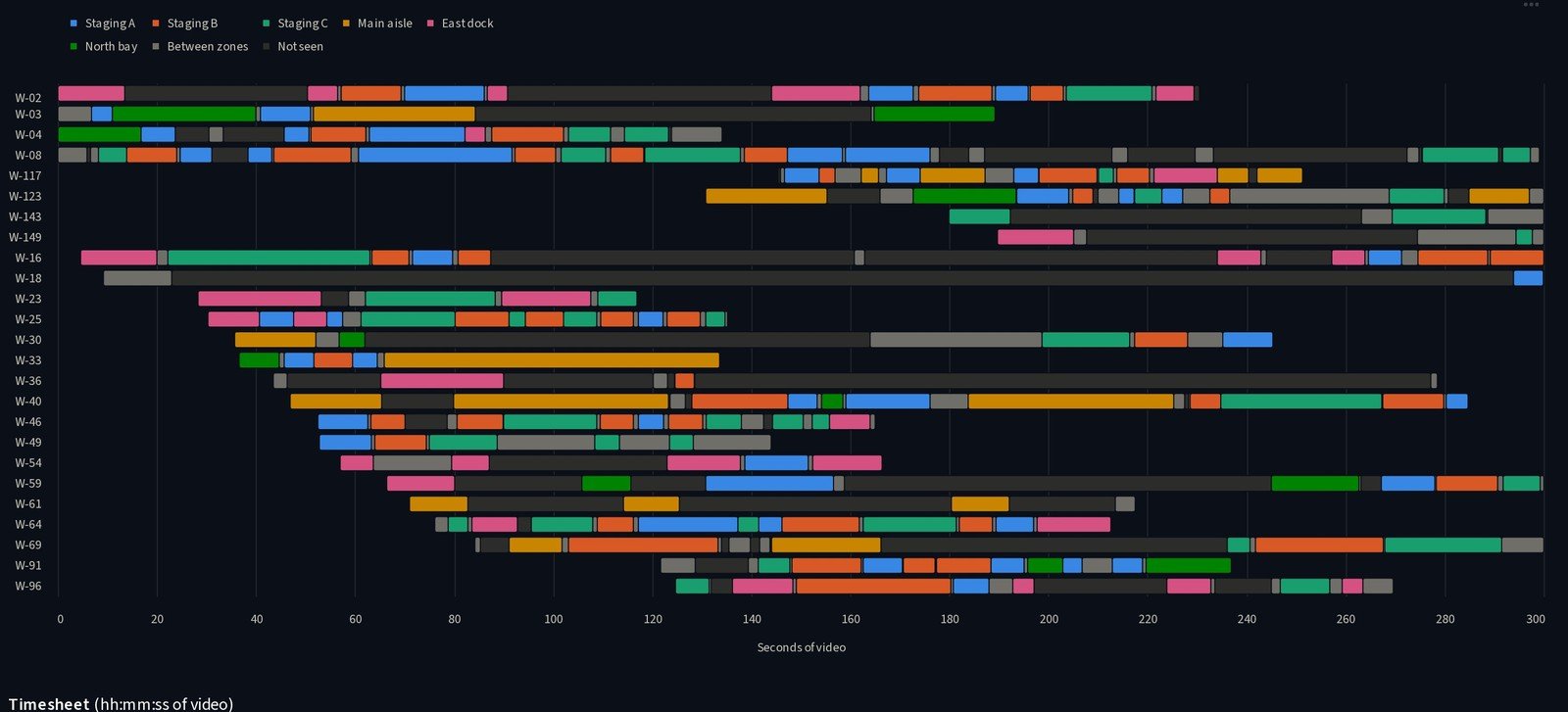
Where the shift's time went
Each number gets a timeline and a timesheet: which zone, and for how long.
- Every second lands in one place: a zone, between zones, or not seen
- Walking through a zone is not a visit, and a long gap is never guessed
- Download it as a CSV, or look by zone: where the time went, and how busy each area was
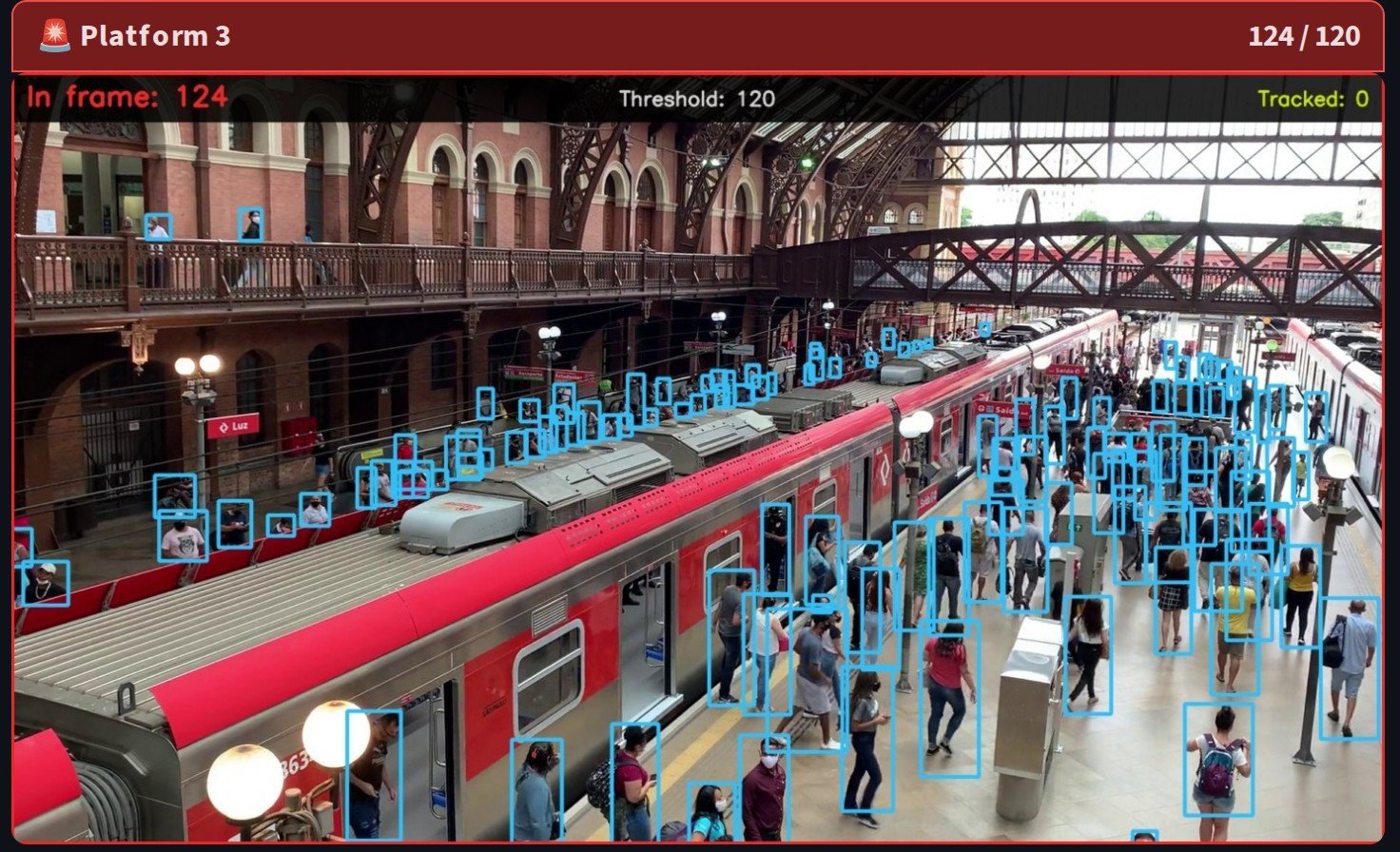
Every person counted, even far from the camera
It finds each person in the frame, even the small ones far from the camera, and follows them as they move.
- Each camera has its own limit
- The camera turns red when its crowd goes over it
- The count, second by second, against the limit
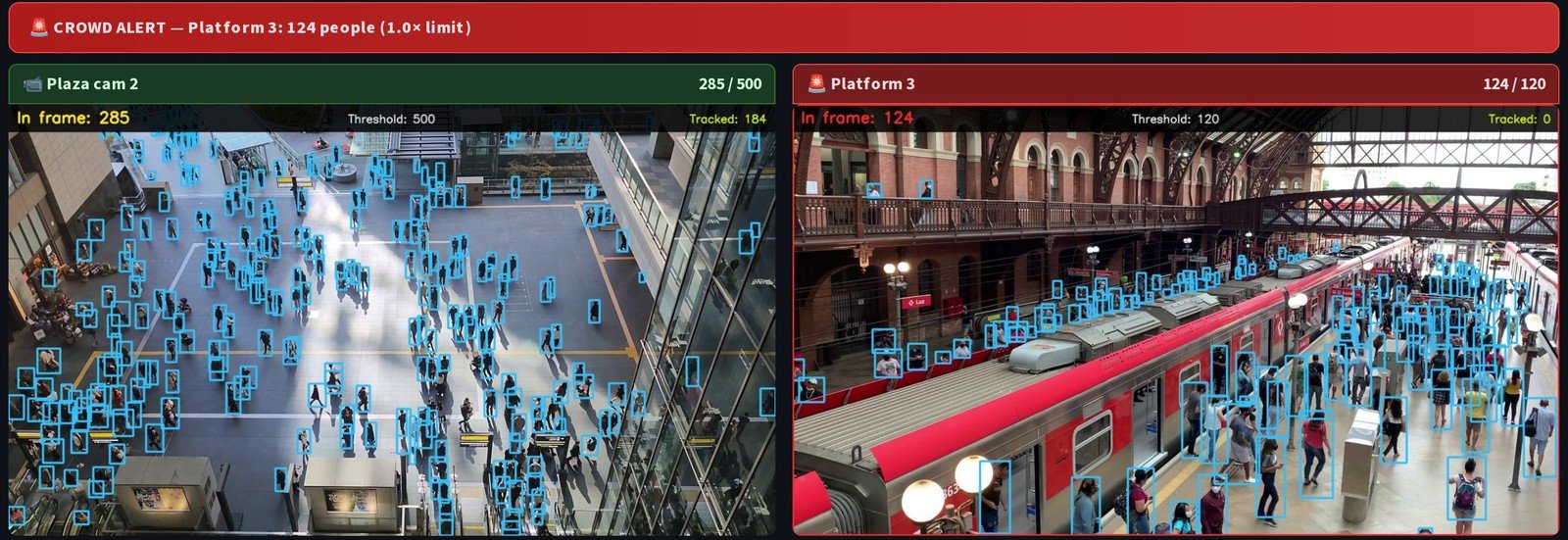
Multiple cameras, one screen, one alert
Your control room knows at once: which camera, and how many people.
- Once it crosses, the alert holds through short dips, so it does not flicker on and off
- On a screen, over a serial line, or with a buzzer and a light
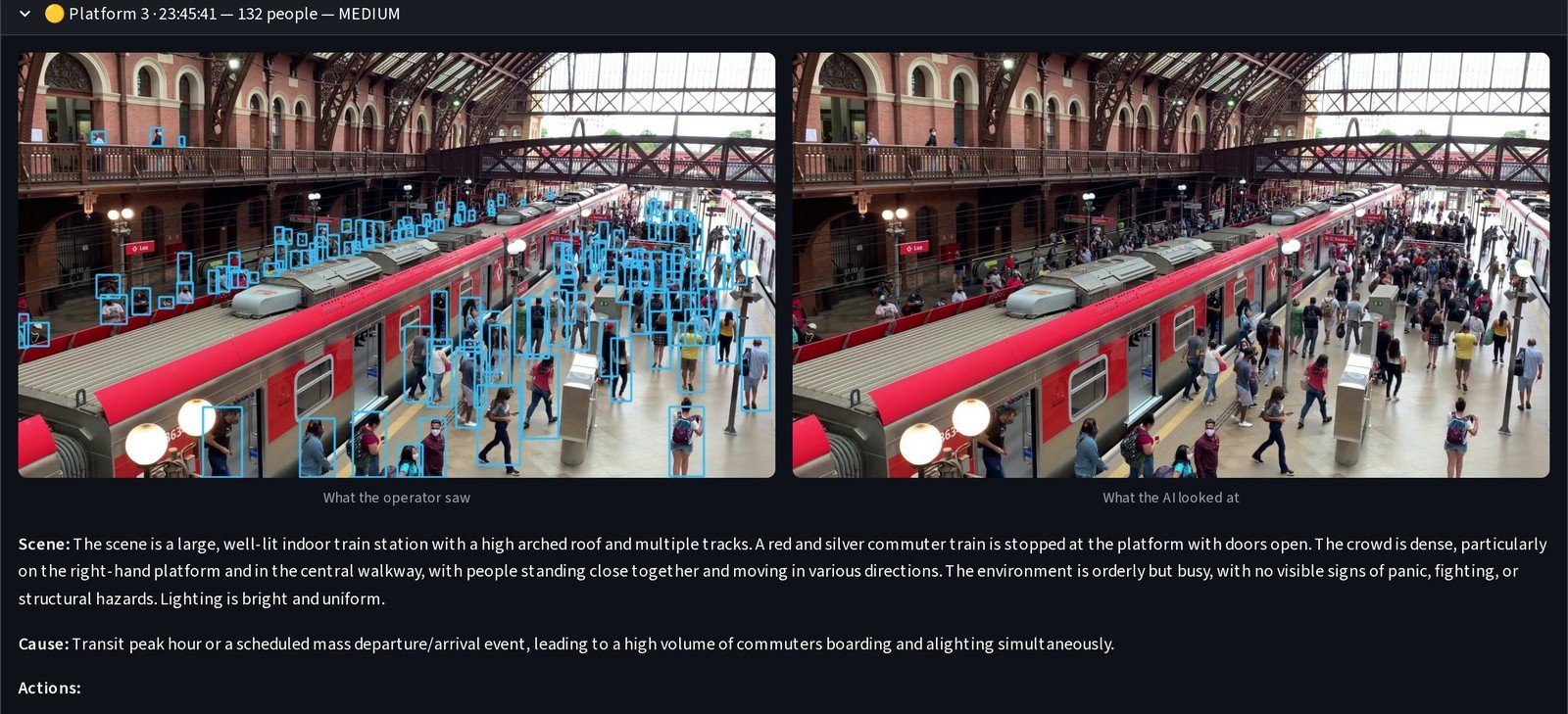
- A vision model on your own server reads the scene, rates the risk, and says what to do
Every alert kept, with both pictures
What the operator saw, and the frame the AI judged.
- Export the log for your records
- Use your own cameras: RTSP streams, video files, or an upload
- The footage never leaves your site
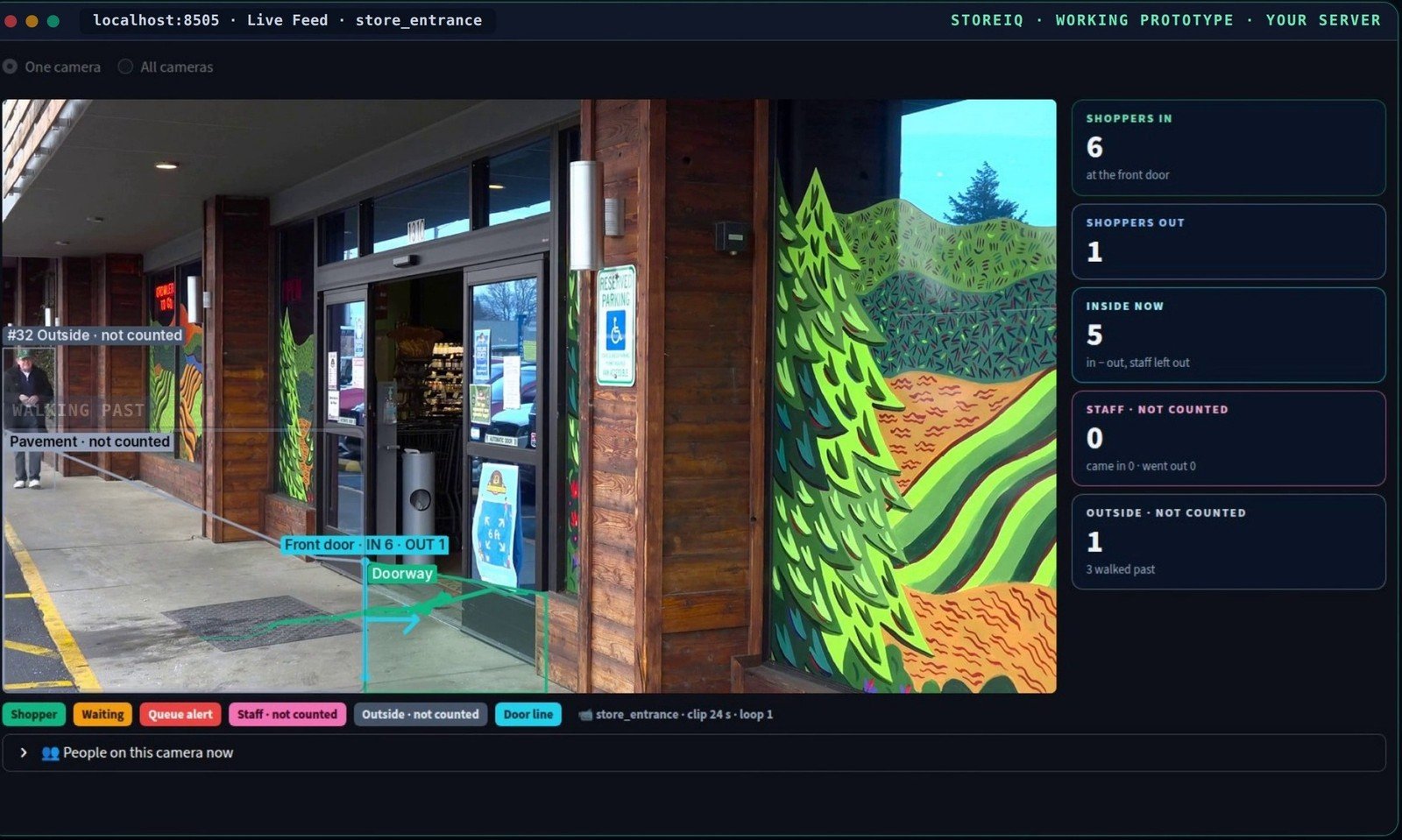
Footfall at the door
A line across the door counts every shopper who walks in, and every one who walks out.
- Someone walking past is not counted
- Mark the parts of your store on each camera: the entrance, the aisles, the billing counters
- From the cameras you already have, with no new sensors to fit
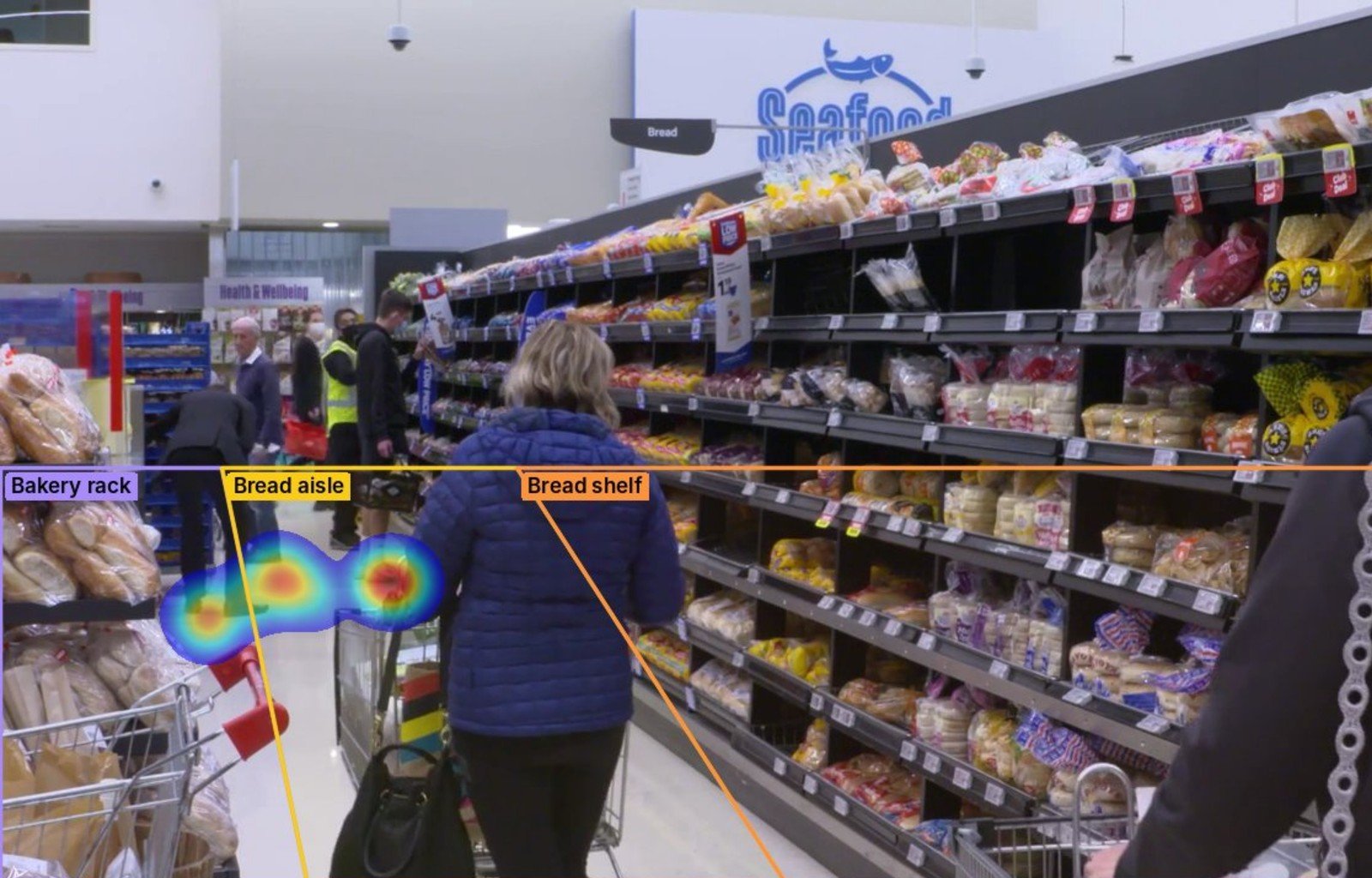
Where shoppers walk, and where they stop
So you see which displays pull them in, and which aisles they skip.
- A heatmap of where shoppers walk and stop
- Every camera lands on one dashboard
- Footfall over time, and the busiest zones
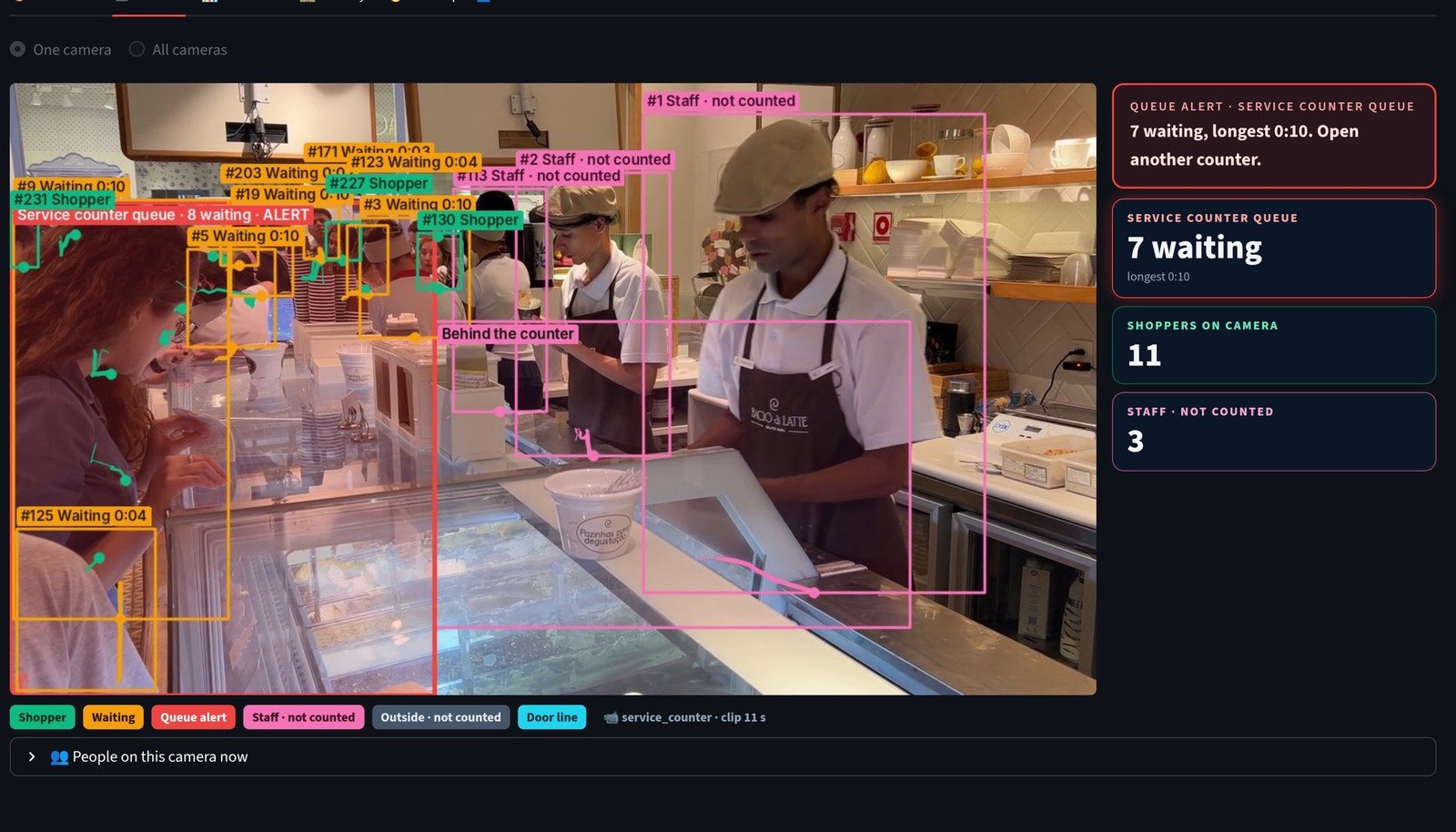
Who is waiting at the counters, right now
When 4 are waiting in one line, it flags it, so you can open another counter before the line grows.
- It tells staff from shoppers, by where they work and by the uniform you show it once
- Staff are kept out of every shopper count
- No face recognition: every shopper is just a number and a path
How we engineered it
Six ideas behind answers from footage
How the same cameras give three kinds of answer, and what keeps them honest.
One server at your site
Detection, tracking and the dashboards run on your own server. The footage never leaves it.
One worker, one spot on the floor
ShiftIQ works out where each worker stands on the floor. Where two cameras overlap, both put the worker on the same spot, so the number goes with them from one camera to the next.
Every second accounted for, nothing guessed
Each second lands in a zone, between zones, or not seen. Walking through a zone is not a visit, and a long gap is never filled in with a guess.
Alerts that don't flicker
Once a camera's count crosses its limit, the alert holds through short dips, so the control room sees one alert, not a light switching on and off.
A second look, on site
In CrowdIQ, a vision model on your own server reads the scene, rates the risk and says what to do, and each alert keeps the frame it judged.
Numbers, not names
No face is recognised. ShiftIQ blurs heads and lists every identity decision with its reason, so a person can review it. StoreIQ keeps staff out of every shopper count.
What the build proves
Three answers, one platform, your site
- A shift's time, by zone and by worker number, as a timesheet
- An alert the moment a camera's crowd goes over its limit, with the evidence kept
- Footfall, where shoppers stop, and who is waiting, from cameras you already have
- Connect your billing, and footfall becomes conversion: the next step, built with you
More screens
Every screen, from the running apps
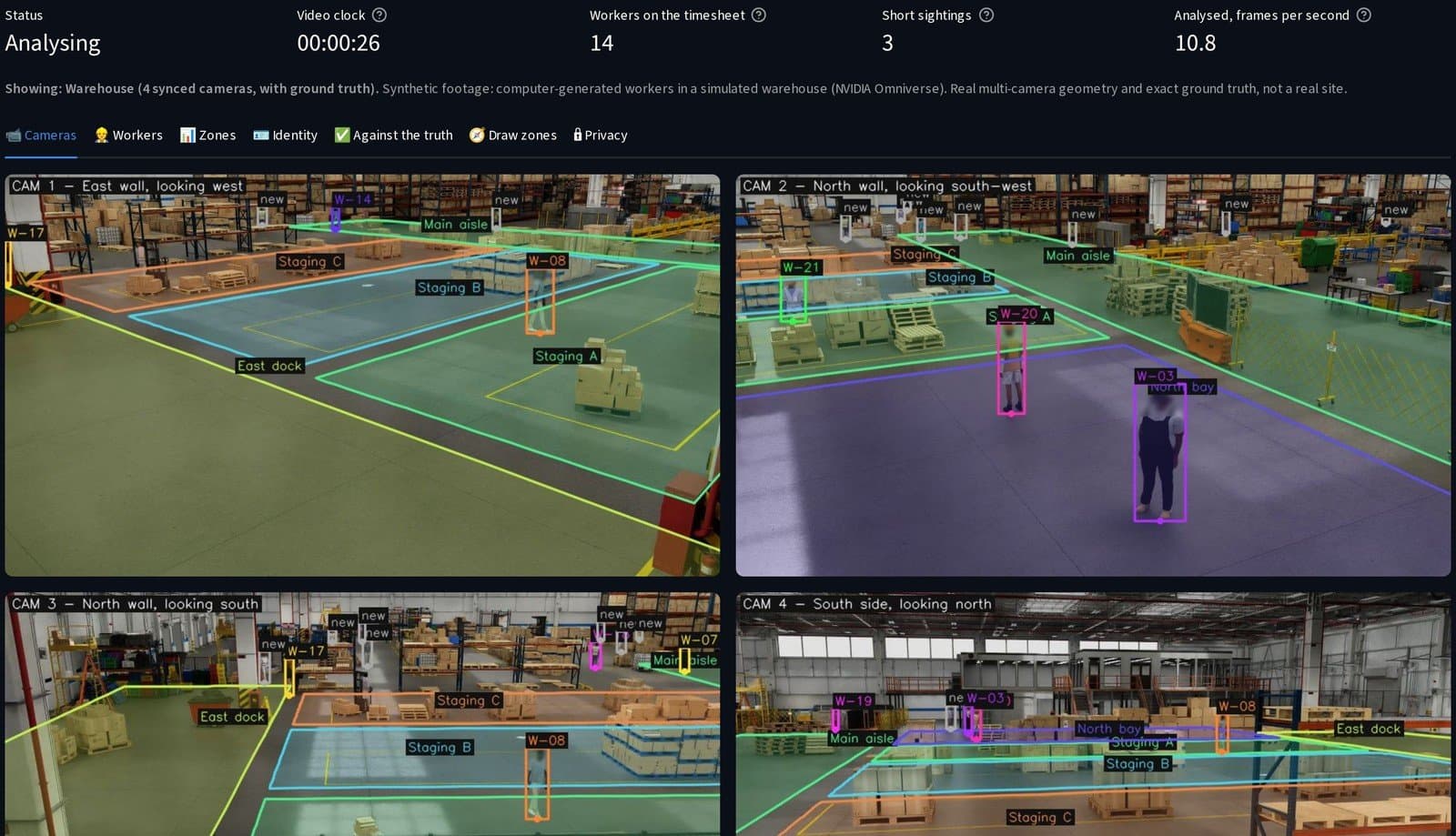
ShiftIQ: every worker boxed and numbered across the cameras, heads blurred, the floor zones drawn.
How it's built
The stack, and how we use it
Proven open-source tools, used the way they are meant to be used.
Ultralytics YOLO
Finds every person in the frame, the small ones far from the camera too, on all the cameras at once.
ByteTrack
Follows each person as they move, frame by frame.
Camera-to-floor mapping
ShiftIQ turns each worker's feet into a spot on the floor, so overlapping cameras agree on one worker.
Vision-language model via Ollama
CrowdIQ's scene check on a local GPU: it reads the scene and rates the risk, fully offline.
Alert outputs
On screen, over the network, a serial line, or a buzzer and a light.
Streamlit dashboards
Every camera on one screen, with zones drawn on the picture, logs, timesheets and CSV export.