
Apar Chatbot
A chatbot that answersfrom your own website.
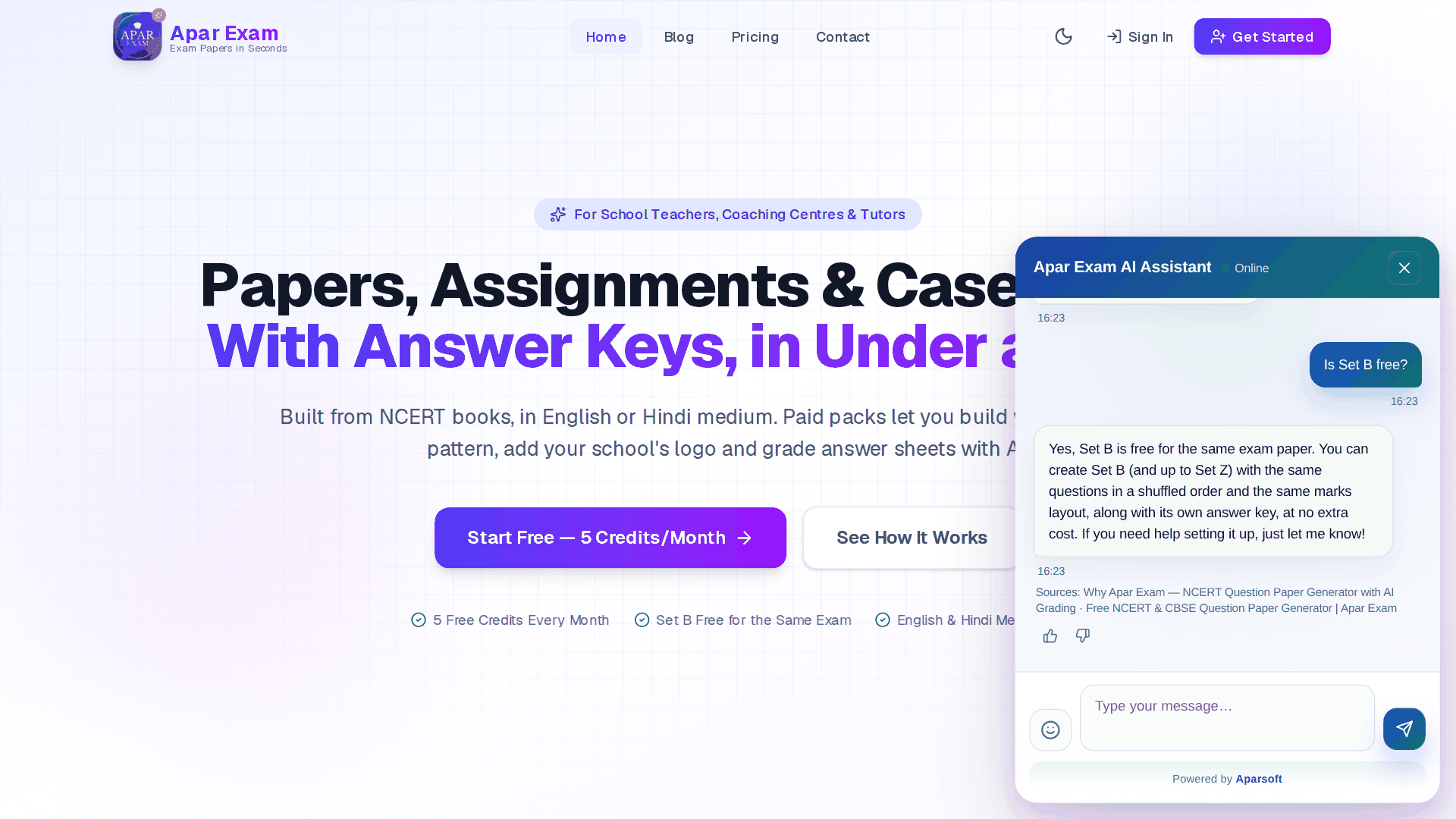
How Aparsoft built Apar Chatbot: give it your website's address, and it reads the pages, answers your visitors from them with the sources shown, and tells you what they asked. One knowledge base serves your website, WhatsApp and voice. Shown here on aparexam.com, our own product site, which runs it.
Watch it work
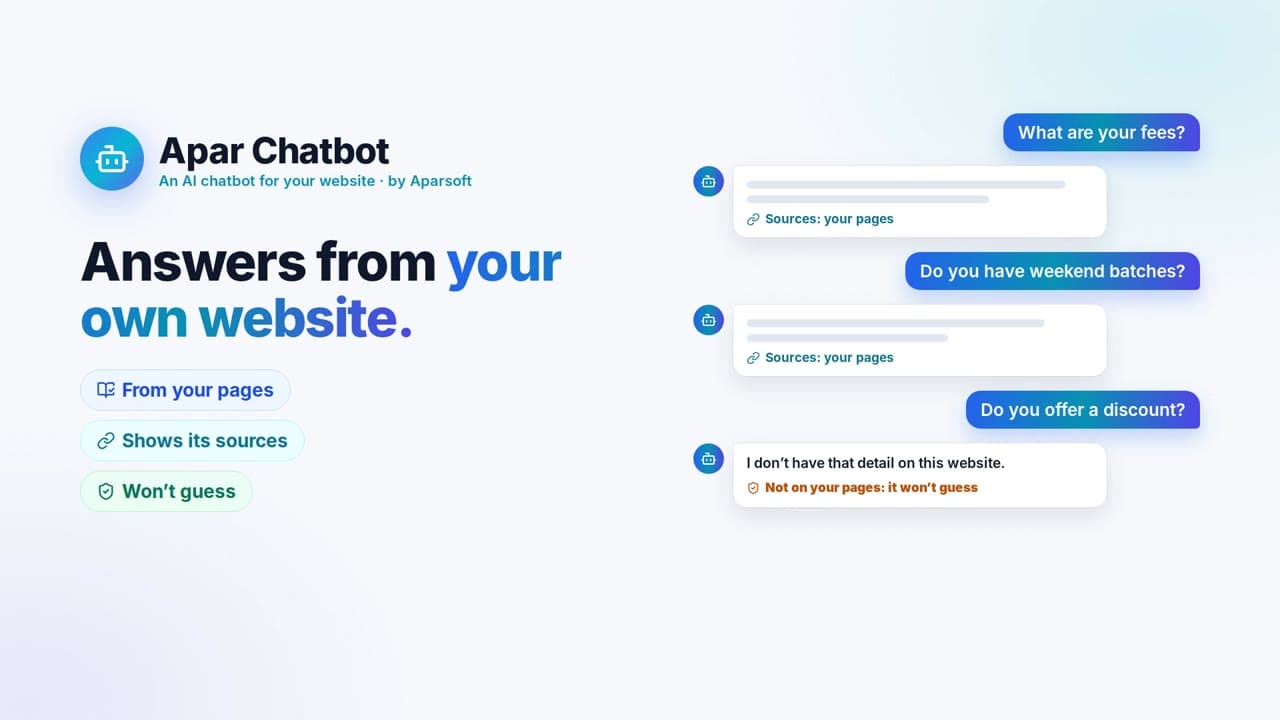
An AI chatbot for your website that answers from your own pages, shows where each answer came from, and won't guess. Start free, no card needed.
The challenge
Every visitor has a question. How many get an answer?
The same questions, every day
Hours of support time on what the website already says.
Nobody replies after hours
A visitor with a question at night simply leaves.
FAQs go stale
The website changes; the answers people repeat don't.
Nobody sees what was asked
Questions the website can't answer go unnoticed.
The idea
Three channels. One knowledge base.
How it works
From a website address to a chatbot visitors use
Real screens from the demo account, with aparexam.com as its website.
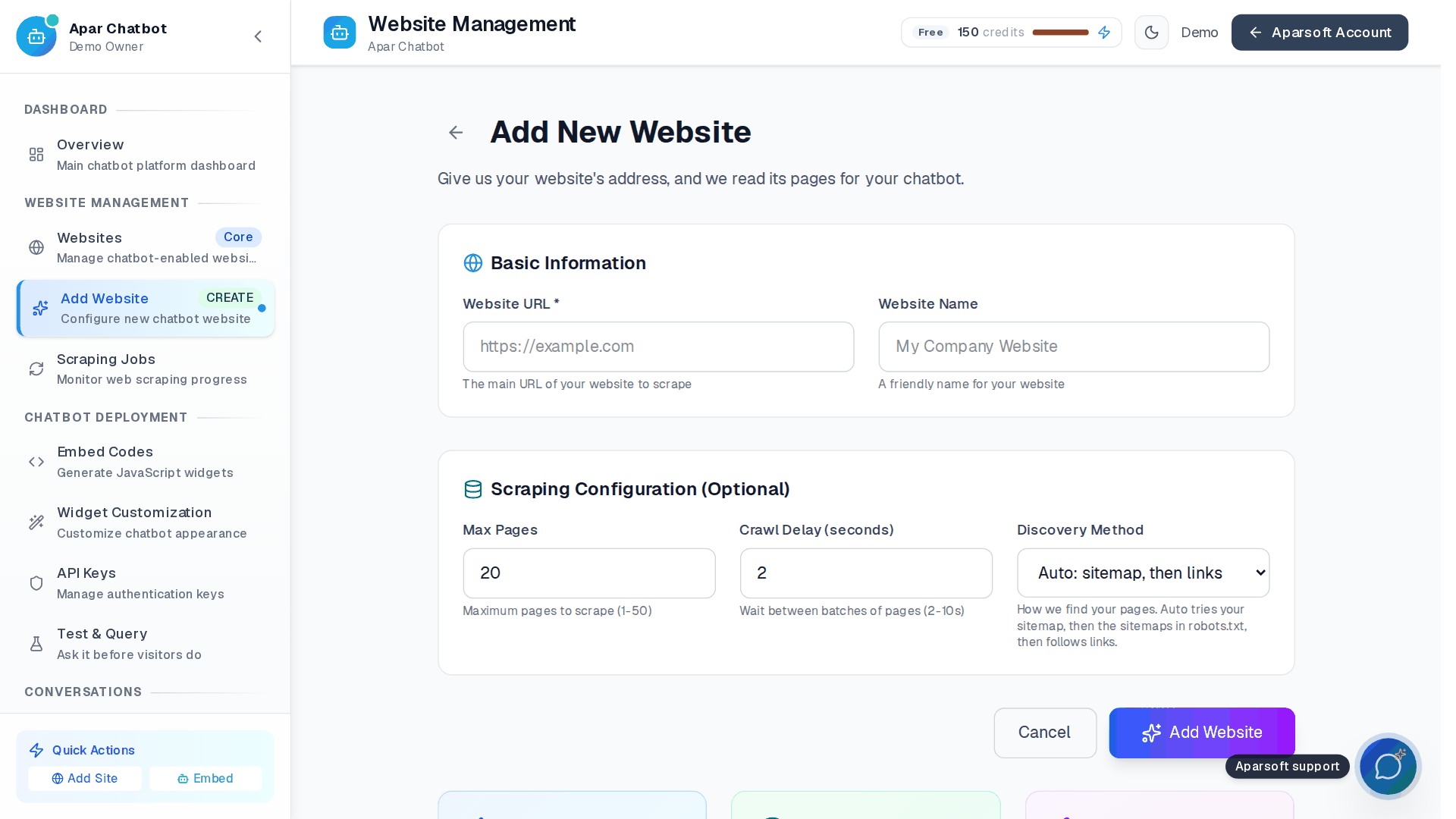
Give it your website's address
It finds the pages from the sitemap, then follows links.
- Choose how many pages it reads
- A pause between batches, gentle on your server
- Private and internal addresses are refused
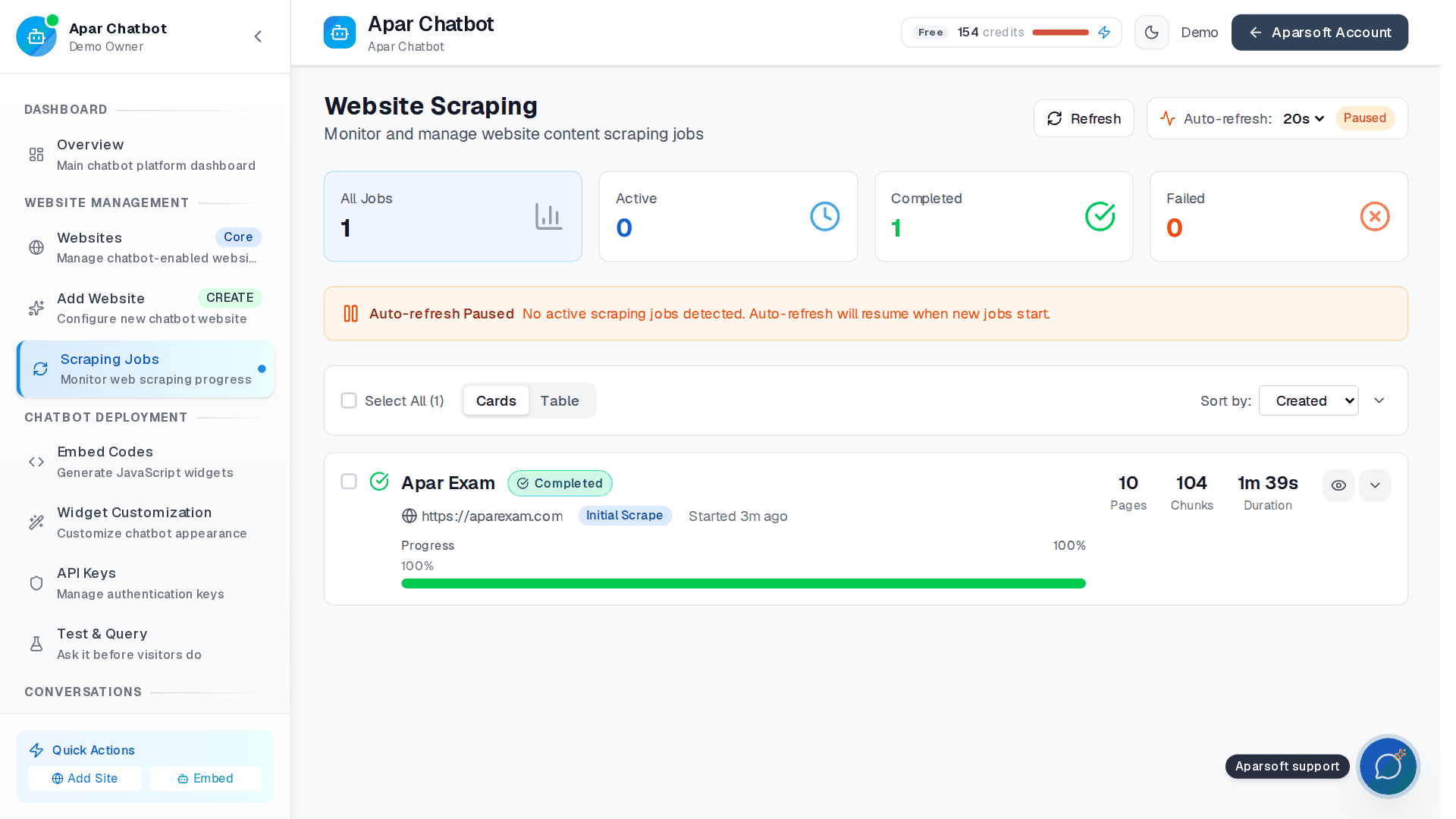
It reads the pages, and stores what they say
Scraping Jobs shows each stage, then the pages and passages it kept.
- Ten pages of aparexam.com became 104 passages
- It runs in the background
- Update knowledge reads the site again; it keeps answering meanwhile
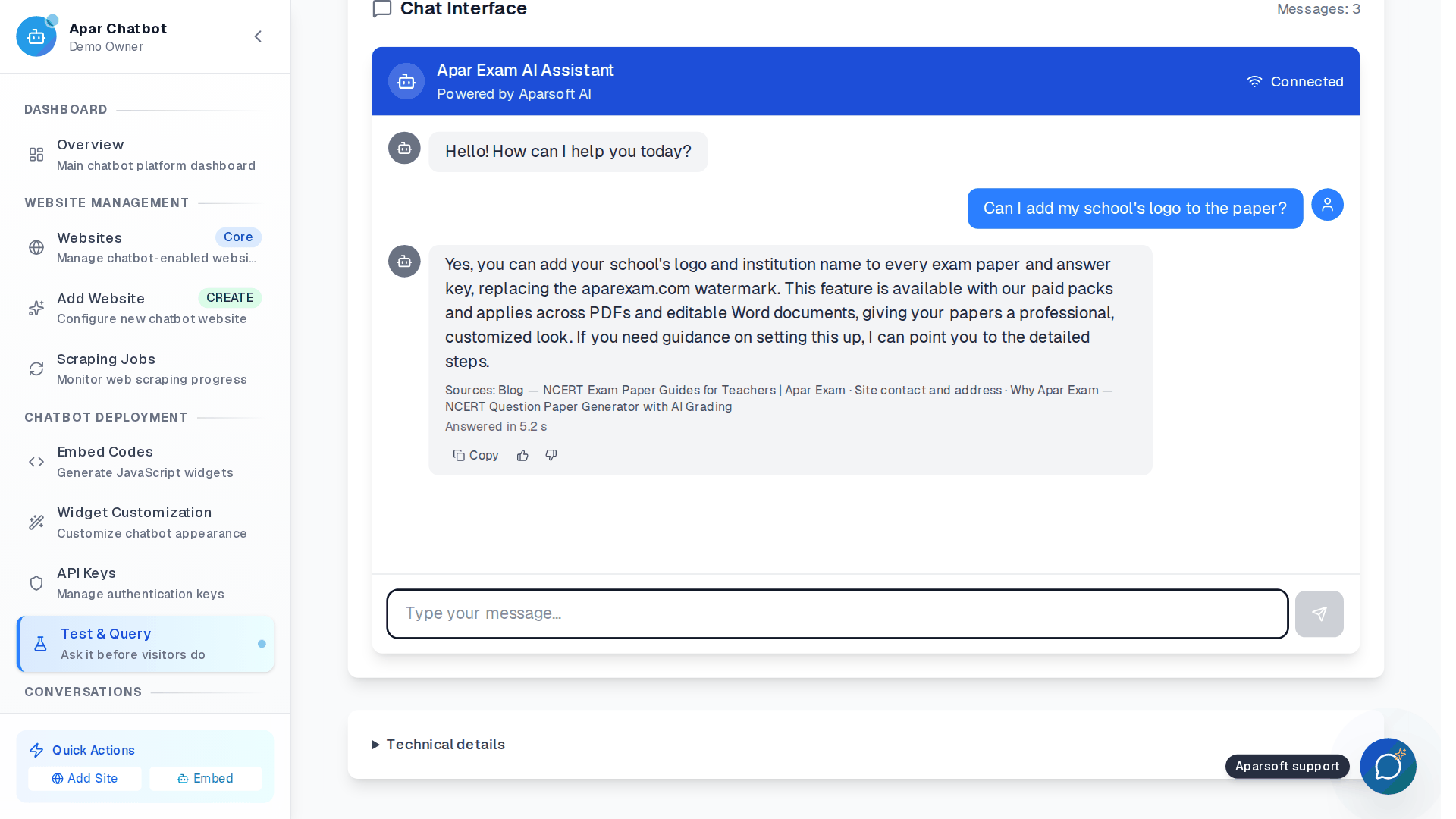
Test it before anyone sees it
Ask what a visitor might ask. The answer comes from the website's pages.
- The sources sit under every answer
- How long it took to answer
- Mark an answer helpful or not
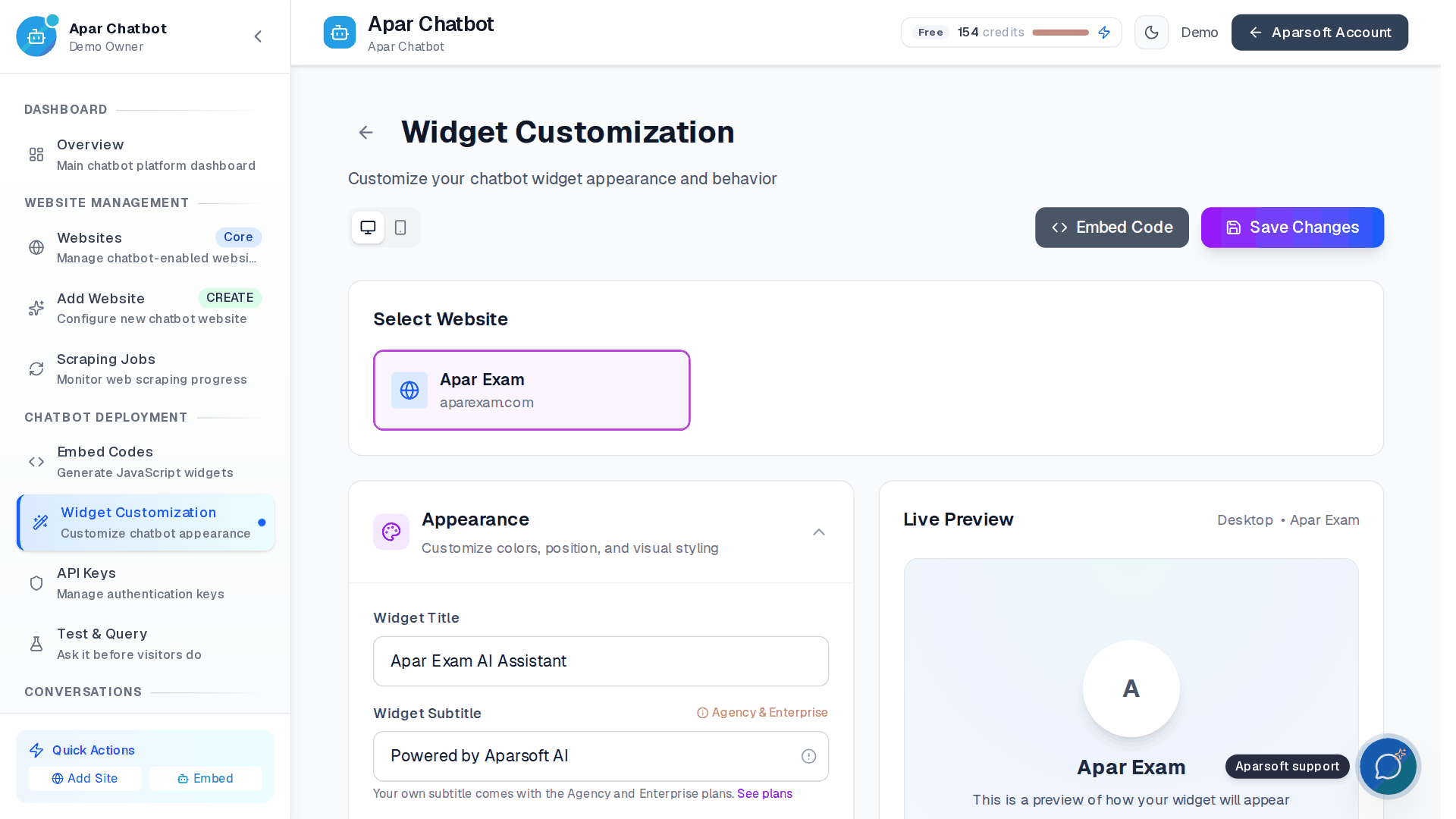
Make it look like your website
Title, colours, position and welcome, with a live preview.
- Preview on desktop and phone
- Saved changes reach your website without new code
- Allowed Domains keep it to your own sites
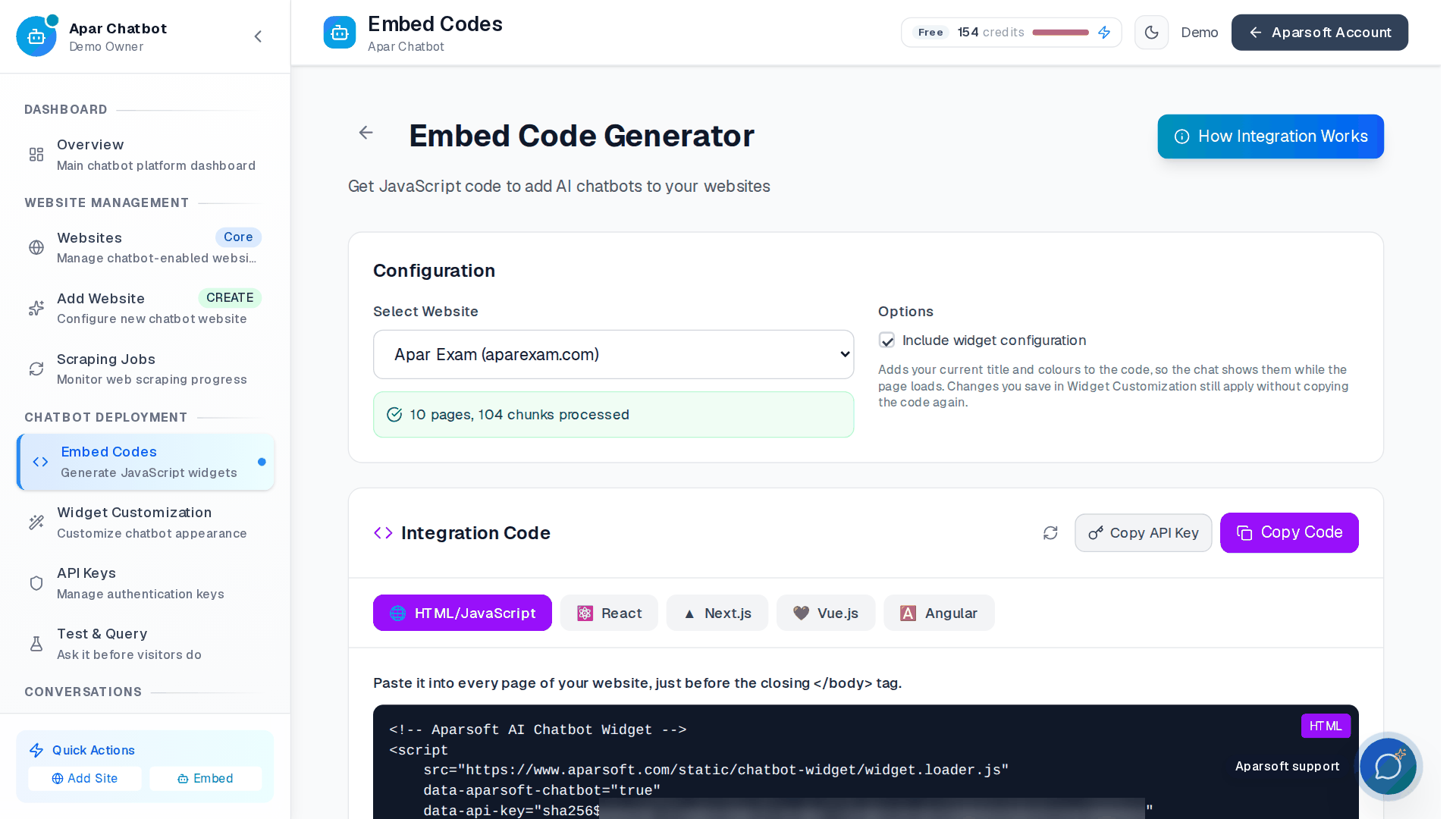
One snippet, any website
Paste it into your pages, just before the closing body tag.
- Code for HTML, React, Next.js, Vue and Angular
- The same snippet on every page
- Copy it, or hand it to your developer
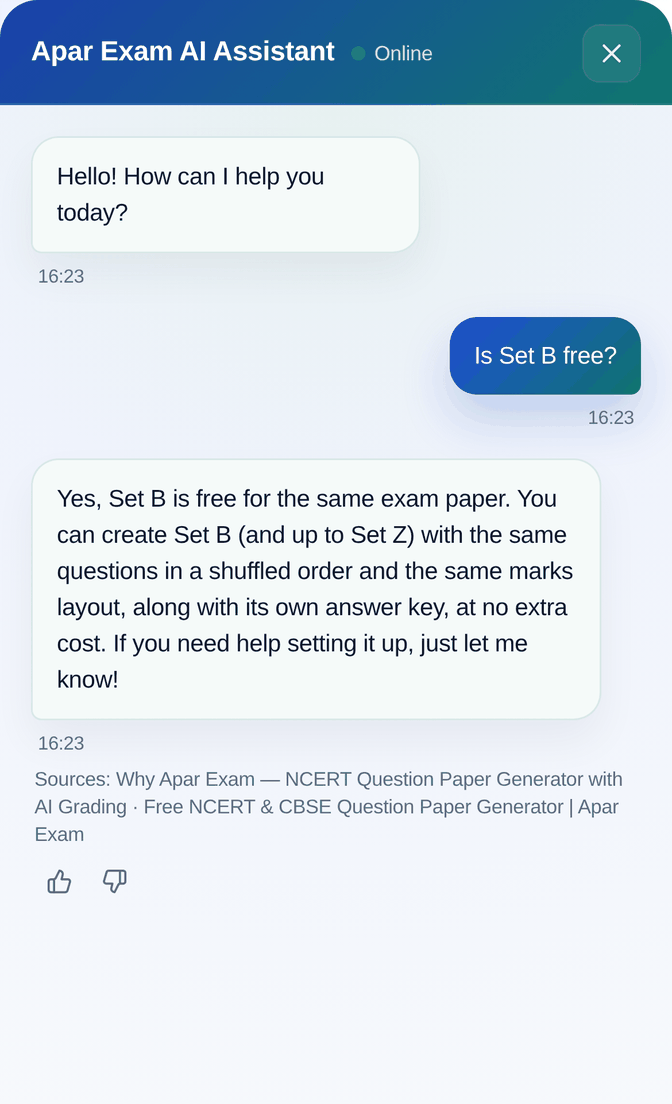
A visitor asks, on your website
The answer comes from the website's own pages, with its sources under it.
- On a desktop or a phone
- A thumbs up or down on each answer
- On the Voice plans, ask out loud and hear the reply
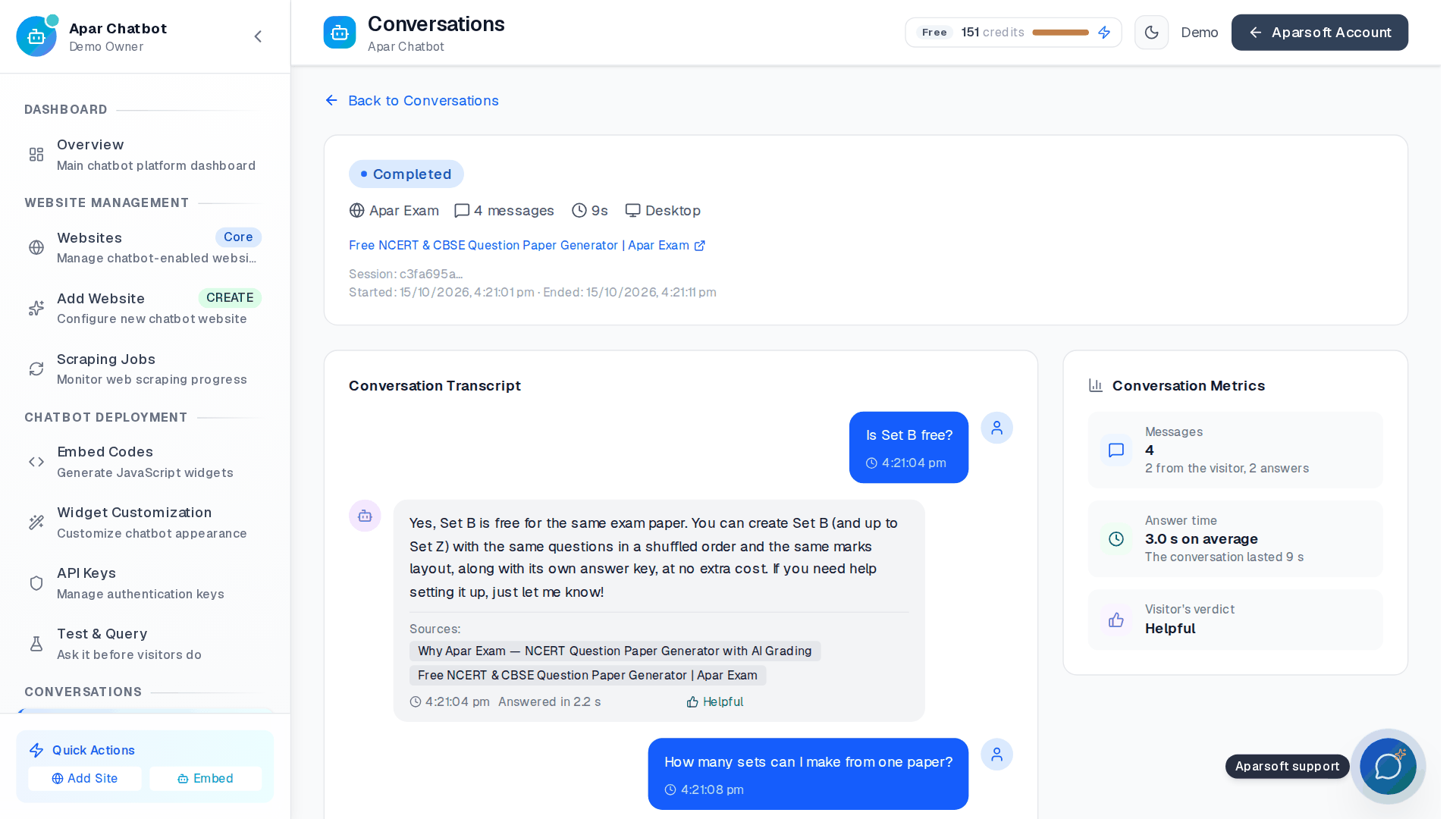
Read every conversation
Each chat, with the page it started on, the device and the visitor's verdict.
- Search what visitors asked
- Filter by website, status and device
- The answer time of each reply
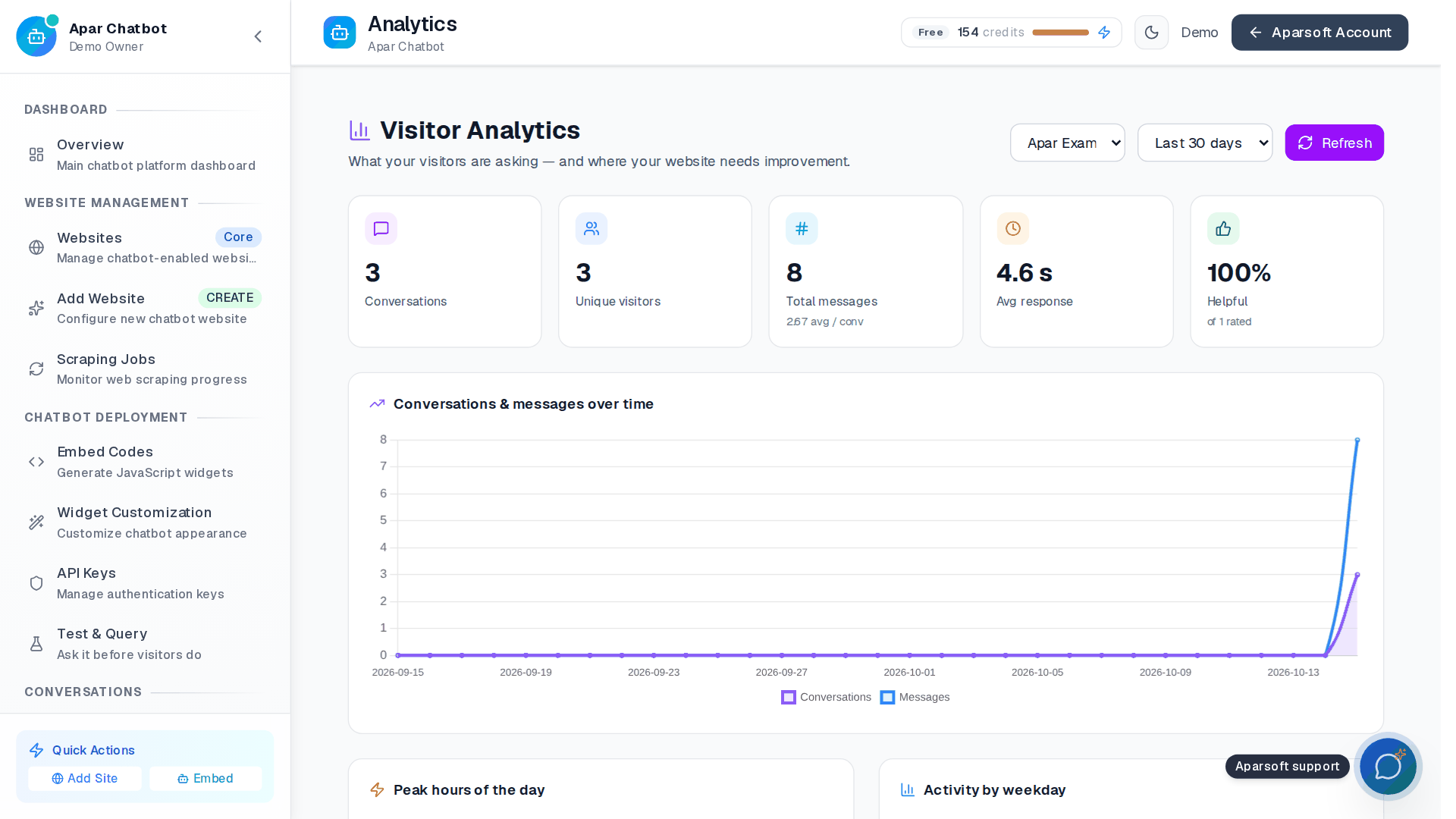
See what your visitors wanted
When they chat, on which pages, and how it went.
- Top questions, and whether each was answered
- Content gaps: what your pages couldn't answer
- Hours, weekdays, devices and satisfaction
How we engineered it
Six ideas behind a chatbot nobody has to train
How a website becomes a chatbot that answers from it, and what keeps it honest and safe.
It reads like a careful visitor
It finds pages from the sitemap first, then by following links, and pauses between batches. Private and internal addresses are refused, at the start and again while it reads.
Every answer shows its source
Pages and documents are split into passages and searched by meaning. The answer is written from what was found, and the sources sit under it, so an owner can check it.
Each website kept apart
Each website's content is kept in its own collection, searched only for that website's chatbot. One customer's pages never answer another customer's visitors.
Re-read without going quiet
Update knowledge reads the website again in the background. The old knowledge keeps answering until the new one is ready, and a failed update leaves it in place.
The gaps write themselves
When an answer admits the pages don't say, the question is counted as a content gap. The owner sees what visitors wanted and the website lacks.
Guarded at the edges
Guardrails against prompt injection, rate limits for each visitor, and Allowed Domains, so a copied snippet won't chat on someone else's website.
What the build proves
Running on our own website first
- Visitors get an answer whenever they ask, with its sources
- The owner sees what was asked, and what the website couldn't answer
- A changed website is read again in one click
- aparexam.com, our own product site, runs it
More screens
Every screen, from the demo account
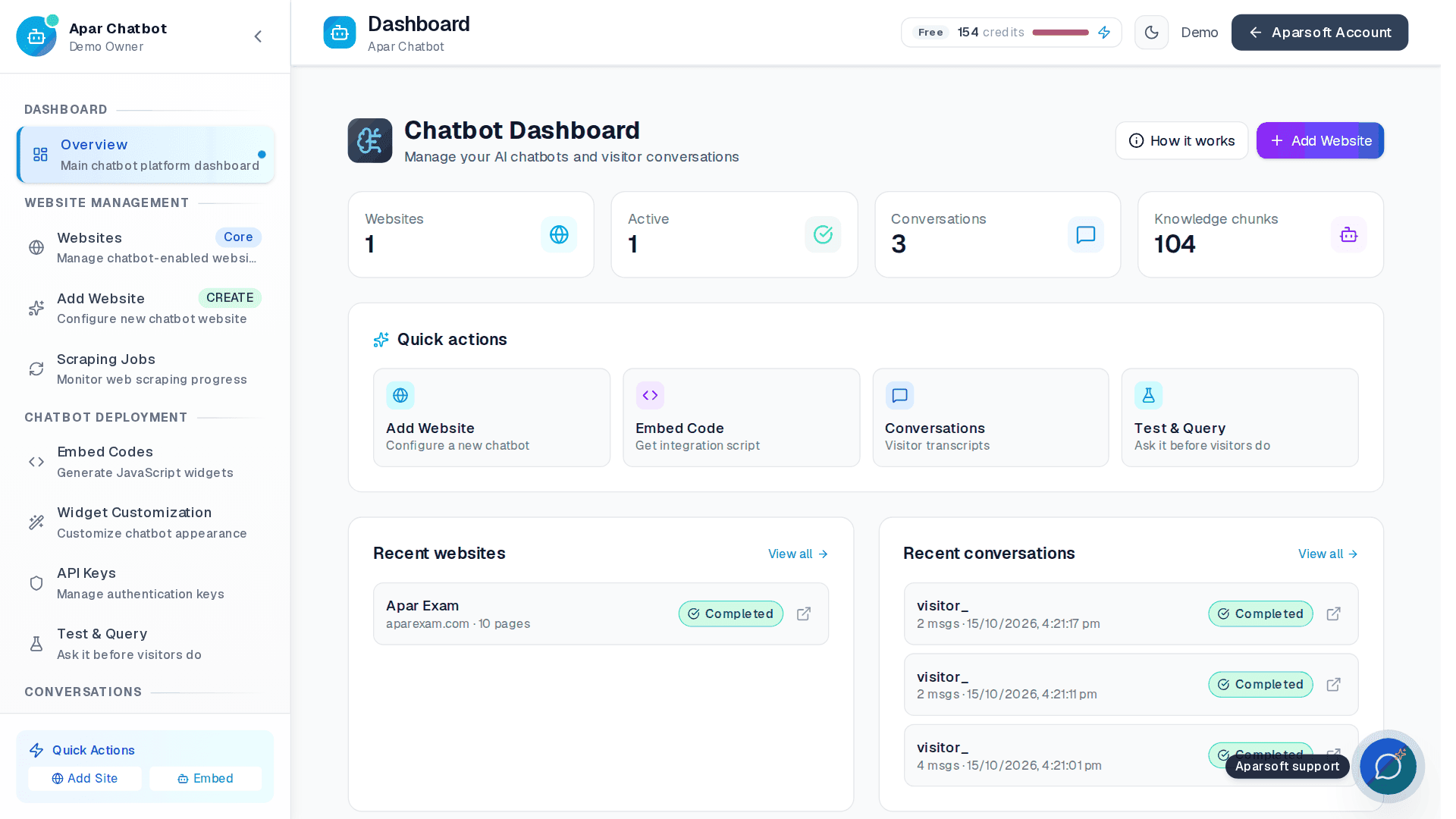
The dashboard: websites, active chats, conversations and the knowledge it holds, with quick actions.
How it's built
The stack, and how we use it
Proven open-source tools, used the way they are meant to be used.
Next.js 16 · React 19
The business's dashboard on the App Router, with TanStack Query and Zod-validated forms.
Django REST Framework
Multi-tenant API: every business's bots, documents and chats kept apart in the data model.
PostgreSQL + pgvector
Each business's documents searched by meaning, in the same database as their bots and chats.
LangGraph + LangChain
Answers grounded in the business's own content, with any model behind one interface.
Django Channels
Replies stream into the widget live over WebSockets, with rate limits per visitor.
WhatsApp Cloud API
The same bot on WhatsApp, every incoming webhook's signature checked before it is trusted.
Celery + Redis
Document processing and embeddings run in background queues, off the chat's path.
Razorpay
Plans and credits, with every payment's signature verified on the server.